The Basics Of Creating A Magento Module
A lot of community extensions (or modules) are available for the feature-rich open-source e-commerce solution Magento, but what if they don’t quite work as you want them to? What if you could understand the structure of a Magento module a little better, to the point that you could modify it to suit your needs or, better yet, write your own module from scratch?
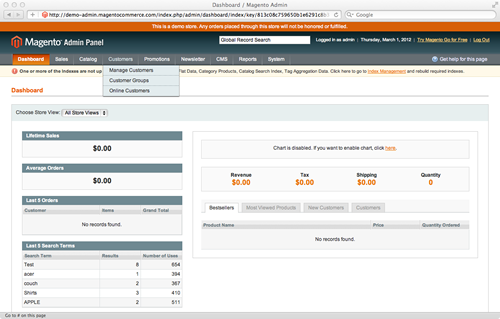
In this tutorial, we will introduce the coding of Magento in the form of a “Hello World”-style module. The goal of the module will be simply to write some information to a log file every time a product is saved. This very basic module will allow us to cover a number of interesting topics, including:
- The
app/codedirectories, - The structure and creation of a Magento module,
- Event observers,
- Logging.
Before We Begin
This tutorial assumes that you already have an installation of Magento up and running, either locally or on a development server, that you can add new files to. The version of Magento that you use doesn’t really matter, because we will be covering fundamental aspects that exist across all versions and editions: Community, Professional and Enterprise.
Disable the Cache
This is one of the first lessons a Magento developer should learn: disable the cache! You can do this by going to Admin Panel > System > Cache Management > Select All > Actions: Disable > Submit.
While very good at boosting performance in a production environment, the cache is a developer’s enemy. Leave it enabled at your peril! Every Magento developer I have met has on more than one occasion spent an hour or so wondering why their latest update is not showing up, only to find that Magento is still displaying the version of the website that it conveniently cached earlier that day.
The app/code Directory
The brains of Magento can be found in individual modules inside the app/code directory, which is split in to three areas: core, community and local.
Core
The app/code/core directory contains all of the functionality for products, categories, customers, payments, etc. Until you know what you are doing (and even afterwards), keep app/code/core off limits because these files should not be modified.
Magento is structured in such a way that you can alter the functionality of any of these core files without modifying them directly, which ensures that your application remains upgrade-proof. By all means, look in order to better understand how Magento works, but do not touch.
Community
As the name suggests, app/code/community is where you will find modules that have been provided by third parties (i.e. not Magento’s core team). Hundreds of modules are available through Magento Connect, and when you install them through the built-in “Package Manager,” this is where they end up.
Local
Magento ships with an empty app/code/local directory, ready for you to add bespoke modules for your own Magento installation. This is where we will be working for the duration of this tutorial.
Structuring Our Directory
Open your favorite editor, and navigate to app/code/local to add some new directories and files.
Module Namespace
The first directory we will create is a “namespace.” This can be called anything you like, but the convention is some form of the name of the company or module’s author. Magento uses “Mage” as its namespace. Here at Ampersand Commerce, we use “Ampersand.” For this tutorial, we will use “SmashingMagazine” as our namespace. So, create the directory app/code/local/SmashingMagazine.
Module Name
For the next directory, we will give our module a descriptive name. The module we are creating will write log entries each time a product is saved, so a logical name would be LogProductUpdate. Create the directory app/code/local/SmashingMagazine/LogProductUpdate.
We should now have the following directory structure for our module. These directory and file names are case-sensitive, so capitalize where appropriate.
app
- code
- local
- SmashingMagazine
- LogProductUpdate
Configuring Our Module
Next, we will begin to configure our module. The configuration files belong inside our module in a directory named etc, so let’s create that along with a new XML file: app/code/local/SmashingMagazine/LogProductUpdate/etc/config.xml. This XML file will inform Magento of the location of the files in our module, as well as many other things, such as version number and events to observe. For now, we will create a simple config.xml file, which contains comments that explain the meaning of each section.
<?xml version="1.0" encoding="UTF-8"?>
<!-- The root node for Magento module configuration -->
<config>
<!--
The module's node contains basic
information about each Magento module
-->
<modules>
<!--
This must exactly match the namespace and module's folder
names, with directory separators replaced by underscores
-->
<SmashingMagazine_LogProductUpdate>
<!-- The version of our module, starting at 0.0.1 -->
<version>0.0.1</version>
</SmashingMagazine_LogProductUpdate>
</modules>
</config>
Activating Our Module
The next step is to inform our Magento installation that our module exists, which we do by creating a new XML file in app/etc/modules. The name of this XML file can be anything you like, since Magento will read all XML files in this directory and will be interested only in the content. However, by convention we should give the file and module the same name. Let’s create app/etc/modules/SmashingMagazine_LogProductUpdate.xml with the following content:
<?xml version="1.0" encoding="UTF-8"?>
<config>
<modules>
<SmashingMagazine_LogProductUpdate>
<!-- Whether our module is active: true or false -->
<active>true</active>
<!-- Which code pool to use: core, community or local -->
<codePool>local</codePool>
</SmashingMagazine_LogProductUpdate>
</modules>
</config>
Sanity Check: Is The Module Enabled?
We now have a fully functional module that is enabled in Magento. It doesn’t do anything, but it is a valid module. This is our first opportunity to see whether we have correctly configured everything so far. If we log into the Magento admin panel and navigate to System > Configuration > Advanced > Advanced and view the “Disable Modules Output” listing, we should see our SmashingMagazine_LogProductUpdate module listed as enabled. If it is not listed, then something has gone wrong, so carefully run through the steps up to this point again. This is usually when new Magento developers discover the cache!
Our module’s structure now looks like this:
app
- code
- local
- SmashingMagazine
- LogProductUpdate
- etc
- config.xml
- etc
- modules
- SmashingMagazine_LogProductUpdate.xml
Defining An Event Observer
Event observers are extremely powerful and are one of the cleanest ways to extend Magento’s functionality without having to rewrite or override any core methods or classes. We want to observe the event that Magento dispatches just after a product is saved, so the code for the event we are interested in is catalog_product_save_after. Determining which event code to use when defining a new observer requires a basic understanding of Magento’s model layer, which is beyond the scope of this tutorial. Don’t worry, though: we’ll cover it another time!
We now need to modify our config.xml to include the event observer definition:
<?xml version="1.0" encoding="UTF-8"?>
<config>
<modules>
<SmashingMagazine_LogProductUpdate>
<version>0.0.1</version>
</SmashingMagazine_LogProductUpdate>
</modules>
<!-- Configure our module's behavior in the global scope -->
<global>
<!-- Defining an event observer -->
<events>
<!-- The code of the event we want to observe -->
<catalog_product_save_after>
<!-- Defining an observer for this event -->
<observers>
<!--
Unique identifier within the
catalog_product_save_after node.
By convention, we write the module's
name in lowercase.
-->
<smashingmagazine_logproductupdate>
<!-- The model to be instantiated -->
<class>smashingmagazine_logproductupdate/observer</class>
<!-- The method of the class to be called -->
<method>logUpdate</method>
<!-- The type of class to instantiate -->
<type>singleton</type>
</smashingmagazine_logproductupdate >
</observers>
</catalog_product_save_after>
</events>
</global>
</config>
Configuring Our Model’s Directory
In the event observer defined above, we made reference to a model that we have not yet created. We need to inform Magento where to find models in our module by updating config.xml with the following:
<?xml version="1.0" encoding="UTF-8"?>
<config>
<modules>
<SmashingMagazine_LogProductUpdate>
<version>0.0.1</version>
</SmashingMagazine_LogProductUpdate>
</modules>
<!-- Configure our module's behavior in the global scope -->
<global>
<!-- Defining models -->
<models>
<!--
Unique identifier in the model's node.
By convention, we put the module's name in lowercase.
-->
<smashingmagazine_logproductupdate>
<!--
The path to our models directory, with directory
separators replaced by underscores
-->
<class>SmashingMagazine_LogProductUpdate_Model</class>
</smashingmagazine_logproductupdate>
</models>
<events>
<catalog_product_save_after>
<observers>
<smashingmagazine_logproductupdate>
<class>smashingmagazine_logproductupdate/observer</class>
<method>logUpdate</method>
<type>singleton</type>
</smashingmagazine_logproductupdate >
</observers>
</catalog_product_save_after>
</events>
</global>
</config>
Creating An Observer Model
We will now create the model to be instantiated when the event is dispatched. Create a new PHP file in app/code/local/SmashingMagazine/LogProductUpdate/Model/Observer.php with the following content:
<?php
/**
* Our class name should follow the directory structure of
* our Observer.php model, starting from the namespace,
* replacing directory separators with underscores.
* i.e. app/code/local/SmashingMagazine/
* LogProductUpdate/Model/Observer.php
*/
class SmashingMagazine_LogProductUpdate_Model_Observer
{
/**
* Magento passes a Varien_Event_Observer object as
* the first parameter of dispatched events.
*/
public function logUpdate(Varien_Event_Observer $observer)
{
// Retrieve the product being updated from the event observer
$product = $observer->getEvent()->getProduct();
// Write a new line to var/log/product-updates.log
$name = $product->getName();
$sku = $product->getSku();
Mage::log(
"{$name} ({$sku}) updated",
null,
'product-updates.log'
);
}
}
We’re done! Try it out.
The directory structure for our completed module should now look like this:
app
- code
- local
- SmashingMagazine
- LogProductUpdate
- Model
- Observer.php
- etc
- config.xml
- etc
- modules
- SmashingMagazine_LogProductUpdate.xml
Now that our module is complete, it’s time to try it out! Log into the Magento admin panel, create or update a product in your catalog, and then check the var/log folder to see your product-updates.log file populated.
If nothing appears or the directory does not exist, ensure that the correct permissions are set to allow Magento to write to this directory, and that logging is enabled in Admin Panel > System > Configuration > Developer > Log Settings > Enabled.
This basic tutorial is meant to give you an overall understanding of how Magento modules work. After completing this tutorial, spend some time exploring the Magento modules in app/code/core and see if you now have a better idea of how it all works.
Feel free to download the source code (ZIP).
We welcome any questions and would love to hear any feedback in the comments area below.



David Smythe
March 1st, 2012 5:03 amOnce you grasp the basics of what’s happening here you can really speed up by looking at the free module creator extension.
I’m currently battling my through my first Magento module and I’ve really jumped in at the deep end; front end, back end screens, judicious use of ajax and dynamically creating products on the fly to add to orders.
It’s unreal how different it is to other ecommerce software.
Joseph McDermott
March 2nd, 2012 2:55 amTo which ‘free module creator extension’ are you referring? Anything that assists a developer in getting started with Magento is great, but like you say it is important that the effort is made to understand what is actually happening behind the scenes rather than getting in to the habit of using an automated tool every time.
Iain Hubbard
March 2nd, 2012 4:56 amThere is a promising plugin for eclipse that helps with module creation and Magento coding
Hans Kuijpers
March 2nd, 2012 5:03 amYou don’t want to speed up creating modules when creating your first module. The first couple of modules you’re learning and you should not speed things up. Once you’ve created a couple you can switch to “module creators” to gain some time.
That’s what I would do.
Ozh
March 1st, 2012 5:46 amNote to self: continue to code plugins for WordPress and never look again at that megacumbersome way of doing custom things in Magento
Sean Breeden
March 1st, 2012 7:10 amGreat article! Yes it may seem cumbersome to some but there’s a reason things are the way they are in Magento. Once you learn, it is a very powerful system.
Andres Hermosilla
March 1st, 2012 10:00 amI agree with you @Ozh, Magento is very cumbersome. Many people (the 100′s of sub200 product sites) use it when they should be using a lighter system.
Joseph McDermott
March 2nd, 2012 2:55 amI can understand this point of view, however as @Tim Glaesel points out Magento is not something that you can just dive straight in to and get instant results with your custom development. It is however a framework that, once your understanding grows, is extremely powerful, and the goal of these articles I am writing is to provide you with that understanding. This is the first of a series.
Johan
January 23rd, 2013 10:05 amExactly my thought when first looking at Magento aswell, really confused, coming from writing plugins for WP, Joomla, vBulletin and others..
Now I “have to” write a Magento module for a client, so better get started.
Thanks for the good guide, I loaded up 3-4 different “starter guides” for writing Magento modules, and this one is definently the one with best content!
I really love the clarity of WordPress Codex, can’t seem to find something similar for Magento. Is there such a thing? Just having a clear list of possible events to hook would be lovely.
mazcth
February 22nd, 2013 9:00 amHere is a full event list, hope it’s usefull:
http://www.nicksays.co.uk/magento-events-cheat-sheet-1-7/
David McDermott
March 1st, 2012 1:30 pmI find it weird that I have similar credentials, the same last name, am in the same line of work, and have dealt with Magento websites.
Go figure. Family trees ftw.
Joseph McDermott
March 2nd, 2012 2:56 amsmall world :)
Regan Johnson
March 1st, 2012 10:45 pmI find Magento to be a pig on most common web server setups. I wish it wasn’t, because I love the reporting and features.
Iain Hubbard
March 2nd, 2012 4:51 amMagento is a bit of a resource hog, but with the right setup you can get decent levels of performance out of it.
As always with complex web applications caching is everything. There are various ways you can use caching in and around Magento to help with performance. The Enterprise edition also has a full page cache built in.
Another common mistake is for people to try and serve their static assets (jpg,css,etc) from a heavyweight apache process.
adumpaul
March 2nd, 2012 12:28 amNice article.Really useful tutorial.Thank you for sharing.
Tim Glaesel
March 2nd, 2012 1:44 amHi Joe,
I appreciate your ambition to provide some insight into magento and I understand this is by far not an exhaustive tutorial. Personally, I would have hoped for a little bit of advice for new developers outlining what projects it is suitable for – and more importantly for which projects (and budgets) magento should possibly not be your first choice.
Assuming that a developer has a very good understanding of design patterns, the zend framework and the internal architecture, magento is a very powerful system. I would like to stress, however, that magento comes with an enormous overhead and a poor documentation at best. Seeing how popular word-press appears to be here on smashing magazine, I think it’s important to point out that a word-press developer will have the most frustrating experience of their life if they plan to jump in at the deep end and want to make the transition to magento for a tiny $10k e-commerce project. Having said that, if you feel comfortable reverse-engineering complex systems and like to look at magento as a framework rather than a shop out of the box, you will definitely get a lot out of it.
-Tim
Joseph McDermott
March 2nd, 2012 2:57 amI will certainly keep in mind for future articles a ‘Getting Started Guide’, outlining what projects and budgets Magento is best for. Being open-source, its really the Magento developers and agencies working with Magento every day who create ‘documentation’. On Smashing Magazine there is a gap in the amount of articles about WordPress versus articles about Magento. By creating a pool of knowledge here, I hope to allow for developers to be able to make informed choices.
Moldován Eduárd
March 2nd, 2012 2:25 amI like this article. But I can’t help saying something something about evangelizing magento. Nobody should do that. It one of the worst built PHP systems I have ever seen.
I think we should not teech people to use something which is not good enough. I understand that it has a goal, that many people are using magento, but for one and only reason: there is nothing similar. But this doesn’t make Magento good…
Maybe my opinion about it very bad, and I do not want to offend anybody, there is probably lots of work behind magento, but still.
Wouldn’t the goal of a opensource/free/whatever product be ease of use? Or at least one of its goals. Magento is anything but that.
While writing my comment, I saw Tim Glaesel’s comment, which is similar to mine, One big difference: I think Magento isn’t fit for anything. Its ‘powerful’ architecture temds to make things too complicated, in such way, that if one needs something powerful, it might be easier to write one from scratch.
Daniel
March 2nd, 2012 5:38 amIf you know Magento enough good, you can create huge powerful store in 2 weeks. since I am using magento I am able to create 3 times more projects monthly than before. And they work just perfect for my clients.
Salman Abbas
March 2nd, 2012 4:08 amGreat Article!
Looking forward to see more Magento articles on SmashingMag. :)
Ash Smith
March 2nd, 2012 5:08 amFantastic article, I’d love to see more Magento articles like this on here! Will there be more advanced tutorials coming up? Thanks!
Marush Denchev
March 2nd, 2012 5:20 amFinally! I will pay to see even more articles about Magento! So popular, and so sucky documentation!
Daniel
March 2nd, 2012 5:33 amGreat article ! WP and Magento are the main platforms I work with…. It would be great if Magento had a separate section on Smashing Mag, just like WP has .
Waiting for more !
Aman Dhingra
March 2nd, 2012 5:58 amnice
Taiger
March 2nd, 2012 8:39 amWe are giving up on Magento for many reasons..
How about giving some love to a truly flexible ecommerce solution like Drupal eCommerce?
Paul
March 2nd, 2012 8:59 amMagento is a horrible system. It’s bloated and generally un-maintainable. Keep in mind with Mage, if you start with a version and start installing modules, you’re not going to be upgrading regularly.
And if you don’t upgrade regularly, upgrades will break in general.
Daniel
March 3rd, 2012 12:47 pmAnyway, websites have a lifetime of maximum 2-4 years. So, then you have to redesign the layout and change or make a major system upgrade if you want to stay in the game :).
Dave P
March 12th, 2012 7:42 amMy god, the last thing you want is your *framework* dictating your front-end refresh cycle!
Tim
March 3rd, 2012 1:46 pmI literally did a little dance when I saw this in my RSS feed!
Can I request a lesson on widgets too?
Dave P
March 5th, 2012 2:36 amI think Magento is a very bad idea for most.
1) It is far too heavy on resources, a good system doesn’t need a high spec server to run a small site. For larger sites it require HUGE investment
2) It is far too complicated. A ‘turtles all the way down’ approach is very good as long as the stack of turtles doesn’t go so deep there is no light to see them. It is very hard to see what is going on in Magento
3) Documentation is absolute rubbish. The number of times I wanted to do something and found no info on the Magento sites, in the forums or on the web in general, often there would be lots of I’m having this problem too comments against a post with no one having any solutions.
4) Updates are a nightmare. The system was designed to make updates easy, this is not how I see the reality.
Daniel
March 5th, 2012 3:21 pmPlease give me an alternative which is equivalently flexible to create practically any eCommerce site, and that will allow me just as Magento, create a powerful Web Store in 2 weeks. … I will gladly switch.
Dave P
March 9th, 2012 6:31 amI agree that there are very few good ecomerce systems out there, and in the open source world I don’t think there are any at all!
That doesn’t make Magento a good system though.
We have retreated to our own bespoke systems as a result after some disastrous flirting with Mag.
Can you make a FULLY BESPOKE site in Magento in 2 months let alone 2 weeks? By that I mean 100% custom layouts (HTML built from scratch &c.), modules etc … leave all alone, use plugins and themes as they are and of course you can do in 2 weeks, there are plenty of systems that only take about 2 days to set up if all you are doing is monkeying around with a CSS and adding a blog module, even OS commerce can do that.
Joseph McDermott
March 6th, 2012 12:48 pmA couple of comments have been made about Magento being a ‘nightmare’ to upgrade. This is not the case, as long as your custom modules are approached in such a way that will allow for these upgrades.
For example, rather than directly modifying files in app/code/core, add event observers to achieve the same result. Instead of directly modifying template files, create child blocks that can be unobtrusively included in the page.
These are the techniques that I will be introducing in upcoming articles, and by adding your custom functionality in this way, you will soon find that Magento upgrades are something to look forward to rather than to fear.
Emmanuel
March 7th, 2012 1:21 amHello,
I’m a lead dev in a team developing a big e-commerce solution.
Magento is the more “complete” solution for e-commerce but customizing it is a real nightmare.
The architecture is old school and they don’t respect standards of MVC.
Magento is a real crap ! It’s based on Zend but they use Zend as librairies and not as a MVC base.
The doc is poor and you’d better dive into the “code” to understand …
First and last project for me with Magento !
They plan to release Magento2 for early 2013 if it’s not a real MVC I give up and wait for a real solutiion :/
My 2 cents
Midhun
March 9th, 2012 4:58 amHello
I followed the steps mentioned above, but once I update/create a product I am finding this warning in the system.log
2012-03-09T12:14:23+00:00 ERR (3): Warning: include(SmashingMagazine_LogProductUpdate_Model_Observer.php) [function.include]: failed to open stream: No such file or directory in /path_to_my_magento_installation/includes/src/Varien_Autoload.php on line 93
2012-03-09T12:14:23+00:00 ERR (3): Warning: include() [function.include]: Failed opening ‘SmashingMagazine_LogProductUpdate_Model_Observer.php’ for inclusion (include_path=’path_to_my_magento_installation/includes/src:.:/opt/lampp/lib/php’) in /path_to_my_magento_installation/includes/src/Varien_Autoload.php on line 93
Have set all permissions proper for the files. Is there anything else I am missing here ?
Joseph McDermott
November 12th, 2012 5:13 amHi Midhun, thank you for trying the tutorial and sorry for the delay in getting back to you! I have attached the source code to the bottom of the article for you to compare with what you have, and try to identify the problem. Please let me know how you get on.
Ian Nitch
November 25th, 2012 11:37 pmGetting the same result with the zip file provided:
2012-11-26T07:32:46+00:00 ERR (3): Warning: include(SmashingMagazine_LogProductUpdate_Model_Observer.php): failed to open stream: No such file or directory in /var/www/magento/includes/src/Varien_Autoload.php on line 93
2012-11-26T07:32:46+00:00 ERR (3): Warning: include(): Failed opening ‘SmashingMagazine_LogProductUpdate_Model_Observer.php’ for inclusion (include_path=’/var/www/magento/includes/src:.:/usr/share/php:/usr/share/pear’) in /var/www/magento/includes/src/Varien_Autoload.php on line 93
Matt
May 6th, 2013 9:02 pmI have the same issue as Midhun, and I’ve checked everything and all is correct (as far as the code) – I am using 1.7.0.2 and got the exact same error. Can you please let me know what I am missing? Thanks
Dan
May 22nd, 2013 2:17 pmYour compilation feature must be enabled…Check this out: http://kb.magenting.com/content/22/29/en/solution-failed-to-open-stream-no-such-file-or-directory-in-includes-src-varien_autoloadphp-on-line-93.html
This should solve the problem
Riz Khan
March 16th, 2012 9:32 amI’m looking for a good ecommerce solution. I’ve been trying several things such as
Yahoo stores – I find it to cookie cutter in looks. The RTML isn’t documented very well and custom templates can run into the thousands.
Cre Store – Comes incomplete. You have to buy modules to get functionality.
Oscommerce – Much like Cre store comes incomplete and you have to add modules.
Magento – It looks promising except I am having issues to get it installed. Very little support on this.
Dashcommerce – The Asp functions would be great, but I also have install issues with it as well.
It is becoming very frustrating to say the least.
|I’d like to build a large Website with dynamic modules, nested navigation and other features. Magento is too expensive and GoDaddy Website Tonight doesn’t let a Website scale very well. What do you recommend that is free or affordable? Possibly like Drupal or Joomla but easier to use?
Looking for a tool or platform to build a dynamic site as easy as WordPress but with more power to it, not a hard coded site. Thanks in advance for your help!
bhavika
May 19th, 2012 4:07 amthis is very useful article
but i want to start execution indexAction of IndexControler from module in magento.
plz help me
and send email me this solution plz.
thanks.
Paul
June 25th, 2012 7:11 amIs this tutorial still working for the 1.7.0.1 community version?
I tried to create a custom module, there wasn’t a local folder (I created one) and now I have the same names as the article, same code, and I can’t see the module listen in System->Configuration->Advanced->Advanced.
I already tried to change the “Current Configuration Scope” combo without any results and double checked the article.
I’m trying this in a Xampp server.
Paul
June 25th, 2012 7:18 amSolved.
travis
September 26th, 2012 7:28 amPaul, how did you solve this? I’m having the same issue…
** update **
Actually, it appears that I was wrong, I didn’t have the same issue. There is an arrow that you have to click to expand the modules. It’s not expanded by default…a little end user stupidity mixed with some poor UX for this section = facepalm :)
Aneeq
June 28th, 2012 2:26 amSometimes we need to download files as attachment in PHP. This code can ideally be called on a hyperlink.
$filename = “myImage.jpg”;
if(file_exists($filename)) {
header(“Content-disposition: attachment; filename={$filename}”);
//Tell the filename to the browser
header(‘Content-type: application/octet-stream’);
//Stream as a binary file! So it would force browser to download
readfile($filename);
//Read and stream the file
}else{
echo “Sorry, the file does not exist!”;
}
——————–
Source:
http://phphelp.co/2012/06/13/how-to-stream-a-file-as-attachment-in-php/
OR
http://addr.pk/a988
Jennifer
July 12th, 2012 7:18 amThis works great! Thanks. I appreciate the comments in the XML. I think I’ve gone through almost every module creation tutorial on the net. Magento takes a long time to learn but it seems limitless as far as being extensible. Our site is up and running on another platform and from a developer standpoint there are always things you want to do but you find yourself writing PHP hacks and re uploading databases just to get things accomplished especially with proprietary software that has little support and limited functionality.
manik
September 28th, 2012 2:36 amThis works great! Thanks. I appreciate the comments in the XML. I think I’ve gone through almost every module creation tutorial on the net. Magento takes a long time to learn but it seems limitless as far as being extensible. Our site is up and running on another platform and from a developer standpoint there are always things you want to do but you find yourself writing PHP hacks and re uploading databases just to get things accomplished especially with proprietary software that has little support and limited functionality.
Claus Conrad
October 8th, 2012 10:23 amJoseph,
thank you for this article, even though it is rather simple, it was helpful to me in creating my first Magento module. I am unable to understand the motivation for all the Magento bashing in the previous comments. Having worked with WordPress and Drupal before, I don’t find Magento’s learning curve to be different from those other CMS/frameworks. Agreed, it’s architecture is very different compared to most other PHP web apps, but doing serious work with any CMS or framework requires reading, learning and experimenting. After playing around with Magento for just a couple of days I find its code to be very well structured. Just as WordPress was never meant to power webshops, Magento is not designed to be a CMS either.
// Claus
dancl
October 18th, 2012 10:17 amneat tutorial, there’s a couple of problems with the code
- in the xml files the capitalisation of references to the php class should be the same as the directory names, filenames (it isnt)
- in the observer registration the value doesnt work as it described, it does work when set to SmashingMagazine_LogProductUpdate_Model_Observer
Joseph McDermott
November 12th, 2012 4:46 amHi Dancl, thank you for the feedback.
The XML class references which are not capitalised are in fact the ‘alias’ or ‘short name’ for the model directory, which can actually be whatever you like. As long as the folder structure and case is correct in the definition of config/global/models/{alias}/class/Xxxx_XxxxXxxx. Whatever you used for {alias} here, you can use throughout your XML files to refer to the Model path.
The observer method you mentioned,smashingmagazine_logproductupdate/observer , will use the Magento model autoloader to replace the model ‘alias’ with the correct class name from the model definition above, ie. in simple terms it will actually become SmashingMagazine_LogProductUpdate_Model/observer , and auto-capitalize the parts after the slash to become SmashingMagazine_LogProductUpdate_Model_Observer, which is correct.
Please let me know if I have completely missed your point :)
gergely tolcsery
November 10th, 2012 6:51 amHi!
It’s great, but 8 months later it’s the only one… :^O
Joseph McDermott
November 12th, 2012 4:34 amThe next articles in the series are on the way very soon!
Currently in the final proofing stage :)
gergely tolcsery
November 13th, 2012 5:12 amOugh, cool! I’m trying to make a new shipping module, and.. it’s killing me :)) I hope, you will continue, this ‘module story’ :) thanks! anyway, magento is impressive stuff, but little bit hard to ‘find the way’ . :)
magerock
November 10th, 2012 9:30 amThis is best tutorial. After reading this to understand i have used module creator and it is really fantastic to use module creator if u follow guideance written by this guy
http://www.techflirt.com/how-to-createn-custom-magento-module-step-by-step-tutorial/
Eric tran
December 11th, 2012 11:45 pmHi Joseph, I must say that your guide is just Superb for people who are new to magento. This will be the basis for people who don’t know where to begin to build their own magento modules :)
Our website also offer free Magento extensions and all are 100% open source. I recommend people who’re interested in building a new magento extension may visit us to get our free extensions for to research more.
magestore.com/magento-extensions.html
Uncle Fred
December 19th, 2012 1:32 pmExcellent article. If your product-updates.log file fails to show up yo have two options.
1. Make sure you have your Mage in dev mode by adding this to your .hosts file: SetEnv MAGE_IS_DEVELOPER_MODE
or
2. force log entry by changing this line :
Mage::log(
“{$name} ({$sku}) updated”,
null,
‘product-updates.log’
);
to
Mage::log(
“{$name} ({$sku}) updated”,
null,
‘product-updates.log’,
true
);
Rob
February 5th, 2013 12:13 pm@Uncle Fred:
Thanks. Crucial bit of information that.
Sim
January 19th, 2013 8:33 amThis was nice start, I was hoping to get a look at some more development guides. Something that helps build a front end, backend. A small data entry/retrieval program, even a guestbook would be nice.
Something that gets the foot in the door.
Alvaro
February 19th, 2013 6:19 amHi,
It’s compatible with the version 1.7.0.2?, because i’d uploaded to my site, but i can’t see the module, i’d flushed the cache, but still. Any ideas?
Regards
Bob
April 12th, 2013 12:50 amSame Problem :(
Kenner
February 19th, 2013 9:09 pmA great quickie walkthrough for newbs, thanks! Just the starter I needed. Much appreciated.
Ajay Kumar
March 1st, 2013 2:57 amThanks for creating such a nice tutorial.
