50 Powerful Time-Savers For Web Designers

There are tools that make our lives much easier. However, finding those obscure time-savers which would save time in every single project isn’t easy and requires a lot of time. At Smashing Magazine, we are regularly looking for such useful tools, gather them, review them and eventually prepare for a truly smashing round-up. Such posts are quite lengthy and extensive, but they are always worth checking out.
In this post, you’ll find an overview of useful and handy tools that can help you increase your productivity and improve your workflow. Some tools are more general, the others are more technical, yet we hope that this round-up has something to offer to every one of our readers. Please feel free to leave your comments and share with us which one of the tools you’ve found most useful and interesting.
Useful Time-Savers For Web Designers
House of Buttons
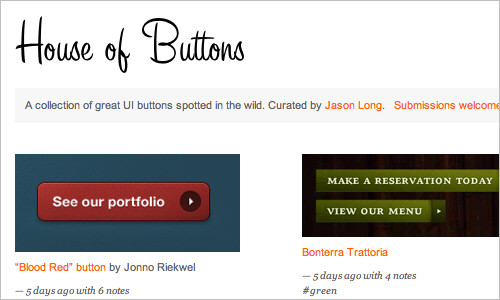
A growing collection of various buttons spotted in the wild by Jason Long. Very nice and useful collection, and submissions are welcome.
Historious
Historious makes bookmarking work the way you want it. Bookmark sites with a single click, then come back to Historious and find sites by entering a few keywords!

Browser UI
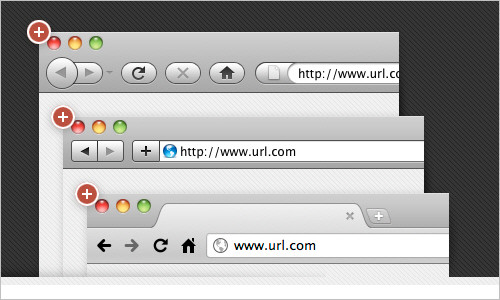
The Browser UI is an action that creates a browser window around any size Photoshop document you can throw at it. The Browser UI is easily installed and helps you get around with your Photoshop documents. A quick screencast is available on the site for a quick understanding of how Browser UI works.
A/B Split Testing Calculator
A/B Test Calculator shows you a comparison of several versions of a particular web page. In order to discover which one is most effective for your audience, you have to enter ‘statistically significant’ numbers.

What deux yeux have teux deux teuxday?
TeuxDeux is a simple, design to-do app that can be used for your iPhone. If you like making to-do lists, you will love TeuxDeux. This free browser-based app can be used everywhere; this way you have your to-dos ready to hand all the time. Check out the various TeuxDeux features included in this iPhone App shown in the left column.

Fillerati – Faux Latin is a Dead Language
‘Fillerati’ instead of ‘Lorem ipsum’… something different for a change. Modern browsers such as Chrome, Firefox, Safari or Opera are recommended.
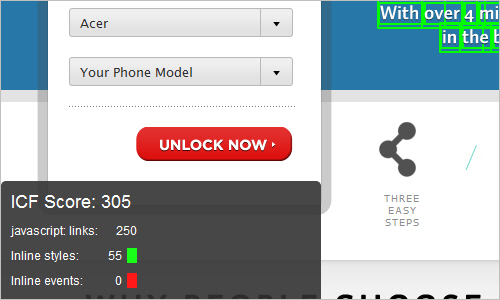
Inline Code Finder
Inline Code Finder is a tool to traverse through all elements in a web page, and when it finds a HTML element with any of these, it will highlight them. It finds inline JavaScript events, inline CSS coding and javascript:-links.
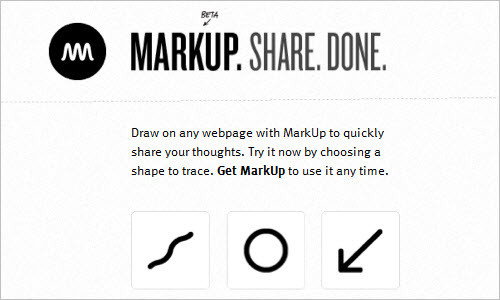
Share your ideas – Mark (them) Up!
MarkUp works in any browser without the need of being downloaded nor installed. Simply add the MarkUp icon to your bookmarks bar and share your ideas and thoughts swiftly!
Placehold.it
Format, Text, Color and Size – Quick and simple image placeholders. You may want to check Dynamic Dummy Image Generator, too.

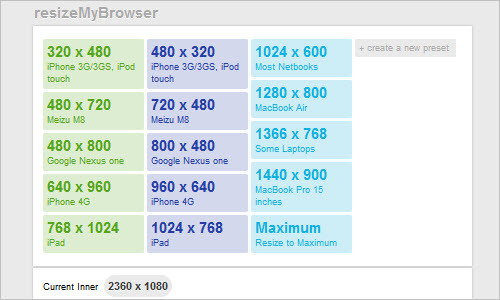
ResizeMyBrowser
This site helps you adjust your browser automatically, starting with a simple iPhone-sized browser (320×480) to a MacBook Pro (1440×900).
Note: This web application requires JavaScript. Please check your browser’s settings and make sure JavaScript is enabled.
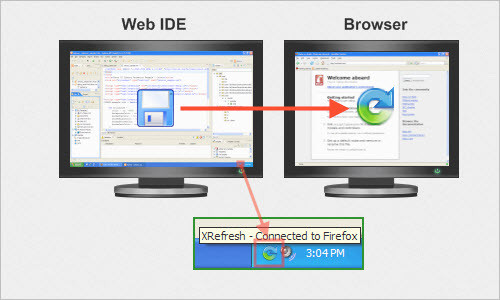
XRefresh for web developers
A browser plug-in which refreshes the current web page due to file change in selected folders and communicates with browser extension using TCP/IP. This makes it possible to do live page editing with your favorite HTML/CSS editor, especially when working with two monitors at the same time.
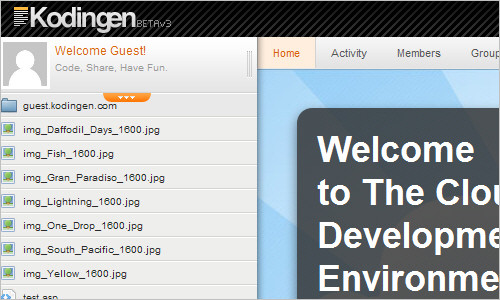
Kodingen
The so-called ‘Cloud Development Environment’ which lets you connect to your own FTPs. Web-based access to file-system & svn integration. Also includes an Online Code Editor and Cloud Hosting.
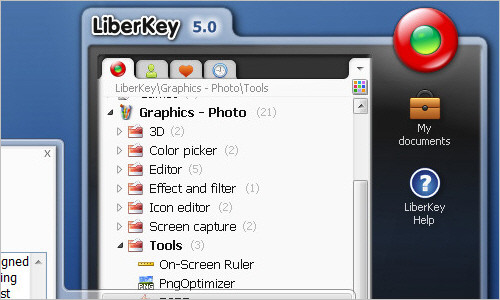
LiberKey
LiberKey is a large collection of portable applications that can be run without installation on your local PC nor from any portable media. You may want to check Portable Apps as well.
Notes for Later
This bookmarklet is a web service for remembering websites. It creates a unique bookmarklet for your personal browser in which you can simply receive the content you need via email. If you select nothing, you still get the current page’s URL and a time stamp. Registration is quick and painless. No login is required – just an email address.
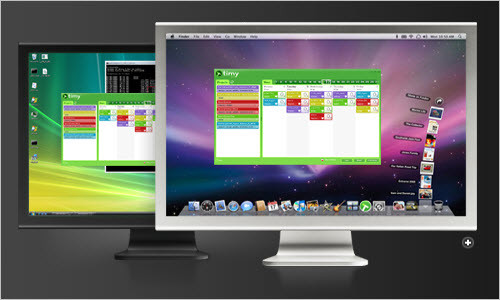
Timy
An easy-to-use desktop application to fill out your Basecamp timesheet and save a lot of time completeing your own personal timesheet.
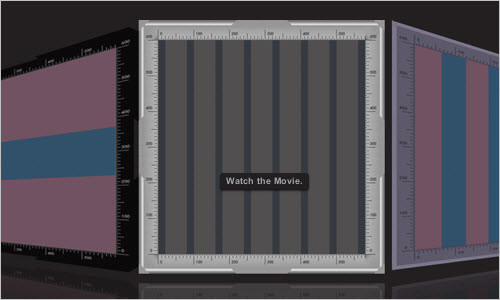
Slammer – Designer’s Geometry Box
Overlays any grid you want, anywhere you want. A variety of themes and overlays are presented: Typographic Grids, Golden Sections, Fibonacci series, Rule of Thirds and more! Slammer also includes Rulers, Crosshair, Magnifier, Measurements and Screenshots; watching the movie on the Slammer main page will help you learn more. However, Snow Leopard is required.
URList
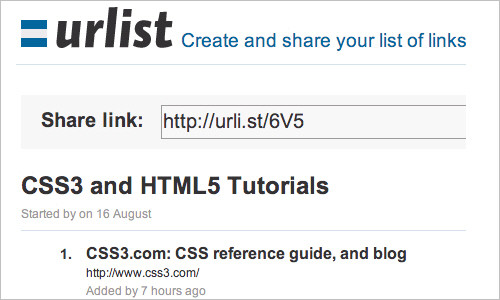
By dragging the bookmarklet to your browser’s bookmark bar, you will instantly save time in browsing the web and have a preview of the collected links that have been grouped previously. By clicking on the bookmarklet, you can always add a link. URlist not only enables you to create and save link lists easily, but also lets you access those links from anywhere. And creating lists is dead easy. Try it!
Licorizer
A new bookmarking service which allows you to mark relevant content without losing focus. Using a bookmarklet such as this one, enables you to add web pages and clippings to Licorize without leaving nor interrupting the web page you are currently focusing on.
Readability – An Arc90 Lab Experiment
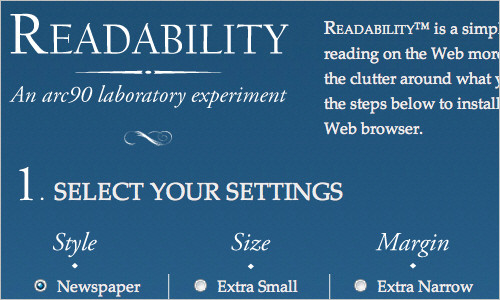
Readability™ is developed to make reading on the Web more enjoyable and remove any clutter around what you’re reading at the moment. A preview of a given text is available to give you an idea of how the style, size and margin can be adjusted. Installing Readability™ into your Web browser is quite easy…and makes it easier on your eyes!
Joli: Print to PDF in Google Reader
Joliprint bookmark provides you an easy and quick way to print a Google Reader post as a PDF. First, you have to create a bookmarklet onto your browser’s bookmark bar, then select a post in Google reader and finally, click on the Joliprint bookmarklet to convert the activated post into a PDF document. Ta-dah! You can check Clipr Bookmarklet as well.
Spoon
Spoon lets you run desktop applications with no installs, conflicts or dependencies such as .NET, Java nor AIR. By virtualizing your existing apps, you can turn them in standalone EXEs, MSIs or flash drives. This tool is also very useful for cross-browser testing right within your browser and is provided in two versions: Spoon for Business or for Developers.

Web Development Project Estimator
A simple tool for web designers and site developers to quickly and thoroughly estimate the time and materials required for a proposed web project. A personal task list can be created, leaving you to decide which ones to include or even exclude. Most importantly, hours and rates of the particular project allow you to calculate the estimated final fee.

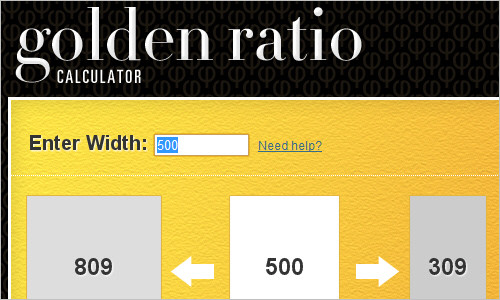
Golden Ratio Calculator
This online tool helps you calculate the width of your containers to achieve the golden ratio. You can have a column with a certain width (perhaps to achieve a nice word:line ratio) and you wish to find a matching column. Type in the width and use the left side, which gives you both a smaller and larger column. Or if you have a container and wish to divide it in two, type in the container width and use the right side measurements.
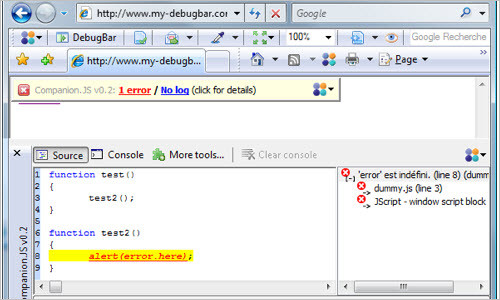
My DebugBar
Companion.JS is a Javascript debugger for IE. The current version is 0.5.5 and contains features such as JavaScript error reporting as well as a console feature which helps inspect JavaScript objects at runtime. Please note that CJS requires a Microsoft script debugger.
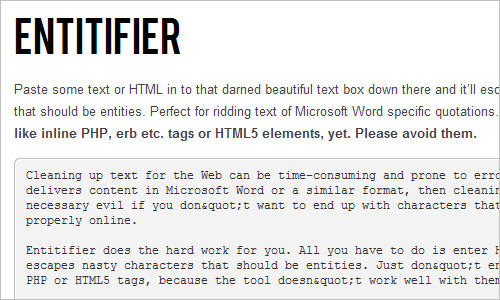
Entitifier
Cleaning up text for the Web can be very time-consuming and prone to error. In case your client ever ends up delivering content in Microsoft Word or a similar format, cleaning it up is definitely a necessary task to do — if you don’t want to end up with characters that don’t display properly online. By entering a HTML or simple text into the given text box and clicking on the ‘entitify’ button, you instantly have discovered a new tool which helps you escape any nasty characters that should be entities!
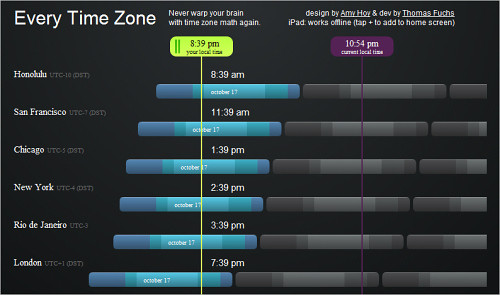
Every Time Zone
This tool shows an interactive chart of time in various cities across the globe. It also includes a slider to see the time in a particular city at any time of the day.
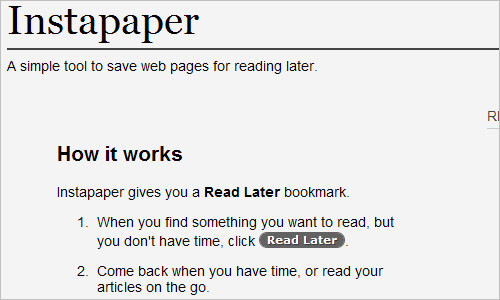
Instapaper
This is a simple tool that helps you save web pages for reading later, when you have time — for instance on mobile devices, iPad or Kindle.
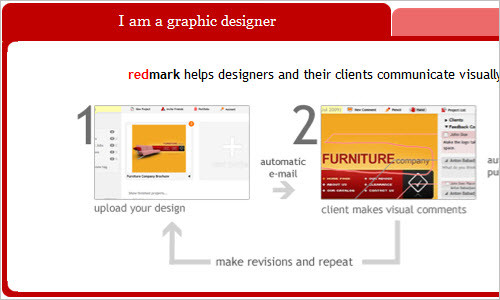
Redmark: the easiest way to mark up a design and track revisions
Communication is very important and helps designers and their clients come to clear terms with each other. This site offers visual communication in just three simple steps between designers and clients. It is also possible for a client to find a particular designer they need to match their business. A Demo Project is portrayed for a quick view about how the site actually works.
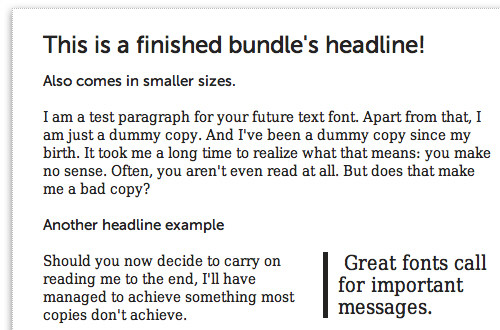
Awesome Fontstacks
Fonts have always carried an important meaning to web typography. As we all know, a lot of work is required to match and adjust a satisfactory web font for a website. This site helps you create a font stack bundle and also gives you a preview into CSS coding inclusive.
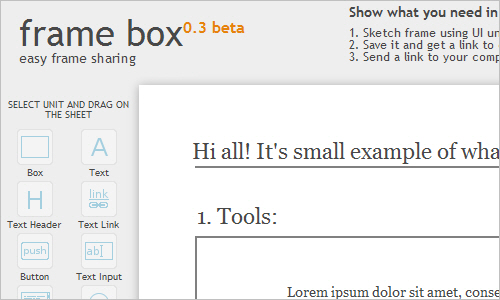
Framebox: a wireframing tool
With Framebox, you can sketch your wirframes or just visualize your ideas using UI units such as boxes, headers, buttons, inputs, links, text, text links etc. You can then save it and get a link to created frame, and then send a link to your colleagues.
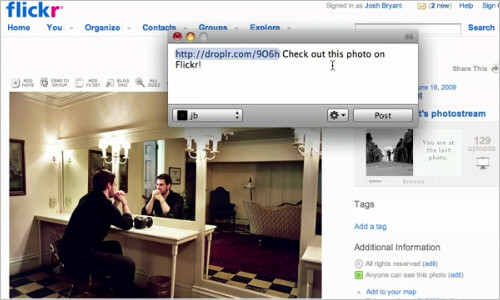
Droplr
Drag, drop, share! Droplr is the best way to share files from your Mac OS X on the internet, aiming for simplicity, ease of use and flexibility. This application is also completely free to use with ad supported content. Once the selected file is uploaded, Droplr returns a URL in which a user can share with anyone.
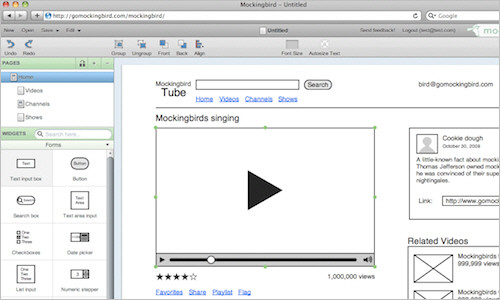
Mockingbird: Website wireframes
Mockingbird is an online tool that makes it easy for you to create, link together, preview, and share mockups of your website or application.
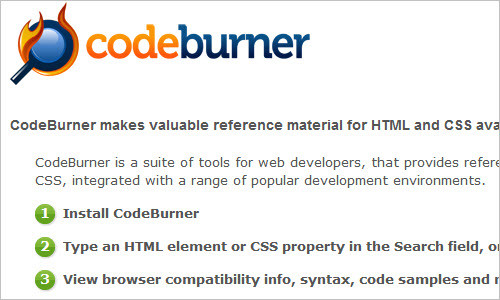
CodeBurner: Reference Tool for Web Developers
CodeBurner is a suite of tools for web developers that provides reference material for HTML and CSS, integrated with a range of popular development environments.
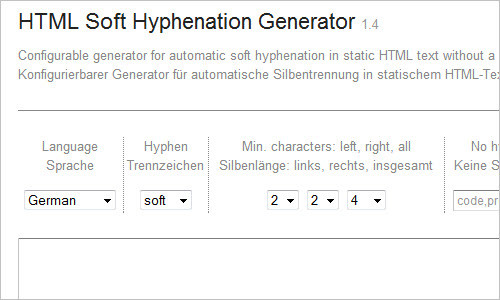
HTML Soft Hyphenation Generator
Configurable generator for automatic soft hyphenation in static HTML text without a script.
SelfControl
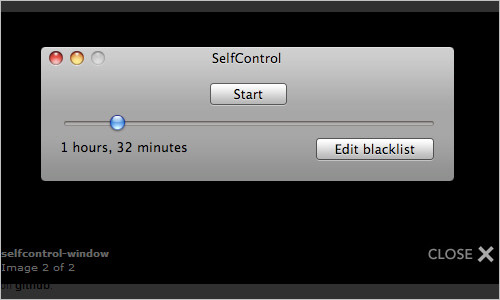
Is email a distraction? SelfControl is an OS X application which blocks access to incoming and/or outgoing mail servers and websites for a predetermined period of time. For example, you could block access to your e-mail, Facebook, and Twitter for 90 minutes, but still have access to the rest of the Web. Once started, it can not be undone by the application, by deleting the application, or by restarting the computer — you must wait for the timer to run out.
MinutesPlease.com – Manage your web time
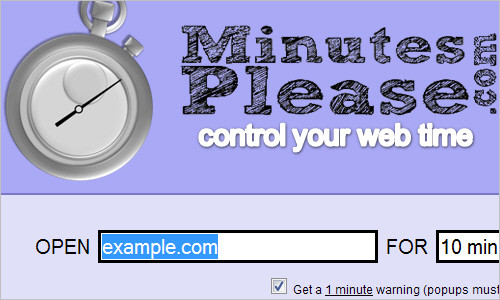
This is an extraordinary website that you can have to help you control the time you spend on a particular site. Just type in the URL and the time you are willing to spend on this site – you will notice how fast time flies by!
Clue
A fun and easy way to create memory tests and see how much and what exactly people remember on your website.

Neuskool.com
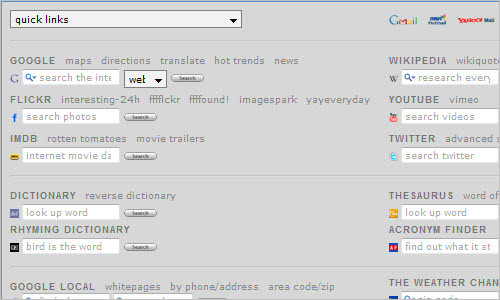
Neuskool is a personal start page for all your browsing needs with a collection of useful search services, all on one page.
Check My Colours: analyze the color contrast of your web pages
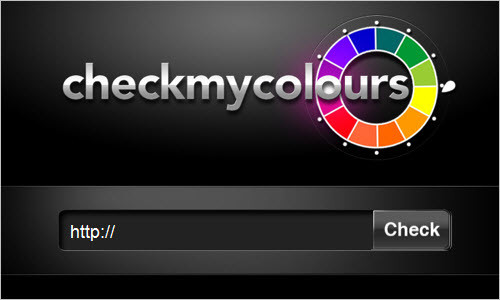
This tool checks foreground and background color combinations of all DOM elements and determine if they provide sufficient contrast when viewed by someone having color deficits. All the tests are based on the algorithms suggested by the W3C.
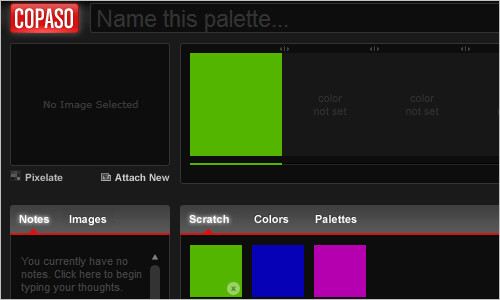
COPASO: Color Palette tool
COPASO is an advanced color palette tool that helps you create the perfect color palette.
Useful Firefox Extensions
Pixel Perfect Firefox Extension
This extension allows you to overlay a web composition on top of the developed HTML. Letting the developer visually see how many pixels they are off in development.
SenSEO Firefox Extension – Official Website
SenSEO analyzes web pages and tells you how good they fulfill on-page Search Engine Optimization criteria. SenSEO is a Firefox add-on integrated with the popular Firebug web development tool. The code is based on the YSlow extension.

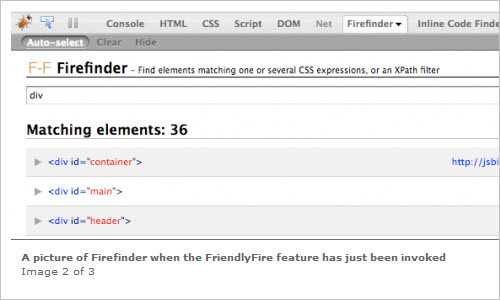
Firefinder
Firefinder is an extension to Firebug (in Firefox) and offers the functionality to, in a quick way, find HTML elements matching chosen CSS selector(s) or XPath expression. It allows you to instantly test your CSS selectors in the page while seeing the content at the same time, and matching elements will be highlighted.
Firediff
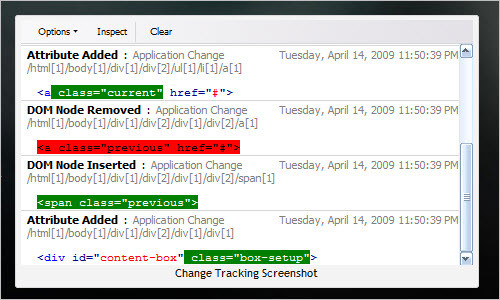
Firediff is a Firebug extension that tracks changes to a page’s DOM and CSS and implements a change monitor that records all of the changes made by Firebug and the application itself to CSS and the DOM.
Useful References
SEO Checklist
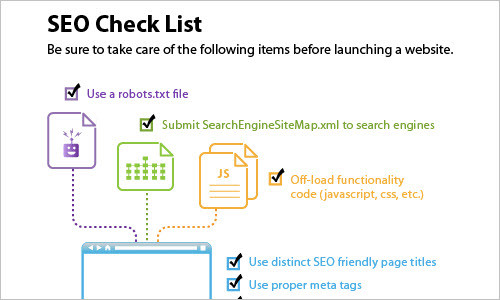
When it comes to SEO, there are certain elements that need to be in place for any newly-designed or updated website. Have 301 redirects been put into place? Is the robots.txt file authored to allow adequate crawling? This infographic depicts a handy checklist that will help get you through any new site launch or transition.
Typographic Sins
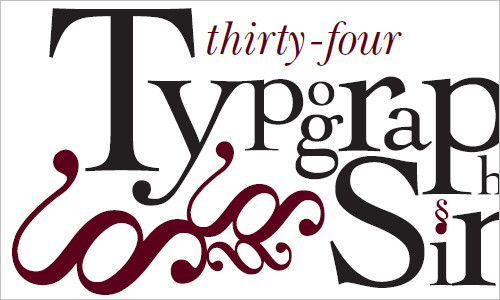
Typographic Sins (also available as PDF) by James Godfrey and Patrick Wilkey covers 35 mistakes commonly made by novice designers. The website puts them in a neat orderly list, but the PDF showcases them visually. It’s a great reference guide and learning tool if you want to learn better typography design.
Entity Code: a Clear and Quick Reference to HTML Entities Codes
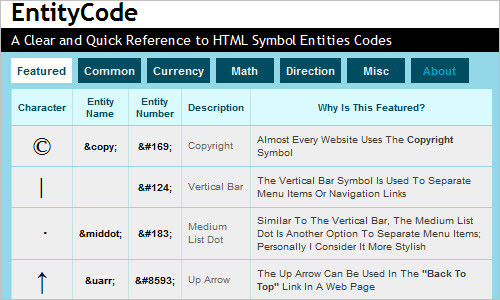
A website that eliminates the frustration and the wasted time caused by constant need to add those hard to remember HTML entity codes, such as the copyright symbol © or em-dash —, every time you’re developing a new website or writing a new article.
Thirty Conversations on Design
The site creators asked 30 of the world’s most creative professionals two questions: “What single example of design inspires you most?” and “What problem should design solve next?” Their answers might surprise you. And, hopefully they’ll inspire you.

Essential Interaction Design Essays and Articles
A list of essays and articles that could be important touchstones and reference points for interaction designers.
Further Useful Tools
Min.us
You can drag your data which you wish to share online onto the min.us page. Very convenient.
Mr. Data Converter
Mr. Data Converter will convert your Excel data into one of several web-friendly formats, including HTML, JSON and XML.
PDF Split and Merge
PDFsam is a free open source tool (GPL License) designed to split and merge PDF documents. Whether it be only extracting sections into a single document or changing the order of the pages. The basic version can be downloaded and simply used on every platform with a Java support.
Last Click
Unsuck It
What terrible business jargon do you need unsucked? Unsuck It translates management speak to normal language, making your day to day on- and offline slogs through corporate jargon a little easier to bear. You can even tweet your results as they often turn out to be quite funny.
Temperature Conversion, Weight Conversion and Length Conversion
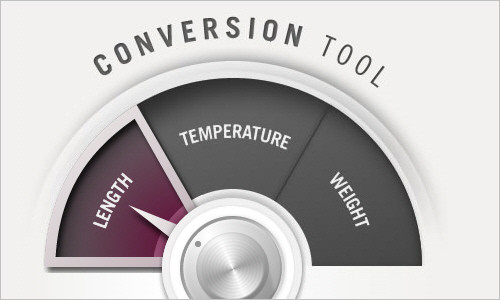
This simple online tool doesn’t do much, but it’s truly beautiful and it’s a pleasure to use. The tools lets you convert length values, temperature values and weight values.
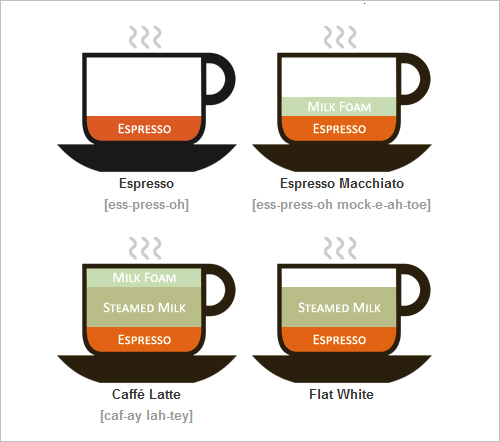
Coffee Drinks Illustrated
With the vast number of ordering options and new words with accented characters to pronounce the coffee shop ordering experience can be intimidating. Lokesh Dhakar created a few small illustrations to help himself and others wrap their head around some of the small differences.





slegolego
October 19th, 2010 7:51 amnow i’ll need a week to try and test all this stuff, i’m quite sure i’ll find something really useful. (kodigen seems quite useful for projects on the fly)
Thanks S.Mag
Lauren
October 19th, 2010 7:58 amflipping awesome!
Best list of tools to date.
hanzray
October 19th, 2010 8:04 amGreat compilation. I’ll try few of them.
C.F. Action
October 19th, 2010 8:06 amLots of useful stuff…. as stated previously, now I’ll need to find the time to try them all out…. Thanks for the list! Cheers!
Moabi
October 19th, 2010 8:08 amThx for the article !
cooljaz124
October 19th, 2010 8:53 amLifesaver list !!!
Aslam Najeebdeen
October 19th, 2010 8:55 amGreat list! Thanks.
I’ve covered how to install and use “X-Refresh-Server” in one my screencast. I hope it’ll be useful if I like here.
http://frontcube.com/blog/2010/boost-your-productivity-with-xrefresh
Rebecca Petrin
October 19th, 2010 9:02 amWow, I especially enjoy the Web Development Project Estimator at http://estimator.astuteo.com/. At first I thought, “Why wouldn’t I just use an Excel spreadsheet of my own for this?” But they’ve made it so simple – honestly an example of great UX design. Just type in your amounts, maybe change the list items, print the estimate onto a letterhead, and you’re done. It’s almost irresistible to interact with. That’s great design in action.
kyreena
October 20th, 2010 2:37 pmlolololol blatantly blatant
designspaceship
October 19th, 2010 9:15 amI must say, I am very pleased with the content that your website has. As @cooljaz124 said, this list is simply a lifesaver. I would suggest Text Editors and my best being SublimeText.
Russell Heimlich
October 19th, 2010 9:23 amThanks for mentioning dummyimage.com
Peter
October 19th, 2010 9:23 amTeuxDeux? I switched to the free service Idonext.com which really saves me time in being far more organized and focused. Plus it allows easy sharing and assigning of tasks to co-workers. I love it!
Chris
October 19th, 2010 9:53 amAmazing list! Going to check out a lot of these. Thanks!
devrim
October 19th, 2010 9:57 amglad to be on this list of 50 Powerful Time Savers – that’s exactly why we created it. greetings from kodingen.com! and thx smag!
bill
October 19th, 2010 10:23 amHate to piss in the punch but I wasn’t impressed with this list. A lot of these sites are old news and I didn’t bookmark a single one. Plus, with descriptions like “The Browser UI is easily installed and helps you get around with your Photoshop documents. A quick screencast is available on the site for a quick understanding of how Browser UI works.” I was hardly interested in learning more when you didn’t explain what it did to begin with (“get around with your Photoshop”?).
rob torres
October 19th, 2010 10:30 amSeen some of these go around before but it’s always good to see a few new additions…
A B Schafer
October 19th, 2010 10:33 amWow! Great list! You had me with the first 10 time-savers.
Emilis
October 19th, 2010 10:49 amThanks guys. Amazing list…
Stu Green
October 19th, 2010 10:57 amAlso might be worth looking at: http://entri.co for document collaboration.
Josh. T
October 19th, 2010 11:21 amOutstanding post! Thank you for the great compilation!
Duttyfree
October 19th, 2010 11:45 amFresh air to my face! amazing!
Me encanta chicos!
Chris Schneider
October 19th, 2010 12:38 pmthis is aweesssoooommmmeeeee thanks!
Roger B
October 19th, 2010 12:41 pmAnother definite time saver for a freelancer is a usable invoicing and time tracking app. I tend to prefer CurdBee for invoicing and Mite for time tracking..Any other recommendations?
Neil from Spain
October 19th, 2010 1:12 pmApart from a couple of bits and pieces,.I can’t say that I was particularly impressed. Sorry.
The guide on how to mispronounce names of coffee drinks for dumb septics was funny and annoying at the same time.
I needed a dictionary to understand “Typographic Sins”; even then I wasn’t sure on what was going on.
Vitaly Friedman (editor-in-chief)
October 19th, 2010 1:31 pmI am sorry to hear that, Neil. What exactly seems to be the problem with “Typographic Sins”? I haven’t noticed any grammar / spelling mistakes or errors there, and I honestly think that it’s a very useful, handy reference.
To be honest, I can’t really believe that you haven’t found at least one useful tool from this list. Or am I wrong? If I am wrong, what would you recommend to change to make such lists better in the future?
PeteW
October 23rd, 2010 9:42 amHave to say, I like the list overall, but also take exception at ‘Typographic Sins’ being listed as a ‘time-saver’. It’s actually 34 ways to take more time over typography, and gives a very black-and-white view. Some points listed aren’t absolute ‘commandments’, but ‘opinions’ that vary depending on the design guidelines followed. Others, such as rules 13, 14 and 32, may be desirable, but are plain wrong in the context of fluid websites – and not noting this creates unrealistic expectations.
In the context of collaborative writing, like blog commenting, even more of these ‘sins’ are revealed as having a very narrow viewpoint. Many can’t be actioned unless the text-entry box supports HTML (or BBcode, or similar), which is often a security concern. More importantly, they imply that those who contribute without understanding these ‘commandments’ or the codes needed to achieve them are ‘guilty’ of something. If so, who is really to blame – me for not typing “finish” with smart quotes and a ligature, or Smashing Mag for (I’m assuming – but we’ll see when I post) not using something like http://michelf.com/projects/php-smartypants/ with Wolfson’s ligatures patch (http://pages.cs.wisc.edu/~wolfson/ligatures.html)? Or do you not care enough for the souls of your audience to do that? ;-D
Edited to add: Smart quotes – I’m impressed. Still no ligature, though – have you doomed my soul to an eternity of torment after all? *chuckle*
Those are complaints against narrow-minded typographers though, not Smashing Mag. Overall – nice post, and much appreciated!
Sajjad
October 20th, 2010 1:55 amThough recession is over still some people are so frustrated that they even can’t praise good things. by the way Mr. Neil with all respect, any good material from your side. Ah i forgot, there is…your response……
great list.
Mark
October 20th, 2010 4:21 amspot on sajad Neil the ultimate bull fighter..hahah
Tom Karels
October 19th, 2010 1:15 pmSome great apps. I especially am digging the XRefresh for web developers.
On that note of updating your code on the fly, I have been scowering the net looking for a program/plugin similar to XRefresh that allows you to edit the html & css within firebug and then save the file… without using Web Developer toolbar and that whole pain staking process.
Any ideas?
Mikael Bertheau
October 19th, 2010 1:26 pmDirectly in fav, its awesome ! Many thanks.
Neil from Spain
October 19th, 2010 1:29 pmPixel Perfect is great! I’m going to find that very useful.
;)
Andrew
October 19th, 2010 1:42 pmGreat list thank you :)
Ben Giordano
October 19th, 2010 1:45 pmGreat list, going to take me a while to get through this thing, pretty sure this is the kind of list google chrome tabs were built for.
Andy Hayes
October 19th, 2010 1:50 pmA great consolidated list of useful apps for any web designer of any experience level. This is why I look forward to every SM newsletter!
Megan Y
October 19th, 2010 2:22 pmThis is the best and most useful post I have read for a while!
So many amazing apps for me to sort through.
Thanks very much for all these great resources! Most of them I haven’t come across before, so it is a pleasant surprise!
Thanks
ROb
October 19th, 2010 2:32 pmWauw, Absolutely Great!
Chris Blunt
October 19th, 2010 2:52 pmFantastic collection of useful tools, thanks!
Mohammad Adli
October 19th, 2010 2:57 pmVery useful tools, many thanks
Lester Bambico
October 19th, 2010 3:27 pmGreat article. I hope you get paid for referring XRefresh to a lot of designers.
Btw, i noticed a typographic error at Web Development Project Estimator.
A personal task list can be created, leaving you to decide which ones to incluse or even exclude.
Vitaly Friedman
October 19th, 2010 11:33 pmThank you, I just corrected the typo!
Carlos Dagorret
October 19th, 2010 4:03 pmGreat compilation
Jeffrey Bennett
October 19th, 2010 4:45 pmWow, fantastic list of tools! I’m definitely going to be using these in the future. Thank you for sharing these with us! :)
Stan Rogers
October 19th, 2010 5:17 pmNice list, but there’s one glaring omission: the ColorZilla CSS Ultimate Gradient Editor at http://www.colorzilla.com/gradient-editor/ . It generates the -moz-linear-gradient, -webkit-gradient and IE filter values you need from a graphical UI gradient editor similar to the one in Photoshop. It’s a huge time-saver.
Mark Flournoy
October 19th, 2010 7:14 pmI would also recommend covrd.com for making magazine and eBook covers.
kevin
October 19th, 2010 7:53 pmseriously I love you guys. serious. :)
Talk King
October 19th, 2010 8:08 pmAwesome! Very useful Tools. Thanks very much! I am also collecting some wonderful wordpress themes. You may be insterested in one one of them, the website is themesfarm.com
Rajeesh
October 19th, 2010 8:59 pmGreat post…
Thanks a lot…
nikos lianeris
October 19th, 2010 11:45 pmI love such lists cause I usually find real goodies in there.Thank you for the post!! :)
Alex Tingkær
October 20th, 2010 12:01 amHi
Could you please change the title for this article, I can’t put it in my favorites because it conflicts with the title for this article:
http://www.smashingmagazine.com/2010/06/28/50-powerful-time-savers-for-web-designers/
Just kidding, but you should really consider spending just a few more seconds to come up with a more unique title.
Besides the “Add to favorites” shananagans I think there are some great ressources among the listed – at least I can individually add them to my favorites :-)
Giacomo Colddesign
October 20th, 2010 12:13 amNice collection.. thanks for sharing!
Andre
October 20th, 2010 12:23 amInstalled XRefresh on my Mac and now Firefox don’t start anymore ;-(
Dave Wright
October 20th, 2010 1:09 ama bunch of fantastic tools in there, going to test drive a couple of the golden ratio apps in some logo design work I have in today
Nicole Zinger
October 20th, 2010 3:50 amHi Vitaly,
I think this addon : https://addons.mozilla.org/en-US/firefox/addon/235272/
is pretty good implementation of photoshop guides. I have been using it lately and its quite good. It can restore the guides you created earlier for a particular page even after you close the tab or close the browser. Plus there are other premium features too.
Regards.
Elenute
October 20th, 2010 4:57 amGreat article! Thanx, Vitaly!
I’m using Zootol (http://zootool.com/) to collect all useful links, pages and images.
Greg Jeffries
October 20th, 2010 5:36 amThanks for the great list of web tools and resources!
Meuh
October 20th, 2010 5:53 amHugh great list ! :)
Bookmarked !
randy
October 20th, 2010 6:11 amSmashing Magazine, you are my new best friend!
Todd G
October 20th, 2010 7:28 amReally awesome tools. But I have to say, there are waaaaay too many bookmarking sites out there.
Andy
October 20th, 2010 10:18 amWhat a list! Thanks so much… very cool stuff :)
carla kaiser
October 20th, 2010 11:47 amI have been looking for a wireframing tool… Seriously, thanks for this information. It’s really going to help me.
Andreas Ostheimer
October 20th, 2010 12:31 pmThis article is one of the reasons I keep coming back to smashingmagazine. Thanks for that. Appreciate this free service.
Jaime Carrión
October 20th, 2010 1:40 pmGreat post guys! this is really useful!
Firas Bushnaq
October 20th, 2010 5:30 pmGreat list, I would add Wazala! as a simple snap-on e-commerce tool and shopping cart for any blog or designer website — http://www.wazala.com/
Leafkit
October 20th, 2010 7:46 pmThis is a fantastic list! Thanks for the resources and keep up the good work!
irshad
October 20th, 2010 9:33 pmwhy wouldn’t i read Smashing Magazine this long? honestly, this website is so helpful.
Jay
October 20th, 2010 10:11 pmAfter constant QA of multiple websites I found that iMacros for Firefox works wonderfully. I mostly used it for checking links.
James Mark
October 21st, 2010 3:51 amAmazing collection this is really good post
kreatif
October 21st, 2010 4:00 amFantastic work, really great resources.
Igor
October 21st, 2010 5:46 amAwesome Collection!
Thank You!
Michael
October 21st, 2010 7:38 amI’d also add patterntap.com. Good article though!
Keep up the good work!
Beau
October 21st, 2010 9:14 amAwesome, awesome list. I use many of these sites, they really do save hours on a design!
Thai Ha
October 21st, 2010 10:44 amCan’t expect any better list! Thank you S.Mag!
Asdruble
October 21st, 2010 2:11 pmGreat article – Got to know many cool new things.
Would also like to recommend http://textmechanic.com
It’s a browser based tool that just saves you time for text manipulation when Regular Expression just doesnt do the trick…
It has functions like “remove empty lines”, “sort text lines”, “add/remove line breaks” and other useful features!
James Plaistere
October 21st, 2010 3:50 pmBest list of useful apps I’ve seen thus far. Great work.
Matthew Wehrly
October 21st, 2010 9:30 pmGreat list, I use a lot of these, but I found a few new ones. Thanks!
Malik Jamal
October 21st, 2010 10:33 pmThis portal really helpful for web designers. mentioned here each n every points which can make more creative…..
Vincent
October 22nd, 2010 12:17 am“Such posts are quite lengthy and extensive, but they are always worth checking out.”
50 items is way too much. I takes too much time to check them out.
And most of the tools are probably not that good.
So please test the tools and make a selection with maximum 10 items.
The interwebs is full with these kinds of posts. Try to stand out.
bblogger
October 22nd, 2010 2:44 amWow, every site is like a piece of art, but a useful one. Thanks, they are very handy! :D
Ralph
October 22nd, 2010 4:37 amGreat list! Very useful indeed.
Gareth Chidgey
October 22nd, 2010 8:22 amSorry, not too impressed with this one. The only useful one for me was entitycode.com. Some of the others I already use though, so it may just be me.
You missed out some great tools on this like Pixus for site dimensions and browser emulation, FireBug Lite for IE debugging and Adobe Connect Now for Client interaction.
Smashing Magazine is still awesome!
chromax
October 22nd, 2010 5:06 pmwebdesigners are strange people….there is a powerful editor in nearly every adobe collection and they use sites on the web to do things that this editor already does.
Many other things are simply useless. SelfControl? kill your damn mail client and close facebook. Thats all.
Pbo
October 23rd, 2010 6:10 amWell done! Great list.. I am very overwhelmed, inspired, motivated, etc!
Tim
October 23rd, 2010 9:36 am“Droplr is the best way to share files from your Mac OS X on the internet”
Apparently you have not heard of CloudApp? http://www.getcloudapp.com/
Jasmine
October 24th, 2010 6:27 pmThis is a great compilation. I like the URList the most… it’s gonna save me lots of time in keeping track of my bookmarks.
Barbara
October 25th, 2010 2:32 pmGreat stuff! You asked for other time-saving ideas: ImageExchange (by PicScout) is a Free plug-in that can save hours of online hunting for the perfect image – AND you can license it at the same time. http://picscout.com/imageexchange/home
John Xie
October 25th, 2010 3:53 pmHi everyone,
This is John, co-founder of Minus. Just wanted to give a quick update to the readers here :)
We have made great progress over the past week fixing bugs and adding new features based on user-feedback, as that is our #1 Priority.
Please be sure to subscribe to our http://blog.min.us and join http://feedback.min.us
You may also email me personally at john@min.us
Some of the new features we implemented so far in the past 1 week alone includes:
- Increased upload limit to 7MB Per image and added more image type support
- Ability to download entire gallery in Zip format with 1-Click.
- Full Safari browser on Mac support with drag-drop function
- Auto-resizing of larger images for smoother gallery viewing experience, but still keeping the original size for direct image link
- Added display of upload progress, image size and dimensions under each image in gallery.
We also have Login & Registration + Image/Uploads tracking in the works for this week so we’ll keep everyone updated.
Again thanks for the awesome feedback so far and keep spreading the word and sending us your suggestions!
Follow us on http://twitter.com/mindotus
Subscribe to http://blog.min.us
John @ Min.us
http://Min.us
Abdel
October 25th, 2010 11:53 pmWOW! That’s what any web designer needs..Many thanks guys..
Well done!
Joslyn D'Souza
October 26th, 2010 3:36 amvery useful, great list…thanks
fksd
October 26th, 2010 11:02 pmThanks so much for this ver helpfull post.
Andy Hayes
October 27th, 2010 1:25 amThis is why I love Smashing Magazine, great article with heaps of great tools. A number of these pieces will be printed out and will take pride of place on the walls of the web design agency in Beverley. If you haven’t already, sign-up to the SM newsletter now!
vinh
November 4th, 2010 7:21 pmthanks for help
John Xie
November 5th, 2010 4:37 pmHi
John here from Minus. Just wanted to make a quick update for everyone as just yesterday was the launch of http://Min.us (Minus) v1.10, a big step forward for Minus and we’re very excited about this update.
Minus now supports registration/login along with supporting anonymous sharing. Users can now login and track their Gallery URLs on the go anywhere. We encourage everyone to register and try it out as it only takes a minute!
On top of that, please continue to send us your suggestions to http://feedback.min.us
Be sure to subscribe to us via our
Blog: http://blog.min.us
Twitter: http://twitter.com/mindotus
Facebook: http://www.facebook.com/pages/Minus/116014978458263
Thanks again for everyone’s support and feedback! Please continue to share and spread the word on Minus to your friends and family. Blog, Tweet and chat about Minus; Let’s change the way sharing is done!
John @ Min.us http://Min.us
Aftab Khalid
November 8th, 2010 4:27 pmReally great and useful list, Good work!
Mia
November 16th, 2010 8:22 amAbsolutely brilliant. Thank you!
Seeta kaur
November 21st, 2010 5:41 pmAs usual useful collection, thank you
Emerald Hieu
December 19th, 2010 12:00 amSo many useful tools, I really love this list. It will take much time to test all of them. Thank you.
Jennifer
April 7th, 2011 5:42 amThank you so much, anything to make my process more streamlined is much appreciated. I can’t wait to get started with all these great tools!
Alex
June 15th, 2011 11:17 pmNice list! I would also like to recommend this set of tools http://multitoolbox.com/design/ I use it almost everyday.