
50 Useful Tools and Resources For Web Designers

Email Newsletter
Weekly tips on front-end & UX.
Trusted by 200,000+ folks.


 Flexible CMS. Headless & API 1st
An effective, well-organized workflow is an important asset of professional web designers. The more useful and time-saving your tools are, the more time you can focus on important things, thus creating a foundation for timely good-quality results. The problem is that there are just way too many tools, services and resources out there, so it has become difficult to keep track on them and find those tiny little time-savers that will spare you headaches and save time in a long run.
And this is where we come in. Back in old days, Smashing Magazine used to publish lists after lists, with plethora of links that covered different topics all somehow related to web design and development. We have undergone quite a development since then, and are now publishing almost only in-depth articles — written by some of the best professionals in the industry. However, useful, carefully prepared and filtered lists are still useful, and therefore we keep publishing them as well.
Below you’ll find 50 useful tools and time-savers for web designers and developers. Among other things, you will find recently released tools, useful reference sheets, articles and further resources. Such posts are prepared over months, each containing resources found, reviewed or bookmarked by the Smashing Editorial Team. We hope that at least some of them will help you improve your workflow!
You may be interested in the following related posts:
- 50 Powerful Time-Savers For Web Designers
- 50 New Useful CSS Techniques, Tools and Tutorials
- 45 Incredibly Useful Web Design Checklists and Questionnaires
Typography
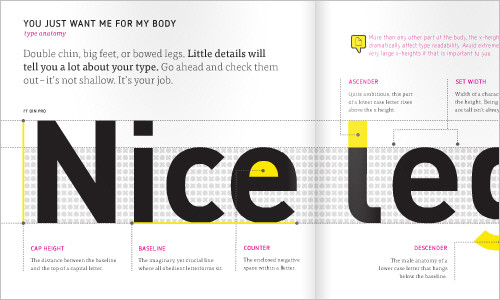
Meet Your Type: A Field Guide to Typography (free PDF)
This eBook will help you better understand the foundation of typography and overcome common obstacles and problems when choosing type.
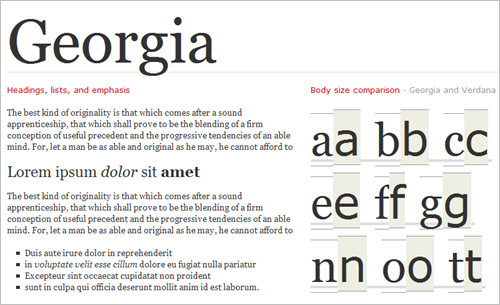
Web Font Specimen This template lets you check the typography by analyzing the HTML-specimen in your browser. The specimen contains whole paragraphs in various line heights and font sizes, different headings, ordered and unordered lists, as well as italic and bold text. You can analyze the body size comparison that reveals aspects of the typeface that can’t otherwise be seen and study single glyphs, measure, grayscale as well as light on dark and dark on light previews. You may want to check out Good Web Fonts for the actual specimens of various legible screen fonts.
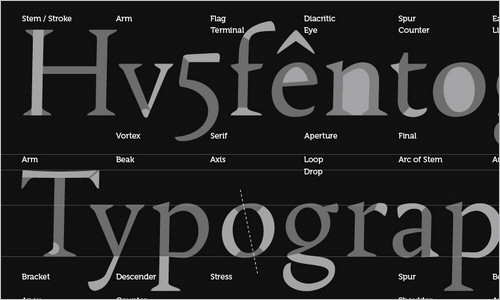
Font Anatomy Wallpaper
This wallpaper (1920×1200) covers the terminology of typography, showcasing individual parts of the characters of the alphabet.
Web FontFont User Guide (PDF)
This Web FontFont User Guide contains information about typography aimed at different groups of people: web developers, system administrators and website visitors. You may want to consider giving it to your clients or colleagues.
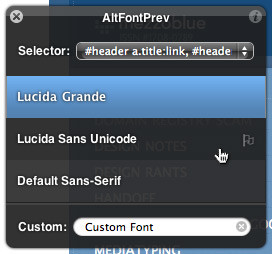
AltFontPrev This is a simple JavaScript bookmarklet that lets you view the font stack of any website and then deactivate each font with a single click. It makes it easy not only to make sure everything looks okay when certain fonts aren’t installed on a user’s system, but also to view the fonts included in the website’s font stack in a single click, rather than opening the source code. You can even specify a custom font, which makes it handy when you’re considering changing a design’s current font.
Typografix
This tool is an HTML re-processing script for creating beautiful typography. It corrects things like ellipses and smart quotes and adds tags for <script>, <pre> and <code> automatically. The en dash, for example, is created automatically when a hyphen is surrounded by spaces, and the em dash is created when two dashes appear in a row. Typografix is written in C#, requires Windows Installer 3.1 and .NET Framework 3.5 SP1.
Unicode Codepoint Chart This chart is broken down neatly by type of character and symbol (and by language in many cases), with a visual reference under each category. From there, just click on the symbol or character you want and you’re brought to a page with detailed information about the character, along with a browser test page, an outline (in SVG format) and a variety of encodings and character sets (HTML entity, UTF-8, UTF-16, UTF-32, ISO-8859-8, etc.).
Bookmarklets
Quix We have covered Quix several once already, but when one talks about bookmarklets, it is just necessary to mention Quix as well. Wouldn’t it be nice to have a powerful command line in your browser, some kind of shell that lets you use handy commands and shortcuts for a quicker and more productive workflow? That’s exactly what Quix offers. The tool is a clever extensible bookmarklet that lets you both access your bookmarks and perform various operations on other websites.

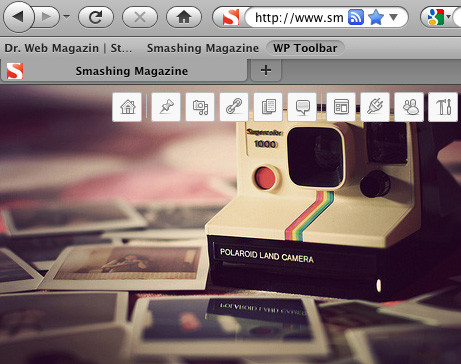
WP-Toolbar bookmarklet This tool will save a lot of clicks as you edit or update posts on your WordPress-powered blog. The bookmarklet gives you quick access to the entire administrative back-end directly in your browser’s window. There is also a GreaseMonkey script that automatically loads the toolbar when you visit a particular website.
Print Friendly Bookmarklet
This bookmarklet strips advertising, navigation and all things that you don’t want to have when you decide to print out a page. It formats the content of an article or a document for great readbility and generates a minimal and clean PDF for printing.
Bookmarklet Combiner This tool creates a master bookmarklet which can either run all bookmarks at once or display a menu at some area of the page. Nice service for users who wants to avoid using a special folder only to hold all bookmarklets.
The Printliminator The Printliminator is a bookmarklet with some simple tools you can use to makes websites print better. One click to activate, and then click to remove elements from the page, remove graphics, and apply better print styling.
Bespin Bookmarklet
Using the Bespin Bookmarklet, you can replace any textarea you encounter with a Bespin editor, making editing the text much more pleasant.
CSS, HTML and JavaScript Tools
eCSStender Extensions built with eCSStender simplify the design process because you can author modern CSS using advanced selectors, properties such as border-radius, or custom font faces and rest assured that your design will work — even in IE6.
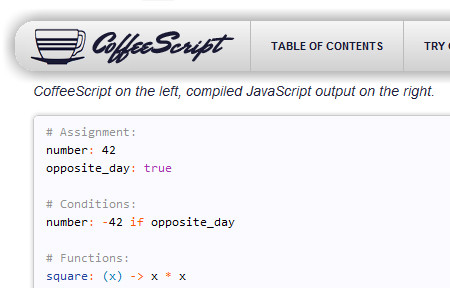
CoffeeScript This is a little programming language that compiles JavaScript while simplifying the code that developers actually have to deal with. It works with current JavaScript libraries and compiles clean code, leaving even comments intact. Once developers familiarize themselves with how CoffeeScript works, they could potentially save themselves a lot of time and headaches with the simplified code.
#grid #grid is a little tool that inserts a grid onto the Web page. You can hold the grid in place and toggle it between the foreground and background. To display the grid, just press a hot key on your keyboard, and you can set your own short keys to switch views.
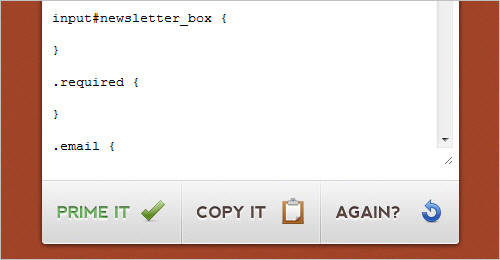
Primer CSS This tiny generator works online and has only one function: it extracts from an HTML page (copying and pasting will do) a framework of classes and IDs that can be used as the foundation of an external style sheet. This can be wonderful if you work by first doing the structure in HTML, and then the forms and colors in the style sheet.
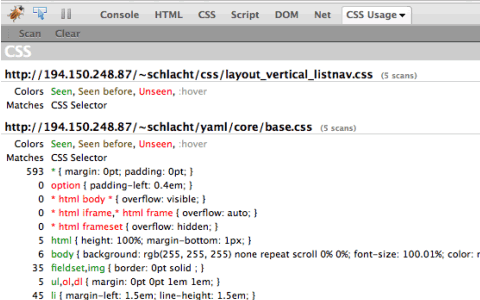
CSS Usage CSS Coverage is an extension for Firebug which allows you to scan multiple pages of your site to see which CSS rules are actually used in your site. Each time you run a scan, the CSS files that are included in the current page are shown with the number of times the rules has been found applied on your page before it.
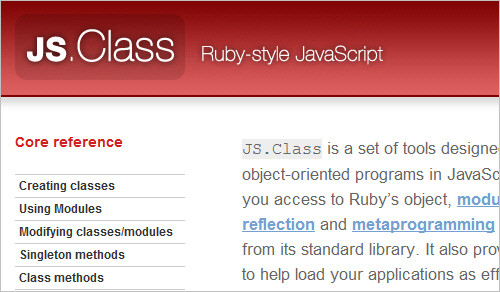
JS.Class: Ruby-style JavaScript JS.Class is a set of tools designed to make it easy to build robust object-oriented programs in JavaScript. It’s based on Ruby, and gives you access to Ruby’s object, module and class systems, some of its reflection and metaprogramming facilities, and a few of the packages from its standard library. It also provides a package manager to help load your applications efficiently.
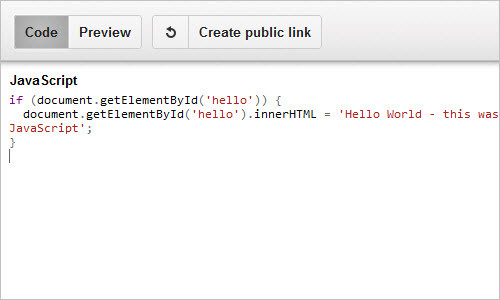
JS Bin JS Bin is an application specifically designed to help JavaScript- and CSS-developers to test snippets of code, within some context, and debug the code collaboratively. JS Bin allows you to edit and test JavaScript and HTML (reloading the URL also maintains the state of your code, new tabs doesn’t). Once you’re happy you can save, and send the URL to a peer for review or help. They can then make further changes saving anew if required.
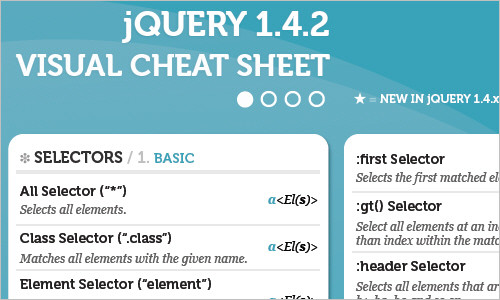
jQuery 1.4.2 Visual Cheat Sheet jQuery Visual Cheat Sheet is a updated version of the useful jQuery Cheat Sheet. It includes all the reference you will need for jQuery 1.4.2 API.
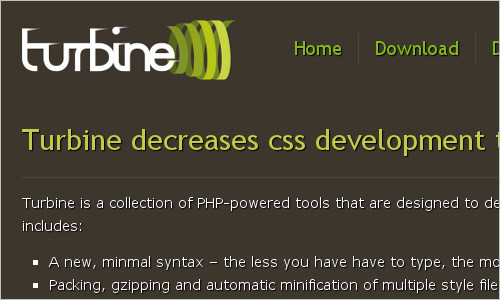
Turbine Turbine is a collection of PHP-powered tools that decrease CSS development time and help you avoid headaches. Among other things, it has a simple syntax, automatic packing and gzipping of multiple style files, OOP-like inheritance and templating features as well as a shell for experiments and debugging.
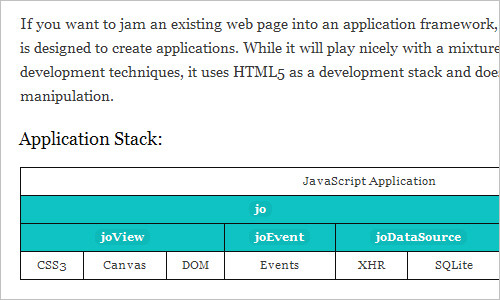
Jo: JavaScript Application Framework for HTML5 Jo embraces JavaScript’s object model and leverages CSS3 to handle as much of the presentation and animation as possible. It also provides a consistent and modular event model between objects and plays nicely with other libraries like PhoneGap.
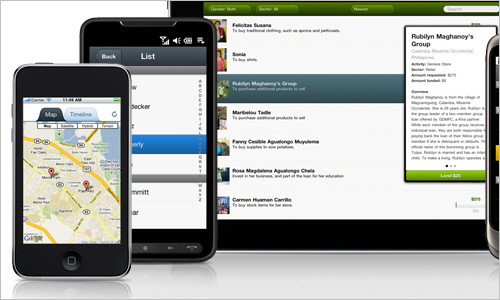
Sencha: HTML5 Mobile App Framework Sencha Touch allows you to develop web apps that look and feel native on Apple iOS and Google Android touch screen devices.
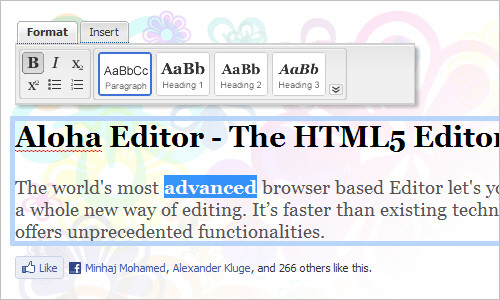
Aloha Editor, The HTML5 Editor
Aloha Editor is an advanced browser-based editor that is faster than other editors and provides you with better and richer formatting in real-time in your browser.
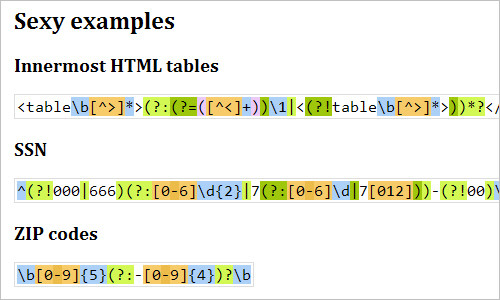
JavaScript Regex Syntax Highlighter
Do you want RegexPal-style regex syntax highlighting on your webpages? This library takes care of it for you, so you can spend more time writing regular expressions and less time deciphering them. Currently, JavaScript regexes only are supported.
OpenStack Open Source Cloud Computing Software
The goal of OpenStack is to allow any organization to create and offer cloud computing capabilities using open source software running on standard hardware. OpenStack Compute is software for automatically creating and managing large groups of virtual private servers.
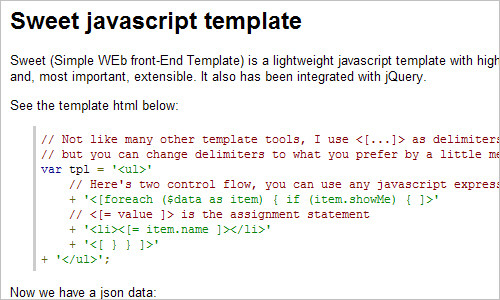
sweet-template
Sweet (Simple WEb front-End Template) is a lightweight JavaScript template with high performance. It’s small, fast, easy to use, and, most important, extensible. It also can be integrated with jQuery.
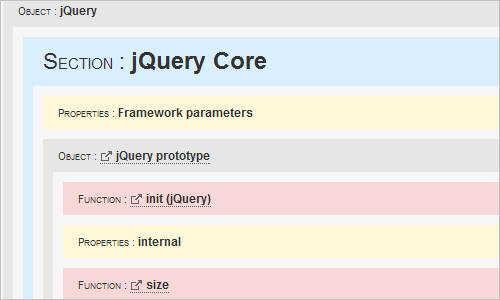
jQuery Deconstructed
The Deconstructed series is designed to visually and interactively deconstruct the internal code of JavaScript libraries, including jQuery, Prototype and MooTools. It breaks the physical JavaScript into visual blocks that you can easiliy navigate. Each block opens to reveal its internal code. Clickable hyperlinks allow you to follow program flow.
Alloy UI Alloy is a UI metaframework that provides a consistent and simple API for building web applications across all three levels of the browser: structure, style and behavior.
Google JavaScript Style Guide
This document provides a set of conventions (sometimes arbitrary) that hold the style guidelines used for Google code. It covers general good practices for open-source projects and well-written and well-documented code. It covers a lot of ground, from “use camelCase for variable names” to “never use global variables” to “never use exceptions.”
gleeBox Gleebox provides a way to navigate web pages via keyboard. For instance, it allows you to hit the ‘G’-key and every link on the page will be highlighted. This application is available as an extension for Firefox and Google Chrome.
shellinabox Shell In A Box implements a web server that can export arbitrary command line tools to a web based terminal emulator. This emulator is accessible to every browser that supports JavaScript and CSS and does not require any additional browser plugins.
Juicer: a CSS and JavaScript packaging tool Juicer is a new command line tool that helps by resolving dependencies, merging and compressing files. It can check the syntax, add cache busters to and cycle asset hosts on URLs in CSS files.
Jake: A Build Tool for JavaScript Jake is a new build tool built entirely in JavaScript that runs on top of the CommonJS. As its name suggests, it is based on the existing and already popular Rake tool and benefits from the same simplicity.
Closure Compiler The Closure Compiler is a tool for making JavaScript download and run faster. It is a true compiler for JavaScript. Instead of compiling from a source language to machine code, it compiles from JavaScript to better JavaScript. It parses your JavaScript, analyzes it, removes dead code and rewrites and minimizes what’s left. It also checks syntax, variable references, and types, and warns about common JavaScript pitfalls.
Useful Online Tools and Services
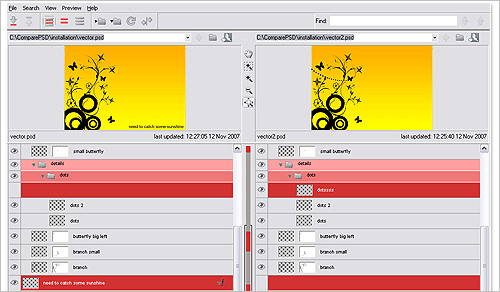
ComparePSD (Win only) This tool lets you compare two Photoshop files side by side and see every little difference. Look for differences by layer or by effect. You get a scaled view of the files, so you can see them next to each other and pick out differences more quickly. ComparePSD is available for Windows only and is free to download and use.
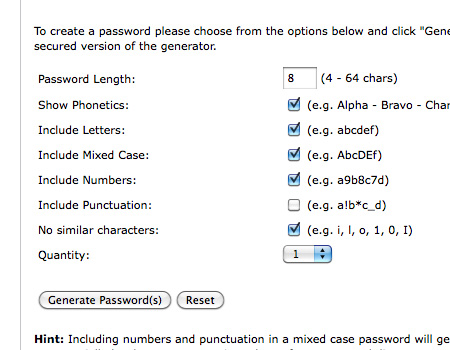
Secure Passwords Generator
The tool lets you enter parameters, including the length of the password, whether to include uppercase and/or lowercase letters or numbers or punctuation and whether to eliminate characters that resemble each other (such as i and l, 1 and I, and o and 0). Then, just select the number of passwords to generate, and it returns a list. It even includes phonetics for each password to make it easier to read out loud (in case you’re giving a password to someone over the phone, for example).
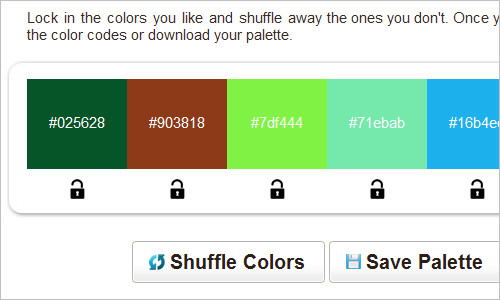
SwatchSpot: Random Color Swatch Generator
This tool creates random color swatches to inspire you. Lock in the colors you like and shuffle away the ones you don’t. Once you’re done, grab the color codes or download your palette.
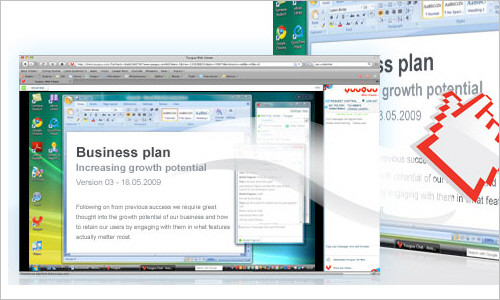
Yuuguu: Instant screen sharing and web conferencing This tool provides instant web-conferencing, online meetings and collaboration and enables you to work with your customers, partners and colleagues right away, without a single download. The free version allows for 100 minutes per month of web conferencing.
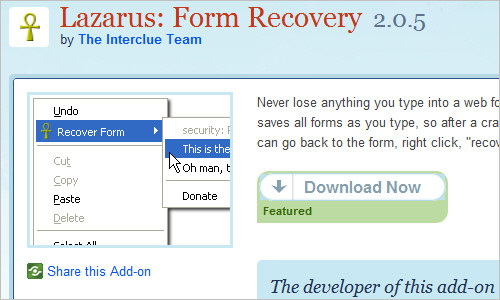
Web Form Recovery Firefox Plugin Lazarus securely auto-saves all forms as you type, so after a crash or server timeout you can go back to the form, right click, “recover form”, and breathe a sigh of relief.
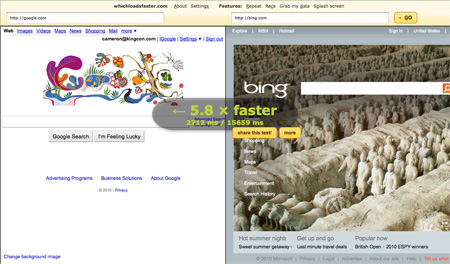
Which loads faster?
This tool lets you see two websites load side by side in real time. Then it shows how long each took to load and the percentage difference.
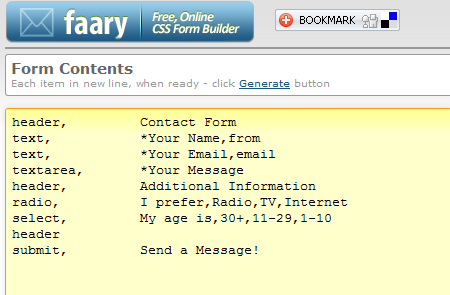
Faary
Faary is an online form builder that operates with the help of text lines, and the form is generated as such. The tool creates an HTML form with CSS, which can be downloaded as a ZIP archive.
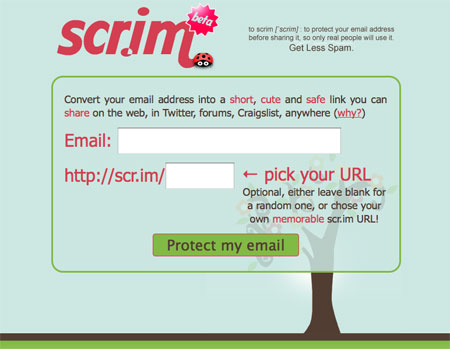
Scr.im
Scr.im lets you use a shortened URL to give out your email address safely and securely on forums. Just enter your email address on Scr.im and it will give you a link to a page with your email address, with security to prevent bots from viewing it.
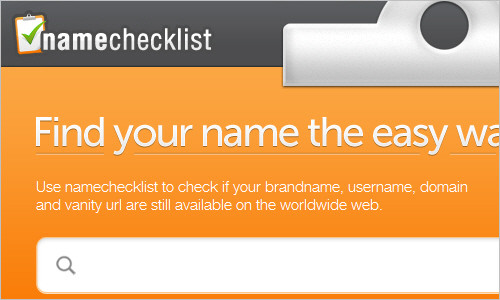
Name Checklist
This tool will help you find out if your brand name, username, domain and vanity url are still available online or they are already taken.
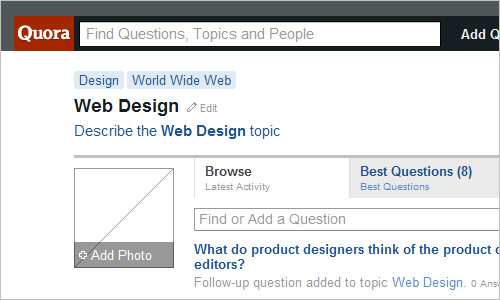
Quora - Web Design
Quora is a continually improving collection of questions and answers created, edited, and organized by everyone who uses it. You can follow web design, usability and related discussions and ask your questions as well.
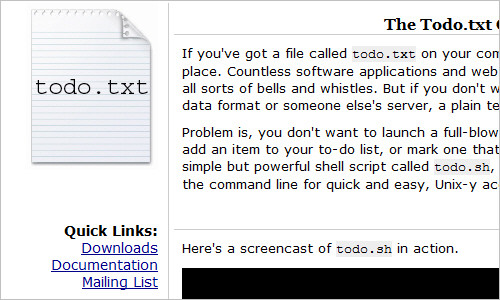
Todo.txt Command Line Interface
If you’ve got a file called todo.txt on your computer right now, this script is for you. You probably don’t want to launch a full-blown text editor every time you need to add an item to your to-do list, or mark one that’s already there as complete. With this simple shell script, you can interact with todo.txt at the command line for quick and easy, Unix-y access.
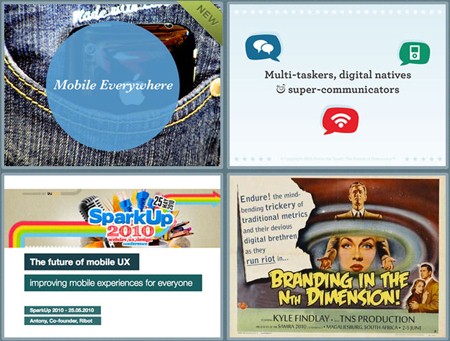
Note and Point
This gallery highlights beautiful Keynote, PDF and PowerPoint-slides on the Web (mostly Web design-related) which is great for inspiration if you are thinking about creating beautiful and attractive slides for your next presentation.
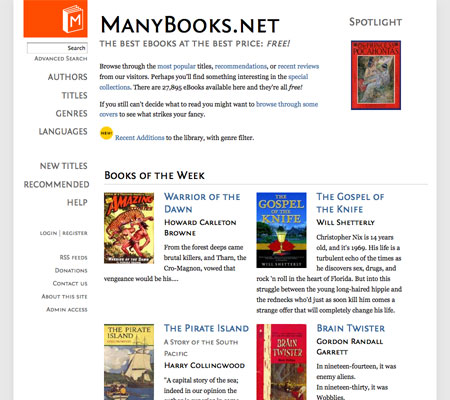
ManyBooks
This site offers a huge collection of public domain e-books, as well as other newer books that have been released in the public domain or under Creative Commons licenses, in a variety of formats.
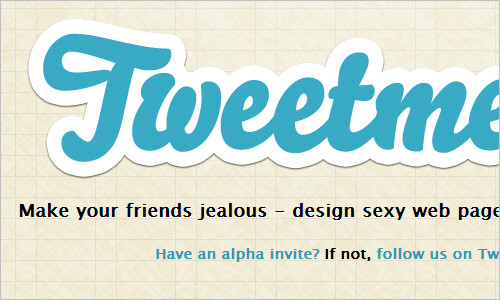
Tweetment
This service allows you to design sexy web pages for your tweets.
Browser Cover Generator
This simple tool generates a browser preview of an uploaded image and can add address bar URL, window title, shadow, status bar and various browser skins to the image.
Linkification Firefox Plugin Linkification Converts text links into genuine, clickable links. To view and set options, you can use the Linkification right-click context menu.
Useful References and Guides
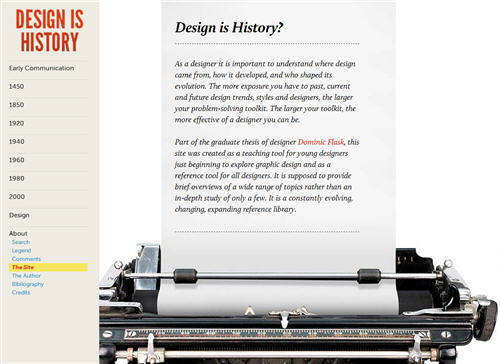
Design Is History
This resource showcases the evolution of design through time. It was created as a teaching tool for young designers just beginning to explore graphic design and as a reference tool for all designers. As a designer it is important to understand where design came from, how it developed, and who shaped its evolution. The more exposure you have to past, current and future design trends, styles and designers, the larger your problem-solving toolkit. The larger your toolkit, the more effective of a designer you can be.
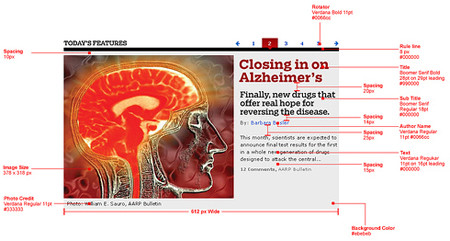
User Interface Style Guides This page features some useful links to style guides used by large websites, corporations and news agencies (e.g. the BBC Style Guide), including editorial guidelines, quality guidelines and online standards.
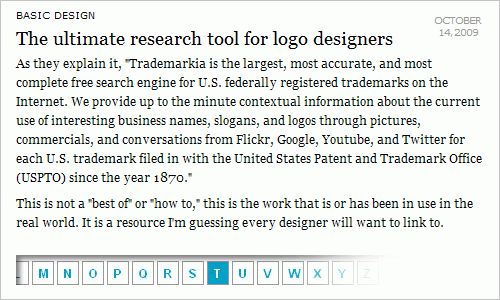
Trademarkia Trademarkia is a free search engine for U.S. federally registered trademarks on the Internet. They provide up to the minute contextual information about the current use of interesting business names, slogans, and logos through pictures, commercials, and conversations from Flickr, Google, Youtube, and Twitter for each U.S. trademark filed with the United States Patent and Trademark Office (USPTO) since the year 1870.
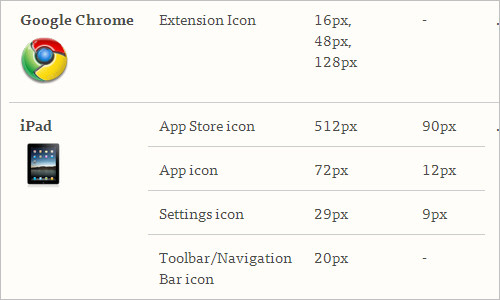
Icon Reference Chart
This chart, created by Jon Hicks, was created to collect the sizes, formats and the related information about icons used on different devices. At the moment it covers browsers, Android, iPad, iPhone, iPhone 4, Linux, Mac OS X and Windows. And you can also download a template for iPhone and iPad icons. Useful.
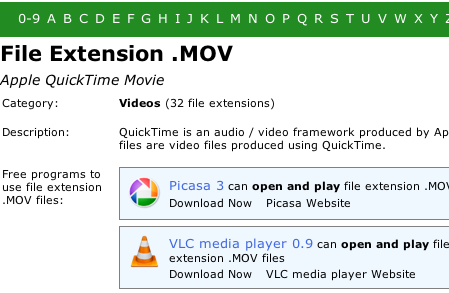
OpenWith.org
OpenWith is a directory of existing file extensions and free tools to open them. You’ll find a free program for just about everything you would ever need to open, including source code, data files, disc images, spreadsheets and video files.
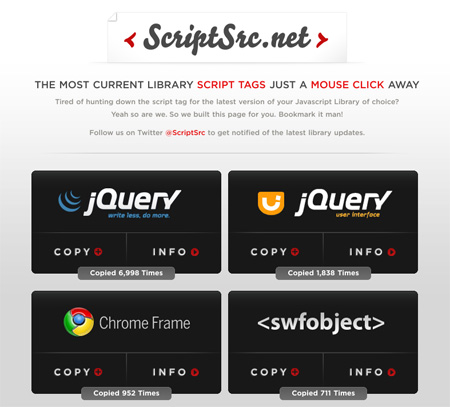
ScriptSrc.net
This site puts all the latest versions of script tags from the various JavaScript libraries in one place. Whether you use jQuery, swfobject, Chrome Frame, MooTools, Ext JS, YUI, Prototype, Dojo or Scriptaculous, you’ll find the most recent script tags here.
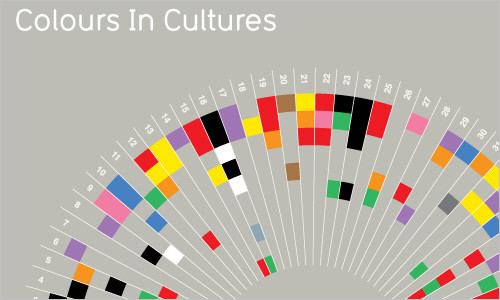
Colours In Cultures Chart This map shows how colours are perceived in different cultures and nations across the globe.
Guidelines and standards manuals Handy examples of guidelines and standards manuals used by companies and brands online. Also check Branding & Corporate Identity Design page.
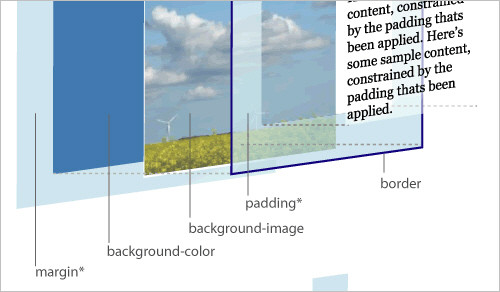
Code Standards and Front-End Development Best Practices This document outlines de-facto code standards in professional modern front-end development. The primary motivation of the document is code consistency and best practices. By maintaining consistency in coding styles and conventions, we can ease the burden of legacy code maintenance, and mitigate risk of breakage in the future. Nice and useful overview.
Essential Tools You Always have Handy When Fixing a PC Problem? This forum thread features must-have tools that you should keep loaded on your thumb drive when asked to deal with a family member of friend’s personal computer issue.
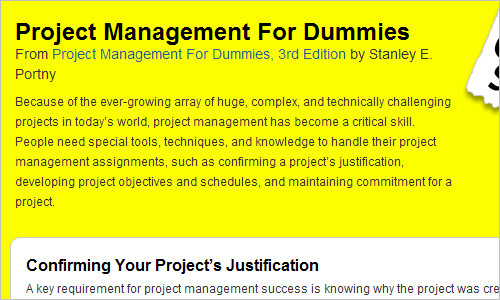
Project Management For Dummies
Because of the ever-growing array of huge, complex, and technically challenging projects in today’s world, project management has become a critical skill. This page provides a nice project management cheat sheet that will help you handle your project management assignments, such as confirming a project’s justification, developing project objectives and schedules, and maintaining commitment for a project.
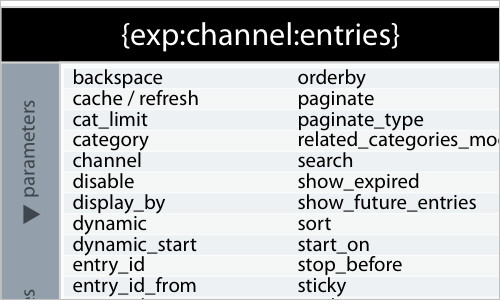
Expression Engine Reference Chart
A quick and useful reference guide for ExpressionEngine users. A PDF-version is available as well.
Computer Hardware Chart A detailed and handy hardware chart for notebook RAM, desktop RAM, CPU sockets, hard drives, ports, processor card slots, processor card sockets, peripheral cards, desktop card slots and power connectors.

Corporate Identity / Logo Usage Guides
A collection of documents that illustrate how organizations and companies ensure that their branding remains consistent online and in print.
ASCII: The Pronouncation Guide ASCII stands for American Standard Code for Information Interchange. Computers can only understand numbers, so an ASCII code is the numerical representation of a character such as ‘a’ or ‘@’ or an action of some sort. The non-printing ASCII characters are rarely used for their original purpose. This page features an ASCII character table and includes descriptions of the first 32 non-printing characters and the guide to their pronouncation.
Name Pronunciation Guide
Inogolo is a practical, easy-to-use website devoted to the English pronunciation of the names of people, places, and miscellaneous stuff. The site contains a searchable database of names with both phonetic and audio pronunciations in English.
Usability and User Experience
Hand picked UX related resources
UXMARKZ is a collection of hand picked UX related resources, updated daily. You will find interesting sites, articles, videos, images and slideshows from the field of interaction design, usability, information achitecture, user interface design and other. All submissions are moderated.

UX Myths
This ressource is supposed to help you build your website based on evidence, not false beliefs. UX Myths collects the most frequent user experience misconceptions and explains why they don’t hold true. And you don’t have to take their word for it, the site shows you a lot of research findings and articles by design and usability gurus.
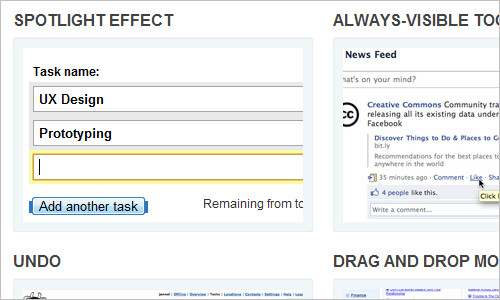
User Interface Design Patterns for Ideas and Inspiration
A user interface design pattern library. It is a collection of Web design patterns and best practices which helps you to find inspiration and design interfaces with great user experience. It is also a user interface gallery full of real world examples of our patterns.
Last Click
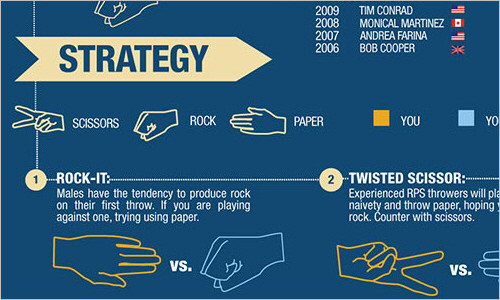
How Do I Win Rock Paper Scissors Every Time?
Now, that’s a handy resource: have you ever gotten tired of being crushed by Rock, cut to shreds by Scissors, or smothered by Paper? This graphic has information compiled about Rock, Paper, Scissors (RPS) from the World RPS Society, the masters of Rock, Paper, Scissors, to help you overcome your opponents and understand the strategies needed to win Rock, Paper, Scissors every time.
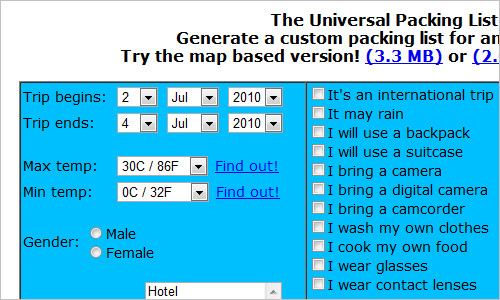
The Universal Packing List
This tool generates a custom packing list for your journeys. You have to provide some basic information about the journey and a packing list appears immediately.
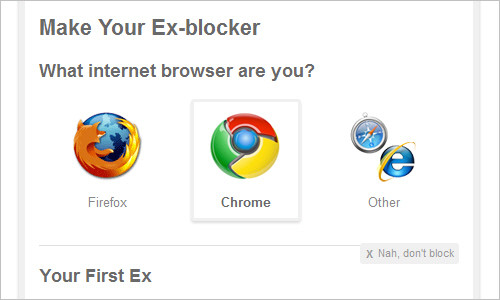
Ex-blocker
The Ex-blocker is a plugin that hides any information about your ex online. The tool is available as a Firefox and Chrome extension.
Not Beans Again
An online tool that finds a recipe from your ingredients. Enter what you have got in your fridge to the “Ingrediometer” and see if the tool can come up with a recipe for you.

A Coder’s Guide to Coffee
As most software and creative professionals know, coffee is an important technology for boosting mental acuity and maintaining peak on-the-job performance. But did you also know that coffee can be a damn tasty beverage? All you need is the appropriate amount of disrespect for the mainstream coffee industry and a desire to enjoy a better beverage.

Flipboard
Flipboard is a free personalized social magazine for your iPad. It allows you to quickly flip through news, photos and updates your friends are sharing on Facebook and Twitter. The emergence of tools like this is what will make iPad a truly useful and handy device for many people.

Related Posts
You may be interested in the following related posts:


