
Make Your Own Bookmarklets With jQuery

Email Newsletter
Weekly tips on front-end & UX.
Trusted by 200,000+ folks.


 Register!
 Flexible CMS. Headless & API 1st
Because they run on JavaScript (a client-side programming language), bookmarklets (sometimes called “favelets”) are supported by all major browsers on all platforms, without any additional plug-ins or software needed. In most instances, the user can just drag the bookmarklet link to their toolbar, and that’s it!
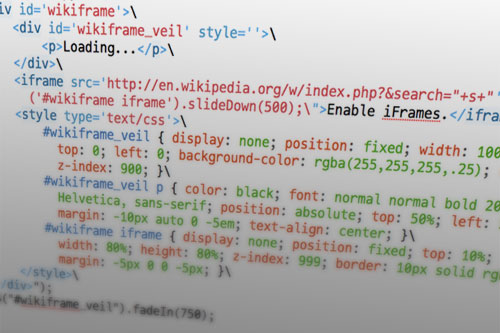
In this article, we’ll go through how to make your own bookmarklets, using the jQuery JavaScript framework.
Getting Started
You can make a faux URI with JavaScript by prefacing the code with javascript:, like so:
<a href="javascript: alert('Arbitrary JS code!');">Alert!</a>Notice that when we put it in the href attribute, we replaced what would normally be double quotes (“) with single quotes (‘), so the href attribute’s value and JavaScript function don’t get cut off midway. That’s not the only way to circumvent that problem, but it’ll do for now.
We can take this concept as far as we want, adding multiple lines of JavaScript inside these quote marks, with each line separated by a semicolon (;), sans line break. If your bookmarklet won’t need any updating later, this method of “all inclusiveness” will probably be fine. For this tutorial, we’ll be externalizing the JavaScript code and storing it in a .JS file, which we’ll host somewhere else.
A link to an externalized bookmarklet:
<a href="javascript:(function(){document.body.appendChild(document.createElement('script')).src='https://foo.bar/baz.js';})();">Externalized Bookmarklet</a>This looks for the document’s body and appends a <script> element to it with a src we’ve defined, in this case, “https://foo.bar/baz.js". Keep in mind that if the user is on an empty tab or a place which, for some reason, has no body, nothing will happen as nothing can be appended to.
You can host that .JS file wherever is convenient, but keep bandwidth in mind if you expect a ton of traffic.
Enter jQuery
Since many of you may be familiar with the jQuery framework, we’ll use that to build our bookmarklet.
The best way to get it inside of our .JS file is to append it from Google’s CDN, conditionally wrapped to only include it if necessary:
(function(){

    // the minimum version of jQuery we want
    var v = "1.3.2";

    // check prior inclusion and version
    if (window.jQuery === undefined || window.jQuery.fn.jquery < v) {
        var done = false;
        var script = document.createElement("script");
        script.src = "https://ajax.googleapis.com/ajax/libs/jquery/" + v + "/jquery.min.js";
        script.onload = script.onreadystatechange = function(){
            if (!done && (!this.readyState || this.readyState == "loaded" || this.readyState == "complete")) {
                done = true;
                initMyBookmarklet();
            }
        };
        document.getElementsByTagName("head")[0].appendChild(script);
    } else {
        initMyBookmarklet();
    }

    function initMyBookmarklet() {
        (window.myBookmarklet = function() {
            // your JavaScript code goes here!
        })();
    }

})();
(Script appending from jQuery’s source code, adapted by Paul Irish: https://pastie.org/462639)
That starts by defining v, the minimum version of jQuery that our code can safely use. Using that, it then checks to see if jQuery needs to be loaded. If so, it adds it to the page with cross-browser event handling support to run initMyBookmarklet when jQuery’s ready. If not, it jumps straight to initMyBookmarklet, which adds the myBookmarklet to the global window object.
Grabbing Information
Depending on what kind of bookmarklet you’re making, it may be worthwhile to grab information from the current page. The two most important things are document.location, which returns the page’s URL, and document.title, which returns the page’s title.
You can also return any text the user may have selected, but it’s a little more complicated:
function getSelText() {
    var SelText = ’;
    if (window.getSelection) {
        SelText = window.getSelection();
    } else if (document.getSelection) {
        SelText = document.getSelection();
    } else if (document.selection) {
        SelText = document.selection.createRange().text;
    }
    return SelText;
}
(Modified from https://www.codetoad.com/javascript_get_selected_text.asp)
Another option is to use JavaScript’s input function to query the user with a pop-up:
var yourname = prompt("What's your name?","my name...");Dealing with Characters
If you’ll be putting all your JavaScript into the link itself rather than an external file, you may want a better way to nest double quotes (as in, “a quote ‘within a quote’”) than just demoting them into singles. Use " in their place (as in, “a quote "within a quote"”):
<a
href="javascript:var%20yourname=prompt("What%20is%20your%20name?");alert%20("Hello,%20"+yourname+"!")">What is your name?</a>In that example, we also encoded the spaces into %20, which may be beneficial for older browsers or to make sure the link doesn’t fall apart in transit somewhere.
Within JavaScript, you may sometimes need to escape quotes. You can do so by prefacing them with a backslash ():
alert("This is a "quote" within a quote.");Putting It All Together
Just for fun, let’s make a little bookmarklet that checks to see if there’s a selected word on the page, and, if there is, searches Wikipedia and shows the results in a jQuery-animated iFrame.
We’ll start by combining the framework from “Enter jQuery” with the text selection function from “Grabbing Information”:
(function(){

    var v = "1.3.2";

    if (window.jQuery === undefined || window.jQuery.fn.jquery < v) {
        var done = false;
        var script = document.createElement("script");
        script.src = "https://ajax.googleapis.com/ajax/libs/jquery/" + v + "/jquery.min.js";
        script.onload = script.onreadystatechange = function(){
            if (!done && (!this.readyState || this.readyState == "loaded" || this.readyState == "complete")) {
                done = true;
                initMyBookmarklet();
            }
        };
        document.getElementsByTagName("head")[0].appendChild(script);
    } else {
        initMyBookmarklet();
    }

    function initMyBookmarklet() {
        (window.myBookmarklet = function() {
            function getSelText() {
                var s = ’;
                if (window.getSelection) {
                    s = window.getSelection();
                } else if (document.getSelection) {
                    s = document.getSelection();
                } else if (document.selection) {
                    s = document.selection.createRange().text;
                }
                return s;
            }
            // your JavaScript code goes here!
        })();
    }

})();
Next, we’ll look for any selected text and save it to a variable, “s”. If there’s nothing selected, we’ll try to prompt the user for something:
var s = "";
s = getSelText();
if (s == "") {
    var s = prompt("Forget something?");
}
After checking to make sure we received an actual value for “s”, we’ll append the new content to the document’s body. In it will be: a container div (“wikiframe”), a background veil (“wikiframe_veil”) and a “Loading…” paragraph, the iFrame itself, and some CSS to make things look pretty and affix everything above the actual page.
if ((s != "") && (s != null)) {
    $("body").append("
    <div id='wikiframe'>
        <div id='wikiframe_veil' style=’>
            <p>Loading...</p>
        </div>
        <iframe src='https://en.wikipedia.org/w/index.php?&search="+s+"' onload="$('#wikiframe iframe').slideDown(500);">Enable iFrames.</iframe>
        <style type='text/css'>
            #wikiframe_veil { display: none; position: fixed; width: 100%; height: 100%; top: 0; left: 0; background-color: rgba(255,255,255,.25); cursor: pointer; z-index: 900; }
            #wikiframe_veil p { color: black; font: normal normal bold 20px/20px Helvetica, sans-serif; position: absolute; top: 50%; left: 50%; width: 10em; margin: -10px auto 0 -5em; text-align: center; }
            #wikiframe iframe { display: none; position: fixed; top: 10%; left: 10%; width: 80%; height: 80%; z-index: 999; border: 10px solid rgba(0,0,0,.5); margin: -5px 0 0 -5px; }
        </style>
    </div>");
    $("#wikiframe_veil").fadeIn(750);
}
We set the iFrame’s src attribute to Wikipedia’s search URL plus “s”. Its CSS sets it to display: none; by default, so we can have it make a grander entrance when its page is loaded via its onload attribute and a jQuery animation.
After all that’s added to the page, we’ll fade in the background veil.
Notice the backslashes at the end of each line of appended HTML. These allow for multiple rows and make everything easier on the eyes for editing.
Almost done, but we need to make sure these elements don’t already exist before appending them. We can accomplish that by throwing the above code inside a ($(“#wikiframe”).length == 0) conditional statement, accompanied by some code to remove it all if the statement returns negative.
The end result .JS file:
(function(){

    var v = "1.3.2";

    if (window.jQuery === undefined || window.jQuery.fn.jquery < v) {
        var done = false;
        var script = document.createElement("script");
        script.src = "https://ajax.googleapis.com/ajax/libs/jquery/" + v + "/jquery.min.js";
        script.onload = script.onreadystatechange = function(){
            if (!done && (!this.readyState || this.readyState == "loaded" || this.readyState == "complete")) {
                done = true;
                initMyBookmarklet();
            }
        };
        document.getElementsByTagName("head")[0].appendChild(script);
    } else {
        initMyBookmarklet();
    }

    function initMyBookmarklet() {
        (window.myBookmarklet = function() {
            function getSelText() {
                var s = ’;
                if (window.getSelection) {
                    s = window.getSelection();
                } else if (document.getSelection) {
                    s = document.getSelection();
                } else if (document.selection) {
                    s = document.selection.createRange().text;
                }
                return s;
            }
            if ($("#wikiframe").length == 0) {
                var s = "";
                s = getSelText();
                if (s == "") {
                    var s = prompt("Forget something?");
                }
                if ((s != "") && (s != null)) {
                    $("body").append("
                    <div id='wikiframe'>
                        <div id='wikiframe_veil' style=’>
                            <p>Loading...</p>
                        </div>
                        <iframe src='https://en.wikipedia.org/w/index.php?&search="+s+"' onload="$('#wikiframe iframe').slideDown(500);">Enable iFrames.</iframe>
                        <style type='text/css'>
                            #wikiframe_veil { display: none; position: fixed; width: 100%; height: 100%; top: 0; left: 0; background-color: rgba(255,255,255,.25); cursor: pointer; z-index: 900; }
                            #wikiframe_veil p { color: black; font: normal normal bold 20px/20px Helvetica, sans-serif; position: absolute; top: 50%; left: 50%; width: 10em; margin: -10px auto 0 -5em; text-align: center; }
                            #wikiframe iframe { display: none; position: fixed; top: 10%; left: 10%; width: 80%; height: 80%; z-index: 999; border: 10px solid rgba(0,0,0,.5); margin: -5px 0 0 -5px; }
                        </style>
                    </div>");
                    $("#wikiframe_veil").fadeIn(750);
                }
            } else {
                $("#wikiframe_veil").fadeOut(750);
                $("#wikiframe iframe").slideUp(500);
                setTimeout("$('#wikiframe').remove()", 750);
            }
            $("#wikiframe_veil").click(function(event){
                $("#wikiframe_veil").fadeOut(750);
                $("#wikiframe iframe").slideUp(500);
                setTimeout("$('#wikiframe').remove()", 750);
            });
        })();
    }

})();
Note that we fade out and remove the “wikiframe” content both if the user re-clicks the bookmarklet after it’s loaded and if the user clicks on its background veil.
The HTML bookmarklet to load that script:
<a href="javascript:(function(){if(window.myBookmarklet!==undefined){myBookmarklet();}else{document.body.appendChild(document.createElement('script')).src='https://iamnotagoodartist.com/stuff/wikiframe2.js?';}})();">WikiFrame</a>See that (window.myBookmarklet!==undefined) conditional? That makes sure the .JS file is only appended once and jumps straight to running the myBookmarklet() function if it already exists.
Make It Better
This example was fun, but it definitely could be better.
For starters, it isn’t compressed. If your script will be accessed a lot, keeping two versions of your code may be a good idea: one normal working version and one compressed minimized version. Serving the compressed one to your users will save loading time for them and bandwidth for you. Check the resource links below for some good JavaScript compressors.
While the bookmarklet technically works in IE6, its use of static positioning means that it just kind of appends itself to the bottom of the page. Not very user-friendly! With some more time and attention to rendering differences in IE, the bookmarklet could be made to function and look the same (or at least comparable) in different browsers.
In our example, we used jQuery, which is an excellent tool for developing more advanced JavaScript applications. But if your bookmarklet is simple and doesn’t require a lot of CSS manipulation or animation, chances are you may not need something so advanced. Plain old JavaScript might suffice. Remember, the less you force the user to load, the faster their experience and the happier they will be.
Things to Keep in Mind and Best Practices
Untested code is broken code, as old-school programmers will tell you. While bookmarklets will run on any browser that supports JavaScript, testing them in as many browsers as you can wouldn’t hurt. Especially when working with CSS, a whole slew of variables can affect the way your script works. At the very least, enlist your friends and family to test the bookmarklet on their computers and their browsers.
Speaking of CSS, remember that any content you add to a page will be affected by that page’s CSS. So, applying a reset to your elements to override any potentially inherited margins, paddings or font stylings would be wise.
Because bookmarklets are, by definition, extraneous, many of the guidelines for JavaScript—such as unobtrusiveness and graceful degradation—aren’t as sacred as they normally are. For the most part, though, a healthy understanding of best practices for traditional JavaScript and its frameworks will only help you:
- Develop a coding style and stick to it. Keep it consistent, and keep it neat.
- Take it easy on the browser. Don’t run processes that you don’t need, and don’t create unnecessary global variables.
- Use comments where appropriate. They make jumping back into the code later on much easier.
- Avoid shorthand JavaScript. Use plenty of semi-colons, even when your browser would let you get away without them.
Further Resources
Helpful JavaScript Tools
- JSLint JavaScript validation tool.
- Bookmarklet Builder Made way back in 2004, but still useful.
- List of Really Useful Free Tools for JavaScript Developers Courtesy of W3Avenue.
- JS Bin Open-source collaborative JavaScript debugging tool.
- How to Dynamically Insert Javascript and CSS A well-written examination of JavaScript and CSS appending, and its potential pitfalls.
- Run jQuery Code Bookmarklet A pretty cool script that checks for and loads jQuery all within the bookmarklet. Also has a handy generator.
- Google AJAX Libraries API Do you prefer Prototype or MooTools to jQuery? Load your preference straight from Google and save yourself the bandwidth.
JavaScript and CSS Compressors
- Online Javascript Compression Tool JavaScript compressor, with both Minify and Packer methods.
- Clean CSS CSS formatter and optimizer, based on csstidy, with a nice GUI and plenty of options.
- Scriptalizer Combines and compresses multiple JavaScript and/or CSS files.
- JavaScript Unpacker and Beautifier Useful for translating super-compressed code into something more human-legible (and vice versa).
Collections
- myBookmarklets
- Bookmarklets.com
- Bookmarklets, Favelets and Snippets Via Smashing Magazine.
- Quix “Your Bookmarklets, On Steroids.”
- Jesse’s Bookmarklets
- Marklets
Further Reading:
- Time Savers, Tools And Useful Services For Web Designers
- Essential jQuery Plugin Patterns
- Useful jQuery Function Demos For Your Projects
 (al)
(al)

