40 Useful jQuery Techniques and Plugins

Over the last year, Smashing Magazine has evolved. We’ve been publishing fewer lists and more in-depth articles about design and Web development. We have invited professionals and high-profile developers to write for us. We’ve been investing more resources in the quality and relevance of our articles. We’ve also explored new formats; and on weekends we’ve been publishing more inspirational pieces, leaving the in-depth articles to weekdays.
We’ve tried our best to fuel the growing appetite of our readers for more advanced articles, but recently we’ve been receiving more requests for carefully selected, useful round-ups. We are not big fans of lists either, but the format is useful and — if the resources are relevant — can be extremely helpful. Therefore, we’ve decided to add a couple of round-ups per month as a bonus to our regular articles. Instead of replacing the main articles, we will add round-ups on top of our regular schedule. If you don’t like round-ups or find them inappropriate, please feel free to skip them. How does this work for you?
In this post, we present 40 useful but obscure jQuery plug-ins that will hopefully help you improve the user experience on your websites. We look forward to your ideas and suggestions in the comments to this post.
Tips, Hints, Navigation
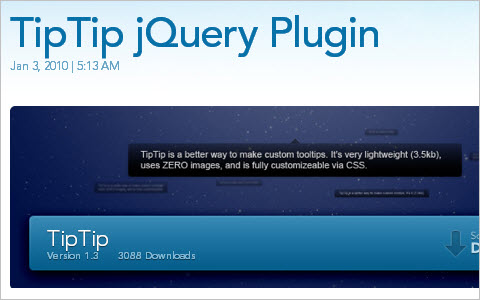
TipTip jQuery Plugin
TipTip detects the edges of the browser window and will make sure the tooltip stays within the current window size. As a result the tooltip will adjust itself to be displayed above, below, to the left or to the right of the element with TipTip applied to it, depending on what is necessary to stay within the browser window. TipTip is a very lightweight and intelligent custom tooltip jQuery plugin. It uses ZERO images and is completely customizable via CSS.
Contextual Slideout Tips With jQuery & CSS3
A set of contextual slideout tips with jQuery & CSS3, which are ideal for product pages and online tours.

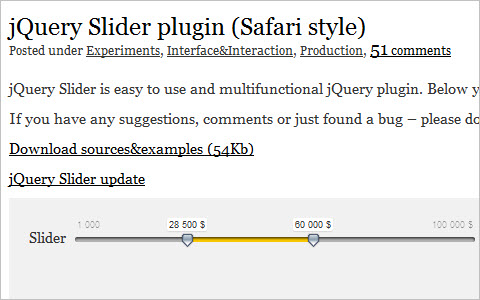
jQuery Slider plugin (Safari style)
jQuery Slider is easy to use and multifunctional jQuery plugin.
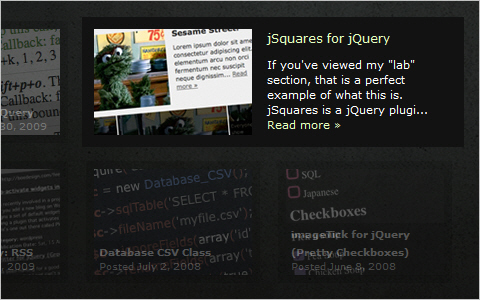
jSquares
jSquares is a jQuery plugin that pops up an image and a description in an overlay on hover. It is basically identical to the image grid found on www.ted.com. Works like a charm in IE6+, FF 3+, Safari 3+ and Opera 10.
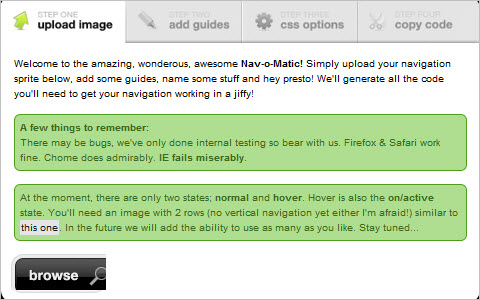
Nav-o-Matic
Single sprite navigation is great, but we all know it can get a little bit tedious. All that measuring of pixel perfect photoshop slices, careful coding of your CSS and subsequent calculator bashing is enough to drive anyone to start microwaving fluffy kittens. Wouldn’t it be great to have a fancy online tool to take care of all the boring stuff for you in a few simple clicks? Well wish no more…
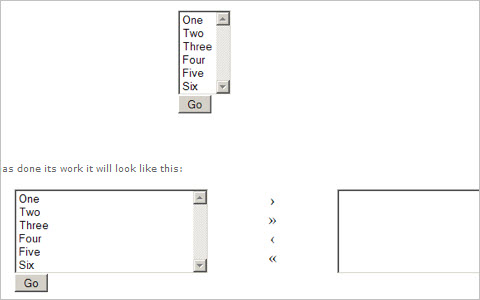
Jquery Two Sided Multi Selector
This Plugin converts a multi select list into a two-sided multi-select list. This means you display a list of options in the left hand box and items you select are moved into the right hand box.
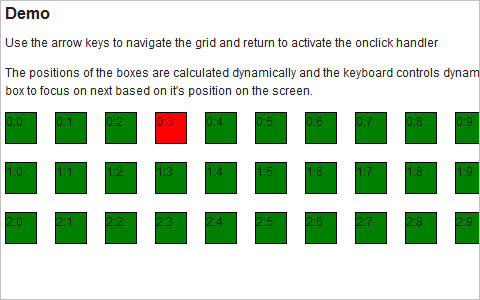
jQuery Keyboard Navigation Plugin
The jQuery Keyboard Navigation Plugin provides the capability for elements on a page to be navigated and activated via the keyboard’s up, down, right and left arrow keys.
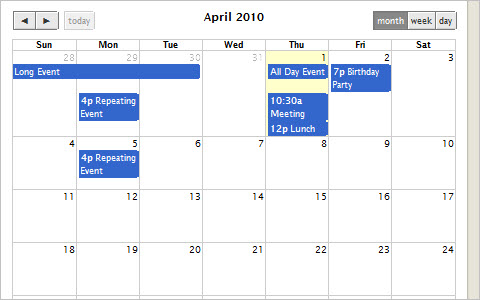
FullCalendar – Full-sized Calendar jQuery Plugin
FullCalendar is a jQuery plugin that provides a full-sized, drag & drop calendar like the one below. It uses AJAX to fetch events on-the-fly for each month and is easily configured to use your own feed format (an extension is provided for Google Calendar). It is visually customizable and exposes hooks for user-triggered events (like clicking or dragging an event).
Forms
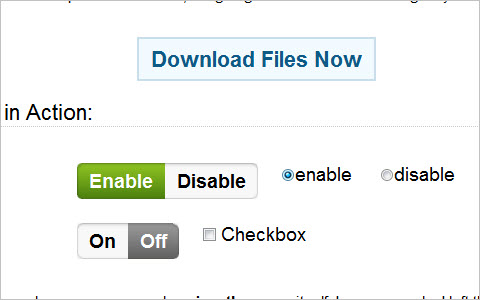
iPhone Style Radio and Checkbox Switches using JQuery and CSS
A simple technique for creating radio button and checkbox switches with jQuery.
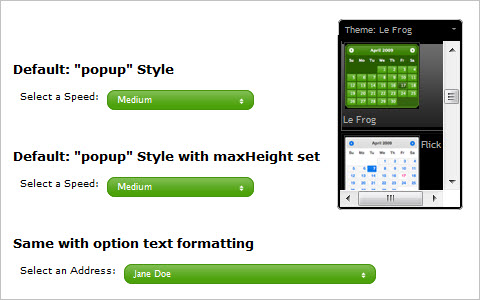
jQuery UI Selectmenu: An ARIA-Accessible Plugin for Styling a Custom HTML Select Element
Our latest contribution to labs is the selectmenu plugin, which is designed to duplicate and extend the functionality of a native HTML select element, and lets you customize the look and feel, add icons, and create hierarchy within the options. Best of all, it’s built with progressive enhancement and accessibility in mind, has all the native mouse and keyboard controls, and is ThemeRoller-ready.
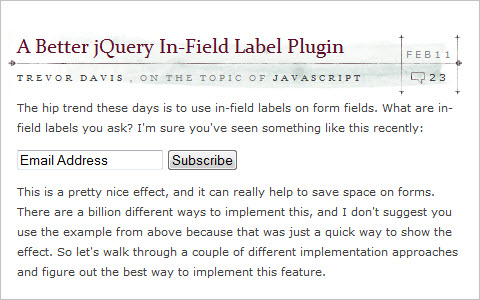
A Better jQuery In-Field Label Plugin
This is a pretty nice effect, and it can really help to save space on forms. There are a billion different ways to implement this, and I don’t suggest you use the example from above because that was just a quick way to show the effect. So let’s walk through a couple of different implementation approaches and figure out the best way to implement this feature.
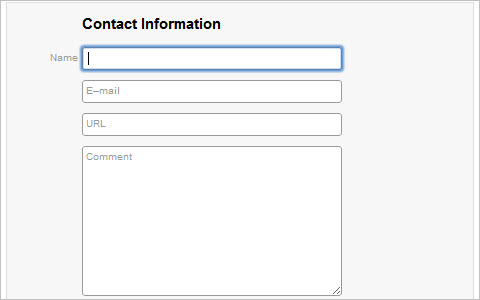
Sliding Labels
Tim Wright came up with a jQuery technique that presents labels in input fields by default but then slides them to the left (or up) rather than removing them on click. If JavaScript is turned off, the labels are displayed above the input fields. The small jQuery snippet works in all major browsers and can be used for input and textarea elements.
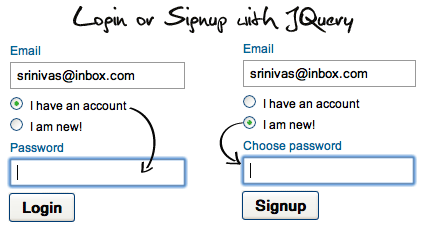
Login or Signup with jQuery
Some users doesn’t like to filling the registration form. So that I had implemented login and singup fields in same block just controlling with jquery and PHP. It’s is very simple javascript and basic PHP code.
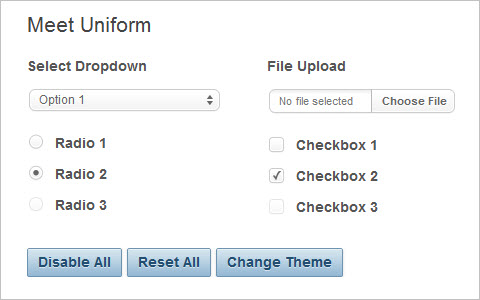
Uniform – Sexy forms with jQuery
Have you ever wished you could style checkboxes, drop down menus, radio buttons, and file upload inputs? Ever wished you could control the look and feel of your form elements between all browsers? If so, Uniform is your new best friend. Uniform masks your standard form controls with custom themed controls. It works in sync with your real form elements to ensure accessibility and compatibility.
Slideshows and Galleries
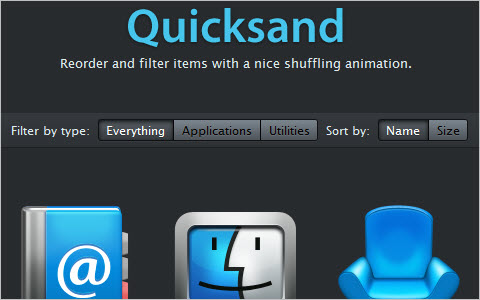
jQuery Quicksand plugin
Reorder and filter items with a nice shuffling animation.
Nivo Slider: Slideshow jQuery Script
Nivo Slider is a simple and powerful jQuery image slider plug-in that fits the bill. The tool has nine unique transition effects built in, as well as plenty of options to fiddle with: for instance, you can define functions to be applied before and after the image has changed, set the animation speed and activate pause on hover.

#grid
#grid is a little tool that inserts a grid onto the Web page. You can hold the grid in place and toggle it between the foreground and background. To display the grid, just press a hot key on your keyboard, and you can set your own short keys to switch views. #grid comes set up with a 980 pixel-wide container, with 20-pixel gutters, and assumes one lead of 20 pixels. You can download the source code (JavaScript and CSS) and use classes for multiple grids.
Improving The Content
Dynamic Footnotes With CSS and jQuery
Lukas Mathis has come up with an elegant solution to improve user experience with footnotes: his jQuery script shows the content of footnotes as soon as the user indicates that they are interested in it – i.e. when they move the cursor over the footnote symbol.
jQuery Captify Plugin v1.1.3
Captify is a plugin for jQuery written by Brian Reavis to display simple, pretty image captions that appear on rollover. It has been tested on Firefox, Chrome, Safari, and the wretched Internet Explorer. Captify was inspired by ImageCaptions, another jQuery plugin for displaying captions like these. The goal of Captify is to be easy to use, small/simple, and completely ready for use in production environments (unlike ImageCaptions at the moment).

Copy to Clipboard with ZeroClipboard, Flash 10 and jQuery
With today’s post I will show you a contrived example to get you started. I eventually hope to add this to the contextMenu.js jQuery plugin that I use, but for now this should be pretty straight forward. I do want to note that in the demo and download I am loading the latest version of the jQuery library (1.3.1) from Google’s CDN for the first time in any of my posts. For more information on how to do this see the instructions from Google.
Layouts
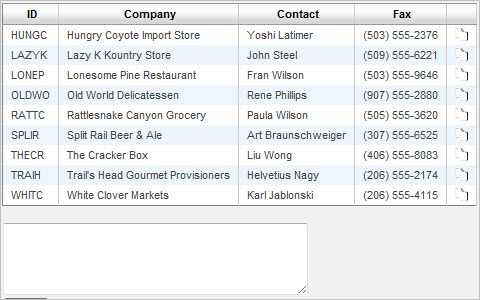
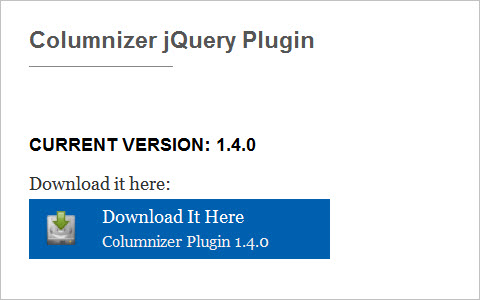
Columnizer jQuery Plugin
This jQuery plugin will help you create a multi-column layout without complex CSS hacks. Works across all major browsers.
Charts and Graphs
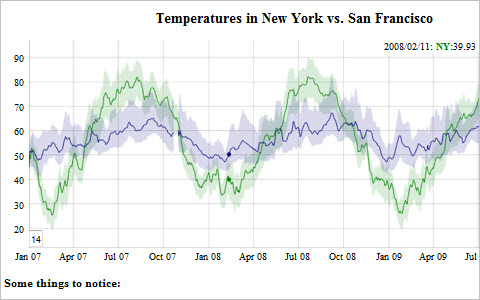
Dygraphs: Create interactive graphs from open source Javascript library
Dygraphs is an open source JavaScript library that produces an interactive, zoom-able charts of the present time series. It is mainly designed to display the dense data sets and enable the users to explore and interpret them. It is a JavaScript Visualization Library.
gMap – Google Maps Plugin For jQuery
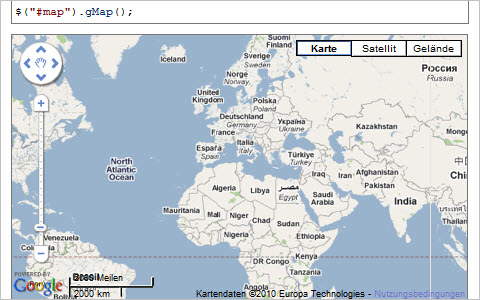
gMap is a lightweight jQuery plugin that helps you embed Google Maps into your website. With only 2 KB in size it is very flexible and highly customizable.
10 jQuery Plugins for Easier Google Map Installation
The plugins below offer not only an easier method to install a map, they also offer the option to add extra functionality, should you choose to need them. They also all come with a varied degree of docs, some are extensive and some non-existent, so choose your plugin wisely.

Images and Visual Effects
jQuery imageless buttons a la Google
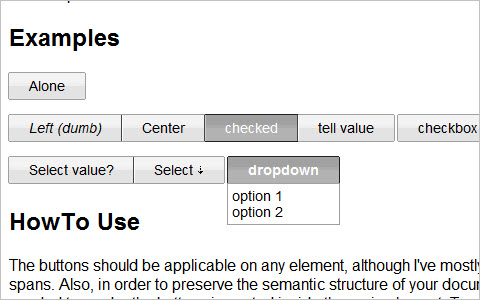
This jQuery plugin is an attempt to recreate Google’s imageless buttons and prove that it doesn’t take a whole team of engineers and an endless cycle of code revision and quality control (their own words) to pull this off. I don’t know how Google did it, but my buttons automatically adapt to paddings and other styling you wish to use. They allow for a lot of stylistic customisatoin via a few lines of css while keeping all the display critical css rules hidden deep inside the plugin.
jQuery Presentation Plugin
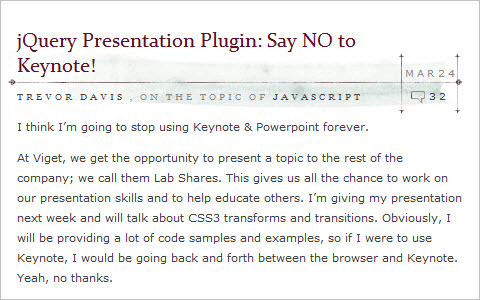
jQuery Presentation Plugin: Say NO to Keynote!
jQuery pageSlide
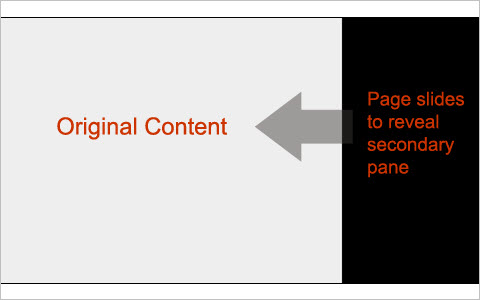
This plugin allows any developer to recreate a similar interaction on their own website using a few simple lines of Javascript. By attaching the method to an anchor tag, pageSlide wraps the original body content into a wrapper and creates an additional block for the secondary content load. The slide is animated whenever the click event is invoked.
jqFancyTransitions: jQuery Image Rotator Plugin
jqFancyTransitions is easy-to-use jQuery plugin for displaying your photos as slideshow with fancy transition effects.

A demo of AD Gallery
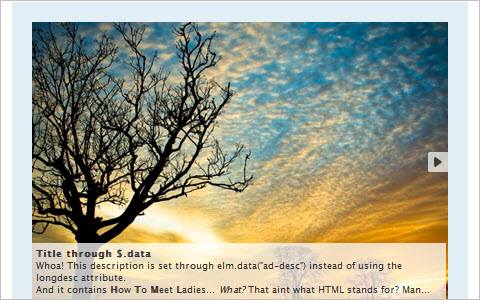
A highly customizable gallery/showcase plugin for jQuery.
Pines Notify jQuery Plugin
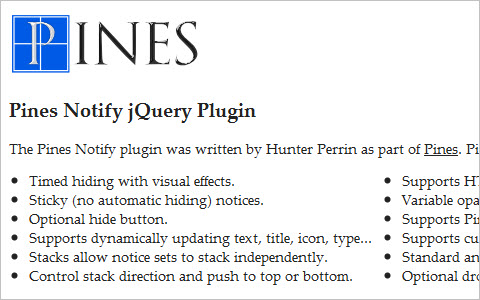
Pines Notify’s features include: timed hiding with visual effects, sticky (no automatic hiding) notices, optional hide button, supports dynamically updating text, title, icon, type, stacks allow notice sets to stack independently, control stack direction and push to top or bottom.
Animate Panning Slideshow with jQuery
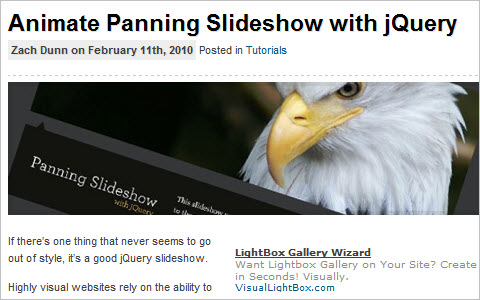
In today’s tutorial we’ll take the makings of a classic slideshow, but use a different kind of transition to animate between slides. It may not fit every project, but diversity is always welcome in the world of web design.
Sponsor Flip Wall With jQuery & CSS
Designing and coding a sponsors page is part of the developer’s life (at least the lucky developer’s life, if it is about a personal site of theirs). It, however, follows different rules than those for the other pages of the site. You have to find a way to fit a lot of information and organize it clearly, so that the emphasis is put on your sponsors, and not on other elements of your design.

Last Click
CofeeScript
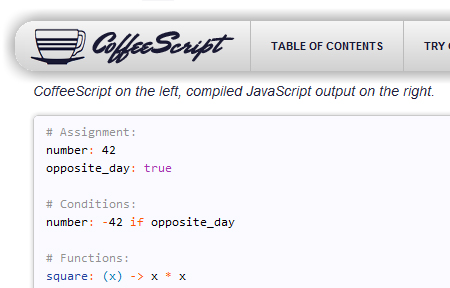
CoffeeScript is a little programming language that compiles JavaScript while simplifying the code that developers actually have to deal with. It works with current JavaScript libraries and compiles clean code, leaving even comments intact. Once developers familiarize themselves with how CoffeeScript works, they could potentially save themselves a lot of time and headaches with the simplified code.
Brosho ‘Design in the Browser’ jQuery Plugin
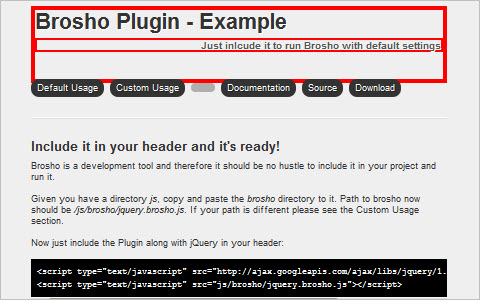
With this Plugin you can style your markup right in your browser with a build-in element selector and CSS editor. Generate the CSS code of altered elements with one click and use it in your own stylesheet.
gameQuery – a javascript game engine with jQuery
gameQuery is a jQuery plug-in to help make javascript game development easier by adding some simple game-related classes. It’s still in an early stage of development and may change a lot in future versions. The project has a Google Code page where the SVN repository of the project is hosted and a twitter page where you can follow the daily progress of the development.
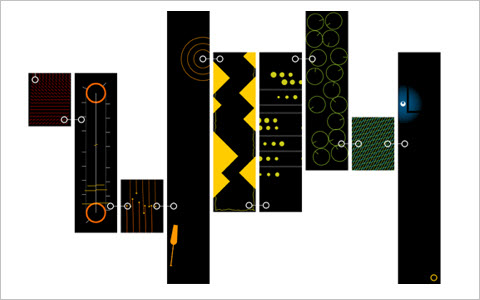
Mind-blowing JavaScript Experiments
The following JavaScript experiments demonstrates the amazing capabilities of the modern browsers such as Chrome and Safari. In this post I will showcase to you an array of experiments that will surely blows your mind off.
Is adding round-ups to our regular content a good idea?


Thomas McGee
April 27th, 2010 12:45 pmI’ve finally started to learn some JQuery so this article should come in very handy. Round-up articles work for me as long as they’re useful. Thanks!
byen
May 3rd, 2010 4:55 amagree!
Andrey
July 22nd, 2010 3:00 amMay be this perfect extension to embed jQuery into Chrome Console as simple as you can imagine will be usefull for you too! This extension also indicates if jQuery has been already embeded into page.
This extension used to embed jQuery into any page you want. It allows to use jQuery in the console shell (You can invoke Chrome console by “Ctrl+Shift+j”).
To embed jQuery into selected tab click on extention button.
LINK to extension: https://chrome.google.com/extensions/detail/gbmifchmngifmadobkcpijhhldeeelkc
Alex Crooks
April 27th, 2010 12:52 pmNice collection thank you
Sean O
April 27th, 2010 12:54 pmHow about the jQuery Increment plugin?
http://sean-o.com/increment
…for easy manipulation of numeric form input fields.
– SEAN O (author)
Max
April 27th, 2010 12:59 pmSome really cool jQuery plug-ins here! I really enjoy the sliding form label plug-in.
Round ups are great if the content is fresh AND useful. With the vast number of jQuery plug-ins coming out these days someone has to dig up and present the gems.
Monji
April 27th, 2010 1:00 pmThanks for including my tutorial among these other great resources! (iPhone style radio/checkboxes on DevGrow.com)
Robert
April 27th, 2010 1:04 pmThx for the inspiring round-up. Hopefully you’ll continue with this.
Łukasz Mazurek
April 27th, 2010 1:04 pmI wrote a jQuery plugin for easy menu creation – you can add an image based menu with few lines of css (for progressive degradation), one sprite and one line of JS. Here’s how:
http://www.devoth.com/tutorials/imaginemenu_jquery_plugin.html
Krisztian Szi
April 27th, 2010 1:21 pmwhy jquery? what about other frameworks?
my favorite ist mootools ;-)
Nicholas S.
April 27th, 2010 1:23 pmUsed sparingly, these types of articles are very helpful. I am glad Smashing Mag has moved more toward original content, and such content is supported well by the sprinkling of roundups that showcase the talents of outside designers/developers. I lean toward a 90/10 ratio, but that’s just me.
Denis Ristic
April 27th, 2010 1:29 pmGreat article!
thx
Jeff G
April 27th, 2010 1:30 pmAwesome! I have seen many, many jquery plugins… and these are some of the most remarkable I have seen. Thank you for taking the time to search these out…
greg
April 27th, 2010 1:58 pmthis is a great post
Angel
April 27th, 2010 2:15 pmLists definitely have their place as they help me get straight to work, with that being said, you guys are doing a great job in trying to find a cogent medium for the diversity of skill levels and roles that come here by experimenting with all types of articles. I love the variety in the posts, especially all of the UX/IA/Content Planning in depth articles, as they provide a wonderful reference point for onboarding non ux/designer types on a project. Thanks again.
Adam
April 27th, 2010 3:39 pmYou guys have to check out http://www.slidedeck.com
It uses JQUERY and it’s sick!
Metin Ucar
April 27th, 2010 4:05 pmThanks for the smashing compilation. But what about a compilation for WP plugins?
Alex Batista
April 27th, 2010 4:20 pmCongratulations Vitaly! One more perfect post and a lot of content.
sbuster
April 27th, 2010 4:25 pmExcellent post that I love deverdad esuvo well. I would like to visit this post “20 tutorials for jQuery lovers” —> http://sbuster.co.cc/uncategorized/20-tutoriales-para-los-amantes-de-jquery/
That Guy John
April 27th, 2010 5:51 pmMicrowave fluffy kittens! That is horrible! lol
jQuery rocks though!
Edison Leon
April 27th, 2010 7:38 pmI love the roundup keep it coming, search results doesn’t give this type of results in one single page
Srinivas Tamada
April 27th, 2010 8:43 pmJquery rocking………….
alex
April 27th, 2010 9:07 pmawesome post..
Some of the jquery plug-ins are great useful ..
cheers.
Alex
umesh
April 27th, 2010 9:13 pmI like all jquery plug in .Nice collection thank you
gauri
April 27th, 2010 9:14 pmAmazing article. loved it.
GS Lee
April 27th, 2010 9:35 pmwow !!!
Nice post. Thanks~! :)
ac1982
April 27th, 2010 10:26 pmGreat post, keep up the good work! :)
Ali
April 27th, 2010 10:34 pmDear Smashing Magazine Owners
My name is Ali and i am UI Developer working in Mumbai, there was a requirement from my client to make a carousel which works both horizontally and vertically, i need to share that functionality on Smashing Magazine for other viewers, could you please do let me know how am i am suppose to do that?
Looking forward to hear from you.
Kind regards
Ali
dhiren
May 9th, 2010 10:48 pmawesome post
Webstandard-Blog
April 27th, 2010 10:35 pmAwesome collection Vitaly, but don’t forget “jQuery-Games” ( Memory, Tetris, Puzzle, Slotmachine, Blackjack, … ) Everbody needs a short break during a tough day ;o)
http://fwd4.me/FgU
Retheesh
April 27th, 2010 11:25 pmGod collections…thanks for the post
liebesiech
April 27th, 2010 11:27 pmThanks for this article. Motivates me to dig into jQuery myself!
Neelakandan
April 27th, 2010 11:33 pmExcellent. Really a great collection.
Lem
April 27th, 2010 11:46 pmGreat post !
Thx
Ray
April 28th, 2010 12:02 amgood article for learning jquery.
Bob
April 28th, 2010 12:29 amgood links ^____^
LivelyWorks
April 28th, 2010 12:31 amNice Resources. Thanks
Dalken
April 28th, 2010 12:44 amAmazing selection !!! Thx !
OP
April 28th, 2010 12:51 amGood article. Gotto learn a lot :-)
wespai
April 28th, 2010 1:00 amnice post
Bogdan Pop
April 28th, 2010 1:08 amPlugins to make Google Maps installation easier? It’s pretty simple and straightforward. Why load the page with even more javascript?
lauau
April 28th, 2010 1:12 amI like all jquery plug in, thank you! :)
Rhys
April 28th, 2010 1:41 amI’ve also built a similar multiselect plugin, but with lots of customisation options: http://wheresrhys.co.uk/resources/crossSelect/crossSelect.html
Michael Beck
May 6th, 2010 2:56 am@Rhys – I think you’ve missed the point a bit on your multi-select. The plugin mentioned in the article lets you style things however you like using CSS, which is a much purer model than pumping layout and style settings into a plugin. We should all be concerned with keeping style and function as removed from each other as possible. Imagine if a user sets a width in their JavaScript that calls your plugin – and then updates their website design. This could break the design and they would need to edit their JavaScript to keep it in line with their CSS, which makes things messy.
Greg Babula
April 28th, 2010 2:10 amI love these kind of posts (when they’re filled with useful scripts) :-)
Vladimir Nikishin
April 28th, 2010 2:38 amMost of these techniques can be done with HTML/CSS and just one lightweight plugin. You know it. It’s jQuery tools
Rachel
April 28th, 2010 2:44 amI’m actually quite glad you’re going to do some round ups again. You’re right – if people don’t like them, move on by. But Smashing Magazine’s roundups have often been the most useful and informative, as well as including a high quality list to begin with. You can tell that this list has been thought through thoroughly and researched.
In regards to the article, I’ve been starting to learn more about jQuery so this has come at a great time! There are also a few useful links that I might start putting into practice myself. Thanks :)
kevin
April 28th, 2010 3:08 amGreat round up, loving the Quicksand plugin.
Simon
April 28th, 2010 4:16 amThanks! :) How about this jQuery Template Builder?
nilesh
April 28th, 2010 4:17 amexcellent
Yan Hughes
April 28th, 2010 5:04 amLove the sponsor flip wall plugin, will try it very soon! Thanks for the authors and Smashing magazine, you rock!
Boris Smirnov
April 28th, 2010 5:11 amAwesome roundup. Few things that I needed exactly. Thank you!
Daniela
April 28th, 2010 5:29 amI would like to point out Malsup’s Cycle plugin too. It’s the first plugin I ever had contact with and sooo easy and simple to use. Link: http://jquery.malsup.com/cycle/
bill
April 28th, 2010 5:35 amWow you missed a load of excellent jquery plugins from http://www.catchmyfame.com like before/after, infinite carousel, drop captions, and form field hints. Do your homework next time!
beeeees
April 28th, 2010 5:43 amit’s sad that you guys have to do a disclaimer before posting anything anymore! what annoying readers you have!
Eli
April 28th, 2010 5:48 amThis was a solid round up. I found lots of new plugins. Good job keeping it fresh.
deca
April 28th, 2010 6:31 amA very good idea! A well composed round-up can involve readers!
It could be tailored with a “theory and practice” style in mind so what’s discussed in main articles could be refined into a future round-up with the suggested best-practices! ;)
Bertrand
April 28th, 2010 6:34 amThanks for this. Found two things I was searching for yesterday. What a coincidence! ;)
Jatin
April 28th, 2010 8:33 amGreat resource, jQuery Quicksand plugin is great.
Tom
April 28th, 2010 8:43 am@Vitaly: Please remove “Login or Signup with jQuery” from your list.
The code is awful, nobody should use this as I already pointed out in the author’s comment section…
Hm…
1. please link the labels to the input fields
2. make your js code more reusable for others
3. why don’t you modify the given form instead of showing or hiding the extra block?
4. sanitize user input data in php !!! (high security risk)
April 25, 2010 4:27 PM
Beben
April 28th, 2010 10:46 amaw aw aw…list anymore jQuery Plug-in, thanks ^,^’
Dilip
April 28th, 2010 11:01 amGood stuff !
Drew
April 28th, 2010 12:28 pmjQuery is like Flash used to be, it’s in the ‘Gee look what I can do….’ phase. There’s lots of really exciting stuff coming out all the time, this review will run and run. I love it!
Krishnam
April 28th, 2010 1:32 pm“Jai Ho” – Always loved Smashing Magazine. Cheers!
anil reddy
April 28th, 2010 2:22 pmGood collection!!! i kind of like jquery more than flash, even tho i dont understand javascript its easy to use jquery, i have already used some jquery script on my site, have a look anildesign.com
Agustin Amenabar
April 28th, 2010 7:04 pmI miss flash!
Paulu
April 28th, 2010 7:52 pmVery useful article. I will definitely use some of these in my projects!
Paul -
logudotcom
April 28th, 2010 9:19 pmVow, Great links, it will be very useful to web designers and developeres
ali
April 29th, 2010 12:37 amIn this post I will showcase to you an array of experiments that will surely blows your mind off.
sudhi
April 29th, 2010 5:07 amgreat list of jQuery plugins.. nowdays using these more than flash!
Seamus
April 29th, 2010 6:15 amI do a little self promotion here. I created, a jQuery UI widget, jStackmenu that is inspired on the stack menus in OS X. It uses CSS3 transforms to create the curving, but gracefully degrades for those browsers that don’t support CSS transforms.
http://moronicbajebus.com/blog/jstackmenu/files/
George Palmer
April 29th, 2010 7:46 amWohoo :) Great stuff. If only I’d found this a week ago could have really done with the calendar one.
Jon Christensen
April 29th, 2010 2:04 pmJust started learning some jquery to broaden some of my skills and to bring animations to sites without the use of Flash. This article is fantastic for that! Bookmarked it after only a bit of reading.
Thanks!
dbreck
April 29th, 2010 7:03 pmThis is what the Flash revolution felt like in the later 90′s and early 2000′s, “Look, we can make things move!” I love that it’s sort of devolved to that again, after Flash went so programmatic that it got away from designers. Ultimately, when we can finally bring broadcast graphics to the web with interactivity, we won’t care what the authoring tool is… as long as we can use it. And when I say we, I mean the greater WE.
arnold
April 29th, 2010 9:46 pmSM thanks for the round up! … by the way can I suggest something about the SM website
that the comment post will paginated and the list of comments posts will be just 20 posts?
Sorry if my grammar is wrong , because the blog post really takes time to load just because of many awesome comments ,
like the tuts network did..
http://net.tutsplus.com/tutorials/javascript-ajax/how-jquery-beginners-can-test-and-improve-their-code/#comments
…its ok if you dont agree with me, its just a suggestion
akchen
April 30th, 2010 7:36 pm:)
Nice collection thank you
Sunny Kumar
May 2nd, 2010 8:06 amVery useful jquery scripts. All are amazing. I will definitely use them in my next projects.
James Leahy
May 2nd, 2010 9:20 amSuggestion on tips
Nice tips, but it would be good to test them in different browsers first before setting them up as examples. The Tip Tip example worked ok in FF, but when tried in IE, it is blank. This makes them useless for commercial work, as @50% of visitors use IE. Nice, but needs to be more more thoroughlly thought out and complete.
Cameron
May 26th, 2010 9:29 pmI agree, I’m just trying to implement some tooltips at the moment, looking for a good JQuery solution that will allow showing content from a hidden div, but I could not get Tiptip working in IE7 and in fact their website won’t even load up in IE. Seems to be no longer supported?
I’m now looking at Qtip to see if i can get it doing what I want cross-browser.
sandeep
May 2nd, 2010 9:41 pmnice collection thank you!
Manish
May 3rd, 2010 11:28 pmNice collection thank you.All are amazing. I will definitely use them in my next projects
Eyebridge.in
May 8th, 2010 3:41 amDefinitely great but could be better if there were demo stuff associated with each of them !!
Tyler Herman
May 9th, 2010 8:56 pmRoundups are the laziest form of post imaginable. There is zero new content here. Why don’t you make a link section of the site and put this under a jquery category.
Michael Pehl
May 9th, 2010 8:58 pmWow. Very impressive collection.
Useful plugins for forms. Have to try some :)
Danke, Thanks, Gracias :)
IngB
May 20th, 2010 5:05 amvery nice list – congrats.
may i suggest another tool that has proven very helpful?
It is called Likno Web Modal Windows Builder (likno.com/jquery-modal-windows/index.php)
this is a program for creating javascript popup windows/dialogs for your pages.
saved me a lot of time and hassle.
hope this helps
rob busby
May 21st, 2010 12:48 pmNice plugins and techniques. One of the coolest ones is the sponsorflip. I think I can find a good use for this plugin.
TechGyo
May 24th, 2010 7:02 amReally a great source. I hope you’ve spend a lot of time researching. Thanks for sharing with us.
I know all of the Jquery plugins are good. But I have read that they delay loading time a lot.
abhinav
May 30th, 2010 11:09 pmVery Nice Collection, Congratulate !!!
It will be very useful to webdesigners and developeres.
Thanks for sharing with us.
Thanking you very much.
Jero
June 24th, 2010 9:05 pmThanks! Great resources!
tahir
August 26th, 2010 11:42 pmnice collection here
Wasif
October 12th, 2010 11:50 pmamazing and thank you very much =)
Jose Miguel Bataller
November 1st, 2010 11:06 amGood selection!!!
Brett Widmann
November 20th, 2010 7:10 pmThis is a great collection of plugins. Thanks for sharing.
yamaniac
December 18th, 2010 3:26 amyou may also consider sexy notification boxes http://www.jqueryking.com/intermediate/sexy-notification-boxes-with-jquery/
March 31st, 2011 9:36 amexcellent blog post, i clearly love this web site, keep it.
Densit
November 17th, 2011 1:31 pmVery nice and very helpful!!!, sharing also what I found, it is more than a login wizard http://www.devstring.com/jlogin/