50 Useful JavaScript Tools
By Jacob Gube
JavaScript is a powerful client-side scripting language used in many modern websites and Web applications. In the hands of a skilled Web developer, JavaScript can enhance the user’s experience of the website and provide rich interactive components and features. But even though syntactically simple in nature, JavaScript is often difficult to author because of the environment it runs in: the Web browser. JavaScript’s popularity is evident in emerging technologies, such as Adobe AIR, which use it as a supported language for creating desktop-based applications.
Below, you’ll find 50 excellent tools to help you achieve various tasks involved in authoring JavaScript code. You’ll find useful tools to speed up your coding processes, including debugging tools to hunt down places where your scripts break, unit testing and validation tools to test your scripts in various situations, security vulnerability scanners and code optimization tools to make sure your scripts are light as a feather.
You’ll also find a few new and alternative JavaScript and AJAX frameworks to help you explore options beyond the big names (i.e. MooTools, jQuery, YUI, Dojo, Prototype), in addition to useful scripts to help you accomplish a host of design and development tasks related to JavaScript.
Also, be sure to check out the following related posts:
- 75 (Really) Useful JavaScript Techniques
- 60 AJAX- and Javascript Solutions For Professional Coding
- jQuery and JavaScript Coding: Examples and Best Practices
- 50 Extremely Useful And Powerful CSS Tools
JavaScript/AJAX Authoring Tools
- jQuery UI
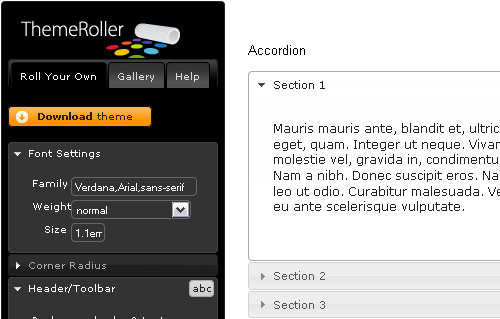
The jQuery UI allows you to design custom user interfaces for Web applications using the jQuery library. With jQuery UI, you can reduce the amount of code you write for common rich interactive features and website widgets. Be sure to check out the jQuery UI Demo page, which showcases some of the things you can accomplish using jQuery UI. - Google Web Toolkit
The Google Web Toolkit (commonly referred to as GWT) is a framework for developing complex and fully featured AJAX-based Web applications. You write front-end code in Java that is later compiled into optimized and cross-browser-friendly JavaScript. GWT puts the focus on Web application development by reducing the need for testing and debugging JavaScript for browser quirks. - Jx
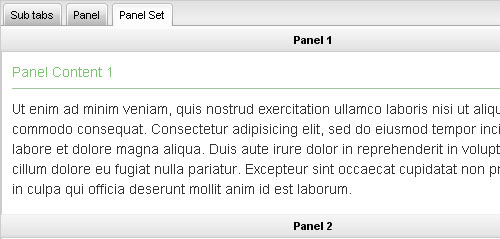
Jx is a JavaScript library for creating graphical user interfaces written on top of the MooTools framework. Jx is distributed with an MIT license and is well documented. Numerous examples as well as thorough and well-organized API documentation is available on the website. - Freestyle Webtop Toolkit
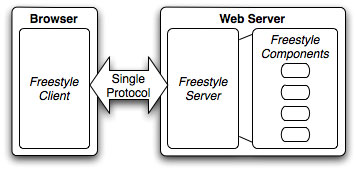
Freestyle aims to reduce the complexity and time involved in deploying Web-based user interfaces by eliminating the separation of client-side and server-side development. With Freestyle, you focus on programming logic and UI design, and it handles the rest (i.e. cross-browser compatibility and DHTML and AJAX development). - Script#
Script# is an AJAX and JavaScript authoring tool that allows developers to write in C#. It also allows .NET developers to leverage their existing knowledge and provides powerful tools associated with the .NET framework. - Aptana Jaxer
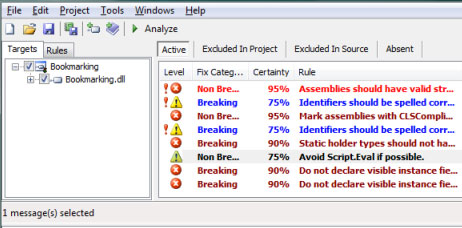
Aptana Jaxer is the first “AJAX server” that allows developers to use their AJAX, HTML, JavaScript and DOM knowledge to create fully featured server-side-powered Web applications. With Jaxer, you can even write database queries in JavaScript syntax. Jaxer integrates very well with popular JavaScript libraries such as jQuery, Dojo and Ext JS. - JS Regex Generator
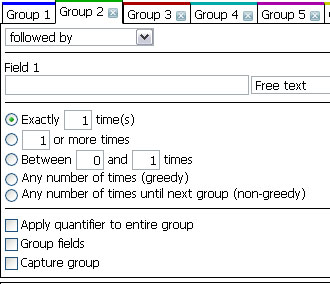
JS Regex Generator helps JavaScript developers write Regular Expressions for matching strings of text. This is commonly done for text-format validation, such as when checking if inputted text has the correct date and email format. - WaveMaker
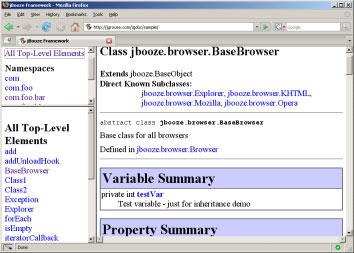
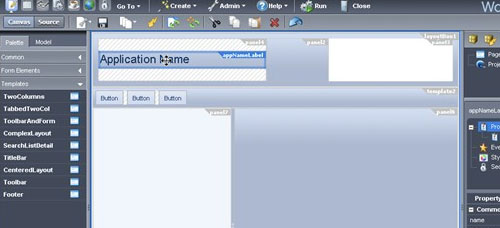
WaveMaker is open-source software for complete Web application development and deployment. You can find a host of demo applications built and deployed using WaveMaker on the Demo Applications page.
Documentation Tools
- JSDoc Toolkit
JSDoc Toolkit makes code documentation a breeze. Written in JavaScript, it helps developers automatically generate templates for JavaScript comments. It’s a great tool for managing large-scale applications developed by teams of developers who have different coding styles. - jGrouseDoc
jGrouseDoc is an open-source project distributed through Google Code under a modified BSD license. It lets developers document and manage their code comments using a format similar to Javadoc‘s.
JavaScript Debugging Tools
- Firebug
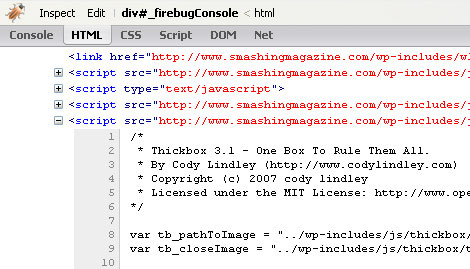
Firebug is an extremely popular and well-regarded front-end debugging tool. It has all the features you’d expect from a JavaScript debugging tool, such as the ability to set breakpoints in your code so that you can step through your script. For people developing outside of Mozilla-based browsers, check out Firebug Lite, which is a JavaScript library you can include in your Web pages to access some of the features of Firebug. - Venkman JavaScript Debugger
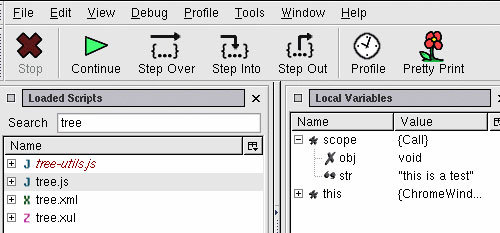
Venkman is Mozilla’s JavaScript debugger and an add-on for Gecko-based browsers. Venkman is a robust and fully featured JavaScript debugging environment, with a host of useful features and options, such as code profiling to inspect your script’s performance. - Drosera
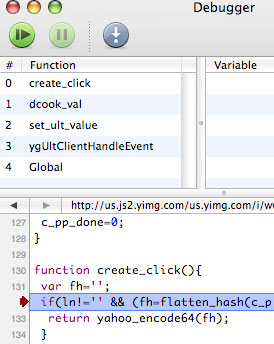
Drosera is an excellent debugging tool for Safari and WebKit-based browsers. - Opera Dragonfly
Opera Dragonfly is a robust debugging environment for the Opera browser. Dragonfly allows you to view and inspect errors, debug your scripts and inspect and edit the DOM and CSS on the fly. - NitobiBug
NitobiBug is a browser-based JavaScript object logger and inspector. It runs on numerous browsers, including IE, Safari, Opera and Firefox. It is a powerful tool in helping developers build rich interactive AJAX applications. - DebugBar
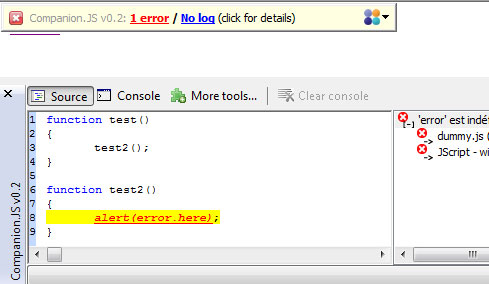
DebugBar is an in-browser front-end debugger for Internet Explorer. Much like its Firefox counterparts, it has a robust set of features, such as DOM, JavaScript and cookie inspection. Be sure to check out Companion JS, which is a JavaScript debugging library to be used alongside DebugBar. - Internet Explorer Developer Toolbar
Similar to Firebug, IE Developer Toolbar is an in-browser tool to help you debug front-end code in Internet Explorer. It’s especially handy as a debugging and inspection alternative to Firefox when you’re developing and testing in IE.
JavaScript Testing and Validation Tools
- Test – JavaScriptMVC
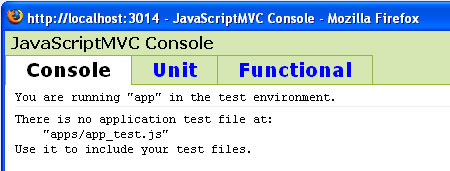
Test is a JavaScriptMVC component for easily setting up automated unit testing for JavaScript code. It lets you effectively test for DOM events (such as a key press or form submission), thereby lessening development time, oversight and errors associated with manual testing. - JsUnit
JsUnit is a popular unit testing framework for JavaScript code. It’s a JavaScript port from another unit testing framework for Java called JUnit. JsUnit allows you to write test cases and provides tools for automated code execution. - JSLint
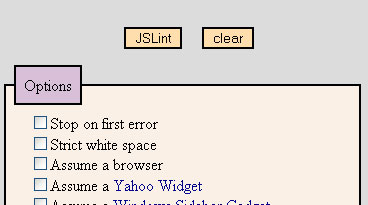
JSLint is a Web-based tool for verifying your JavaScript code for errors. It has a ton of features and settings that you can use to customize verification algorithms to suit your needs. - Crosscheck
Crosscheck is an open-source testing framework for JavaScript. Crosscheck is unique because it works independent of environment: you can run tests outside of a Web browser, which avoids discrepancies that occur when testing in various browsers. - YUI Test
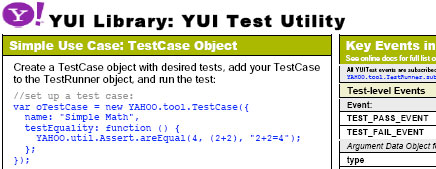
YUI Test is a suite of testing utilities that’s part of the YUI library developed by Yahoo!. It has numerous features, such as easy creation of test cases through an intuitive syntax, advanced failure detection and the ability to organize test cases by grouping them into test suites. - J3Unit
J3Unit is an excellent object-oriented unit-testing framework for JavaScript. It gives you a host of options for writing automated test cases and has three modes: Static Mode, Local Browser Mode and Remote Browser Mode. - Regular Expression Tool
The Regular Expression Tool is an online utility that allows you to test your RegEx code against a sample test. It’s a handy tool to have around when you want to quickly test the efficacy of your regular expressions in a variety of example texts. - JavaScript Regular Expression Tester
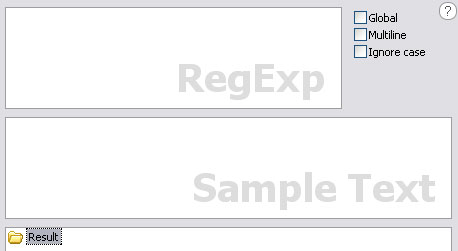
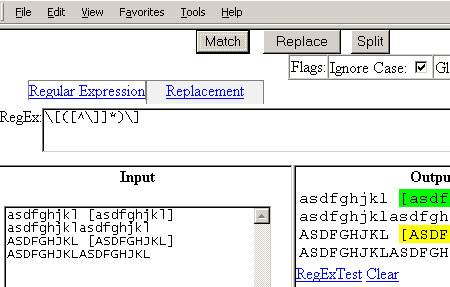
This is another handy tool for testing regular expressions within the Web browser. - JSLitmus
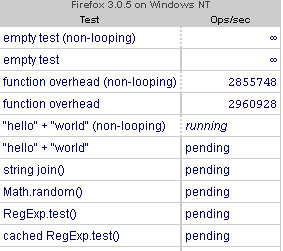
JSLitmus is a lightweight tool for creating JavaScript benchmarks and performance tests, using an intuitive API.
Security Tools
- AttackAPI
AttackAPI is a framework for writing test cases of potential JavaScript exploits and vulnerabilities. - jsfuzzer
jsfuzzer is a fuzzing tool to help you write (and test for) attack vectors in JavaScript.
New and Alternative JavaScript and Ajax Development Frameworks
- Clean AJAX
Clean AJAX is an open-source framework for creating AJAX-based applications. Check out the demo page to see it in action. - SAJAX

SAJAX is an excellent toolkit for developing AJAX-based applications. It supports PHP, Perl and Python. - JavaScriptMVC
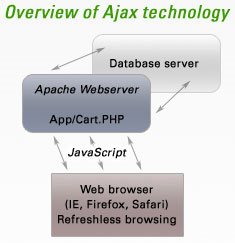
JavaScriptMVC is a Web application framework based on the MVC software architectural pattern. It speeds up Web development processes and lays down best practices, maintainability and standards as principles in a project’s development. - qooxdoo
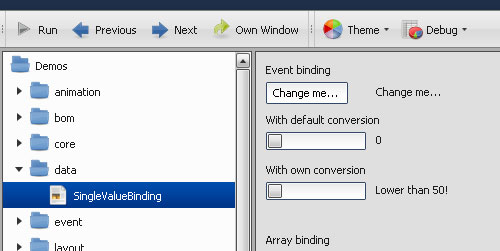
qooxdoo is a simple and intuitive AJAX application framework. Be sure to check out the Demo Browser, a Web-based application that allows you to view demos of qooxdoo at work. - SimpleJS
SimpleJS is a small and lightweight JavaScript library that provides developers with useful JavaScript functions for working with AJAX.
Image Manipulation and Graphing
- Reflection.js
Reflection.js automatically adds reflections to your images unobtrusively. Also check out instant.js, a similar script that adds an image border and tilts images on a Web page. - typeface.js

typeface.js allows you to embed custom fonts on Web pages, freeing you from having to create images for HTML text. - CanvasGraph.js
CanvasGraph.js is a simple JavaScript library that lets you construct bar, line and pie charts using HTML’s canvas element. - flot
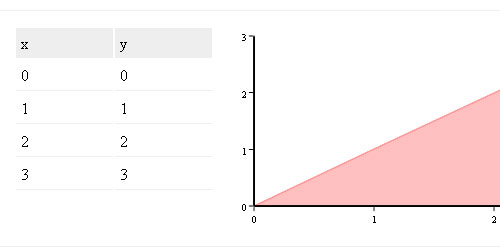
flot is a JavaScript library for plotting data and has been tested to work in most modern Web browsers. - JavaScript Diagram Builder
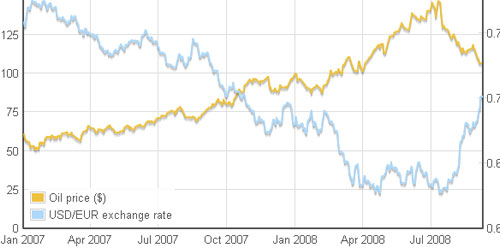
The JavaScript Diagram Builder is a JavaScript library that consists of a variety of objects and functions for constructing diagrams. - The Dojo Charting Engine
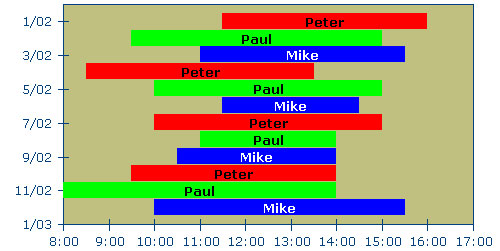
The Dojo Charting Engine is a robust utility for creating components for data visualization, written on top of the Dojo Toolkit.
Useful Utilities and JavaScript Scripts
- Processing.js
Processing.js is a JavaScript port of Processing, the open-source data-visualization programming language. Check out examples that use Processing.js. - AJAX Libraries API
Google’s AJAX Libraries API allows you to serve popular JavaScript libraries using its CDN, which reduces the server load on your website. - DamnIT
DamnIT is an error-reporting service that allows you to gather feedback from beta testers after they’ve encountered a JavaScript error. This is perfect for live production testing and as a monitoring tool that helps you track errors and weak spots in your Web applications. - ie7-js
ie7-js is a JavaScript library that forces Internet Explorer to behave like a standards-based browser (like Firefox or Opera). It automatically fixes IE browser quirks and deviations from Web standards, as in the case of its box model. - Lazy loader
Lazy loader is a jQuery plug-in that delays the loading of images so that text content can load first, thereby making image-heavy pages load faster.
JavaScript Code Optimization and Minification Tools
- JS Minifier
JS Minifier is a Web-based tool for shrinking your JavaScript code to make it as lightweight as possible. - JSMIN
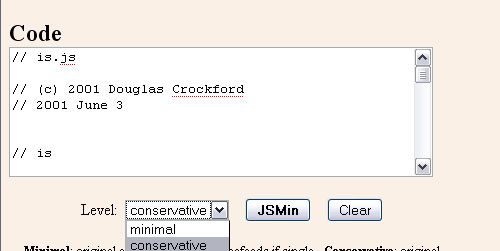
JSMIN is a popular JavaScript minifier that removes unneeded characters (like spaces and tabs) and comments, thus reducing your script’s file size. - YUI Compressor
The YUI Compressor is another well-regarded JavaScript code-optimization tool developed by Yahoo!. - Scriptalizer
Scriptalizer is a helpful online tool for combining JavaScript files to reduce HTTP requests. - ShrinkSafe
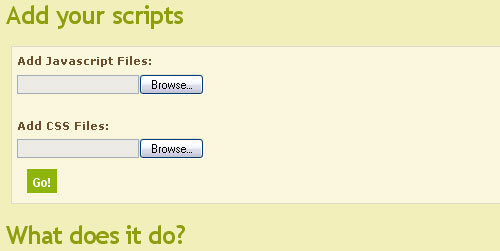
ShrinkSafe is a compression tool that reduces JavaScript file sizes. - SlickSpeed Selectors Test
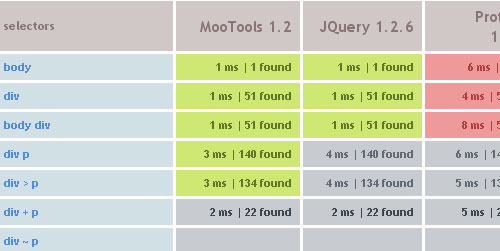
SlickSpeed is a Web page for comparing the performance of the DOM object selection of various popular frameworks like MooTools and jQuery.
(al)


OnWebDev
February 8th, 2009 6:35 pmGreat compilation, thanks! The new IE8 Developer Toolbar is much better now, and finally includes JavaScript debugging.
Brian Gottier
February 8th, 2009 6:53 pmJavascript! Run for the hills! That’s the way I’ve always felt about javascript. I just thankful that the syntax is nearly identical to PHP.
mike
February 8th, 2009 7:17 pmJavascript is great. It’d also be real cool to see some Adobe Flex stuff on SmashMag one day :)
Nix
February 8th, 2009 8:53 pmThis is awesome! Tnx :)
DKumar M.
February 8th, 2009 10:11 pmNice round up Jacob !!
There are definitely useful items, I very much rely on Web Developer extension for Firefox & Firebug and would happily recommend it to any other web developer and designer.
Although You missed many other great tools in this list like… Roar, Growl, Got API, SproutCore, The Regulator, Snippely, Google Mashup Editor, Beautify Javascript, ThemeRoller etc. etc..
And finally… The one which i missing a most is “Greasemonkey”.
Thanks anyway for your nice effort.
DKumar M.
Bari
February 8th, 2009 10:17 pmThanks for this great list.
Panda
February 8th, 2009 10:52 pmI’m still just a beginner, but I find Visual jQuery extremely helpful!
Andy Beeching
February 9th, 2009 12:38 amNice list, how no-one minds, I’ll pimp my own mocking framework on Google code: http://code.google.com/p/qmock (library agnostic but works best with Qunit). Just in case there’s any hardcore TDDers out there!
Greg
February 9th, 2009 12:54 amThnaks for this list.
Maybe we can add LivePipe UI.
LivePipe UI is a suite of high quality widgets and controls for web 2.0 applications built using the Prototype JavaScript Framework. Each control is well tested, highly extensible, fully documented and degrades gracefully for non JavaScript enabled browsers where possible. MIT licensed and actively maintained.
http://livepipe.net/
David Rodger
February 9th, 2009 2:40 amSVG with Javascript: Raphael
Craig - Abrishca Digital Media
February 9th, 2009 4:00 amGreat roundup – javascript is a great language that allows you to add “something special” to a site. However, the important thing to remember is to keep the site functional before the addition of any scripts – they are mostly there for the visual impact.
Maor Hazan
February 9th, 2009 4:05 amAwesome. So awesome!
Yann
February 9th, 2009 6:07 amMarvelous post :)
I didn’t know Jx but I think it’s very useful. I found another Jx version for jQuery here.
ravi balla
February 9th, 2009 6:15 amGreat reference list. In time for me. Thanks
Andre Gironda
February 9th, 2009 6:24 amAlso check out the Event Spy, Chickenfoot, iMacros, and Greasemonkey Firefox add-ons. There is an awesome script for Greasemonkey called XmlHttpRequestDebugging as well.
Another lint program I found was JSON Lint.
Other tools such as Sahi, Selenium (including the Firefox add-on IDE version), RBNarcissus, Watir / Watij / WatiN, and firewatir are great functional testing tools. Crawljax and CSpider.js are also worth a look for implemented crawling engines.
JSSh, jasildbg, and JS Commander (jscmd) are additional debuggers.
For security tools, you may want to list BeEF in addition to AttackAPI. The Technika project has some interesting features on top of Firebug. Other security-focused tools include ratproxy (from Google), and two tools from OWASP: Sprajax and Interceptor. There are also a few XML fuzzers such as untidy which may prove useful for security testing Ajax. A lot of potential comes way via the w3af attack tool, which currently supports DOM-based XSS testing, but will have even more future JS/Ajax/Flash/RIA security testing support.
There are some nice Actionscript projects such as flash-thunderbolt which integrates with Firebug for when you’re debugging Flash applications and want to use something besides trace(). Web proxies such as Charles are also useful for Actionscript / AMF troubleshooting.
Finally, in the commercial space I am aware of a few good tools. softwareverify.com has a Javascript Coverage Verifier. HP makes a tool called WebInspect (and QAInspect) which includes Ajax/Flash security scanning – as does IBM with their AppScan product. Fortify Software has Javascript security and lint-like features in their static-analysis tool. I’d avoid Fortify if you’re only going to use it for this purpose because it’s really only going to tell you to avoid eval(), setInterval() and setTimeout() or equivalents.
Maarten Van Coile
February 9th, 2009 6:24 amBtw. Drosera has been dead for more than a year now. It has been replaced, even in release versions of Safari, with the much more powerful Web Inspector. For more information, read the blog post: Web Inspector Redesign.
Otherwise, a great list!
babmucza
February 9th, 2009 6:48 amGreat list. Thanks!
Andre Gironda
February 9th, 2009 7:18 amI also forgot to mention some trial tools such as Syhunt Sandcat Scanner Free edition and Acunetix WVS. AppScan and WebInspect are much better, but Syhunt and Acunetix have working trial downloads.
Be sure to check out the Blueinfy tools – http://blueinfy.com/tools
especially AppPrint and the scanweb2.0 tools! There are tools for Ajax/Flash fingerprinting, all written in Ruby, serving as great examples for testing purposes.
Oleg
February 9th, 2009 8:26 amThat’s a very nice list! Thanks.
As an addition to JavaScript authoring tools I’d mention DHX Toolkit (dhtmlx.com), they provide a set of nice-looking dhtml components, quite fast and easy to implement.
Johnny
February 9th, 2009 8:57 amThank you very much!
Jason Bartholme
February 9th, 2009 12:23 pmI use Regex Buddy for building complex expressions, it is a great time saver
Floris Fiedeldij Dop
February 9th, 2009 12:29 pmAnother great resource, time to group all my [SM] bookmarks into a group. Hey .. when is there an article about that coming up ;)
Blair McBride
February 9th, 2009 3:47 pmGood list – there’s a few in there I hadn’t heard about before.
For documentation tools, I’d also add in Code Illuminated. Also written in JavaScript, it generates documentation on-the-fly – so no build step is required. It has an emphasis on typography, readability, and ease of use.
John Sourcer
February 9th, 2009 10:49 pmExtJS. http://www.extjs.com … enough said!
gaurav
February 9th, 2009 11:19 pmgreat post
companion js and the ie7-js
seems so interesting to me
Scyfox
February 10th, 2009 5:10 amGreat Tips. Some well known others really cool to find out about
Peter G.
February 10th, 2009 5:54 amThanks for this useful tips!
joey
February 10th, 2009 11:26 am#2 > “I just thankful that the syntax is nearly identical to PHP.”
$tmp = strpos($txt, ‘search’);
looks like
tmp = txt.indexOf(‘search’);
???
Seriously, these two languages are completely different.
I like that SM list, and use some of the tools listed above. Flot for instance, is really perfect and replaced my older Flash graphics for monthes, now.
I still don’t get why a java programmer would use GWT : it seems much more complicated than any JS framework. Maybe because many Java programmers are scared of JS and refuse to learn how JS/HTML really work ?
Sven Eller
February 10th, 2009 12:46 pmJavascript is pain in ass. Use Flex or Silverlight. Yes, there is possible to do all cool and rich interface application in javascript, but the effort is not worth it.
Clay McIlrath
February 10th, 2009 1:15 pmHey, great post thanks!
jules
February 11th, 2009 2:48 amthe IE developer toolbar should be included in that list
Jacob Gube
February 11th, 2009 4:22 amThanks for the helpful feedback everyone.
@Brian Gottier I wouldn’t say JS and PHP are identical, but they share a lot of similarities. The reason is they’ve both been influenced in some way by C.
@Sven Eller While I agree with you in that JS can be a pain when it comes to cross-browser supported complex animations and effects, it’s got a few advantages over using Flex/Silverlight for web apps. I’m not disparaging those technologies you mentioned, they’re great, especially Flex, but I think there’s room for all and you’ve got to use what’s best for you and what’s best for what you’re doing.
Jack
February 11th, 2009 5:16 amJavascript is garbage. It’s a huge kludge to help with the fiasco that modern web browsers have become. Stoooopid people have forced web browser (designed for document browsing) to be a place for running applications. Javascript running inside a browser is the the horrible bastard offspring of that movement.
Justin Meyer
February 13th, 2009 1:09 am@Jack, almost all of the most recent important apps use JavaScript. Somehow the browser is doing enough right.
@Jacob, thanks for the shotout. However, a big chunk of JavaScriptMVC’s awesomeness is how easily you can compress apps with it. Btw, It also includes a documentation engine now: http://javascriptmvc.com/wiki/index.php?title=Documentation_Overview.
Oh, and your tests can run on the server in env. We are trying to release 1.5 tonight!
BlueRaja
February 22nd, 2009 10:57 amWhen it comes to image manipulation in Javascript, nihilogic is the undisputed master. His image processing library, Pixastic, should definitely be listed here.
Brant Schroeder
February 25th, 2009 1:18 pmNice
noah
April 4th, 2009 4:04 pmhere’s a tool for javascript code metrics like cyclomatic complexity and maintainability index:
http://boyopeg.googlepages.com/jsmeter.html
full disclosure: early release, written by me
ram
November 24th, 2011 2:26 amCan’t able to access the url? any other pointers
Carl Poirier
April 29th, 2009 6:12 pmHELP needed for one who just fell in love with javascript within html web pages utilized offline!!!
I am sure everyone on this thread can answer my question!
Calling OFFLINE files on local drive using window.setTimeOut to delay some calls. ISSUE: When I call a file w/o empty space in name, this function calls w/o errors on page, but I do not know how to do it when file has in its name.
function runXZNNespritsPMz() {
File=”E:\\XZNNesprits\\ZZ XZNNesprits PMz.session”;
WSH=new ActiveXObject(“WScript.Shell”);
WSH.run(File);
}
Carl
XZNN
LiRu
June 23rd, 2009 7:59 amI suspect your personal favourite is jQuery but it does seem odd to omit YUI from the “JavaScript/AJAX Authoring Tools” section. It is certainly capable of anything that jQuery is and probably has the richest set of features among all comparable offerings.
Serena
April 14th, 2010 4:41 amJust came across this post. The tools presented are indeed worth recognition.
I don’t usually write posts, but although this post is from last summer, I thought that this topic is very good (its good to have this info) and wanted to add my 2 cents…
I use a very good tool for the creation of JavaScript menus called AllWebMenus which has proven to be very reliable and full of options.
Apart from the program itself, what I like is that they keep up with developments. They have created solutions for different styles and types of menus, and even come out with jQuery based products for creating modal windows, tooltips, etc. which shows a broad comprehension of user’s needs.
You can check them out at http://www.likno.com
Hope this helps!
Serena
Agueda Thesing
May 3rd, 2010 1:22 amEveryone who is involved in any kind of gaming, gambling, or betting as heard the stories of legendary people who have supposedly created the next foolproof betting system and have used the system themselves to help them to avoid losing and get higher profits over the long haul. The fact is that there is not a system in existence that can guarantee you that you will definitely be successful and never lose.
Vincent
August 2nd, 2010 2:27 amHi,
nice compilation, however you don’t talk about code obfuscators/compressors. Let me introduce JSSOB : http://www.jssob.net/
By the way, don’t forget great tools like
- dean edwards packer : http://dean.edwards.name/packer/
- Patrick J. O’Neil’s obfuscator : http://jsutility.pjoneil.net/
Angela
August 7th, 2010 10:08 pmAnother cool tool by some company named zenwyin called webdev tool.
http://www.zenwyin.webs.com/
or
http://zenwyinwebdev.110mb.com/
Tamik Soziev
April 26th, 2011 1:13 pmanother handy online tool for merging, minifying and css compression of css and js files. http://www.zbugs.com
JamieHappner
November 15th, 2012 1:23 pmMy kick-ass combo is JayData (Local and cloud data management), Knockout (data binding with few lines of code) and iScroll.
steve
December 18th, 2012 7:33 amJava should be forbidden ! Why someone coding nasty stuff for tamper users OS ! By no meanings no interaction with OS allowed by default ! Browsers aren’t secure and isolated either ! If one blocks it nothing works if not one is screwed by default ! The only solution is unblocked browser on some BSD rig isolated and only for internet browsing with no other documents on it ! They can hack copy or what ever they do to the system – it doesn’t mater ! But on win this is suicide ! Everybody on line wants to fuck everybody else thus so many problems !!!
dhanesh mane
January 24th, 2013 12:31 amvery nice article, keep posting,.