45+ New jQuery Techniques For Good User Experience

JavaScript libraries have made huge leaps and bounds in helping developers write code and develop products more quickly. jQuery is one of the most popular JavaScript frameworks, with powerful tools that improve the user’s interaction with Web applications. jQuery has an additional advantage in that it allows developers to select elements on a page using CSS-like syntax.
To help you take it up a notch, we share below some methods that can help you give visitors to your website an amazing user experience. Here are over 45 impressive jQuery plug-ins and techniques that have been recently created and that could make the development of your next website an easier and more interesting experience than the last.
You may want to take a look at the following related posts:
- jQuery and JavaScript Coding: Examples and Best Practices
- 75 (Really) Useful JavaScript Techniques
- 80+ AJAX-Solutions For Professional Coding
- 60 More AJAX- and Javascript Solutions For Professional Coding
Dynamic Content
1. Build A Login Form With jQuery
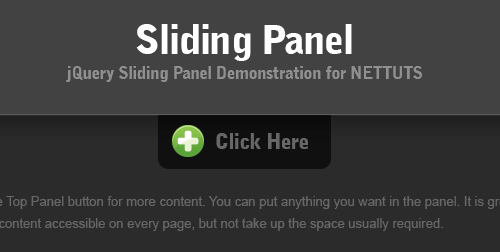
In this tutorial, we’ll create a sliding panel, that slides in to reveal more content, using JQuery to animate the height of the panel. In this case, we will be creating a hypothetical login for the new tutsplus area that’s coming soon.
2. Spoiler Revealer with jQuery
A simple technique that hides some content first and fades it in once a link is clicked.

3. AJAX Upload
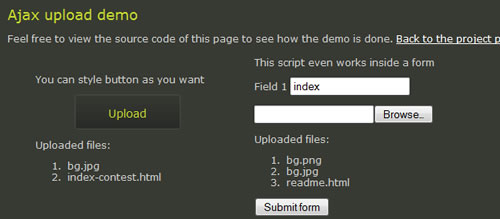
This AJAX file upload plug-in allows users to easily upload multiple files without having to refresh the page. In addition, you can use any element to trigger the file selection window. The plug-in creates a semi-transparent file input screen over the button you specify, so when a user clicks on the button, the normal file selection window is shown. After the user selects a file, the plug-in submits the form that contains the file input to an iFrame. So it isn’t true AJAX but provides the same user experience.
4. FCBKcomplete
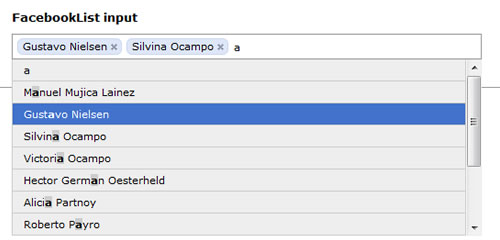
Give your users fancy Facebook-like dynamic inputs, with auto-complete and pre-added values.
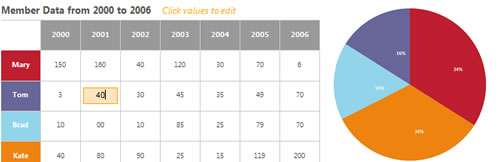
5. Create Accessible Charts Using Canvas and jQuery
This tool is proof that you can use the <canvas> element to illustrate HTML table data. The idea is a good one: putting the data in a table allows it to remain accessible, while the chart can be shown for visual enhancement.
Form Manipulation
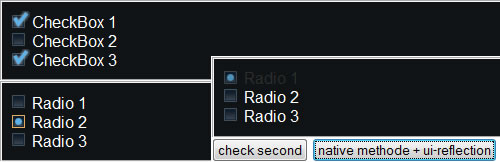
6. Radio Button and Check Box Replacement
This jQuery tool replaces radio buttons and check boxes with a more appealing display.
7. Submit a Form without a Page Refresh

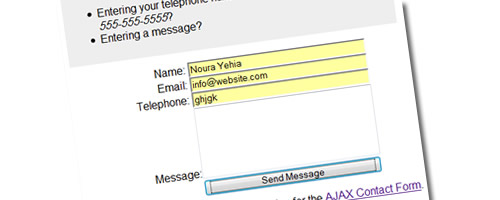
8. jQuery AJAX Contact Form
Here is a quick and easy way to make a jQuery AJAX contact form with a “honeypot” to foil email bots, load success and error messages dynamically without leaving the page and provide descriptive error messages detailing why submitted values have failed validation.
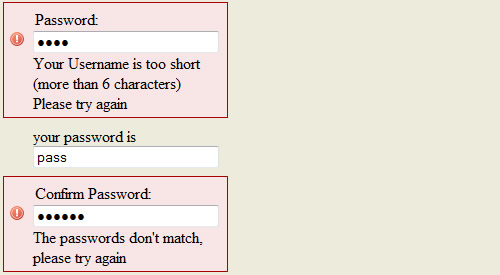
9. Simple jQuery Form Validation
This jQuery form shows live form-input validators both server-side and browser-side.
Navigation Menus
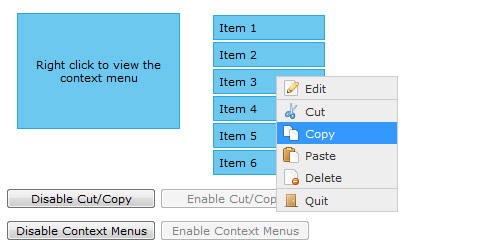
10. jQuery Context Menu
A context menu plug-in for jQuery that features easy implementation, keyboard shortcuts, CSS styling and control methods.
11. Kwicks for jQuery
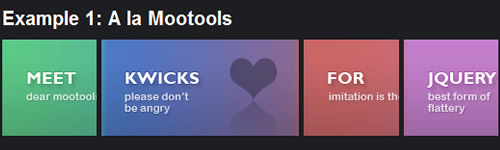
Kwicks for jQuery started off as a port of the incredibly attractive MooTools framework, but has evolved into a highly customizable and versatile widget.
12. jQuery iPod-style Drilldown Menu
“We created an iPod-style drilldown menu to help users traverse hierarchical data quickly and with control. It’s especially helpful when organizing large data structures that don’t translate well into traditional dropdown or fly-out menus.”

13. jQuery File Tree
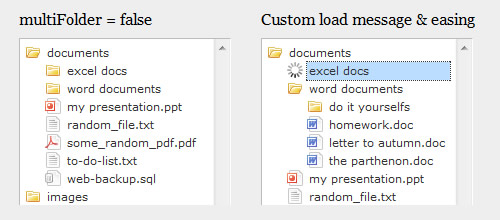
The jQuery File Tree is a configurable AJAX file-browser plug-in for jQuery. You can create a customized, fully-interactive file tree with as little as one line of JavaScript code.
14. How to Create a MooTools Home Page-Inspired Navigation Effect
In this tutorial, you’ll recreate the same effect seen in MooTools’s menu, but in jQuery!
15. CSS Sprites2
This tutorial demonstrates how to implement inline CSS Sprites2 using jQuery.

Manipulating Content
16. jQuery books widget
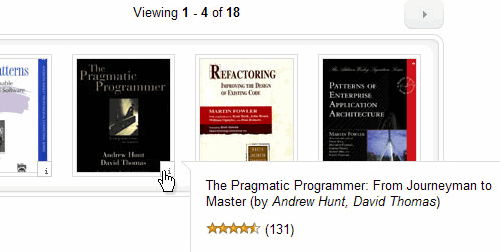
With some custom JavaScript and jQuery magic you can create some interesting widgets. A good way to demonstrate this functionality is by building a browsable Amazon.com books widget.
17. Text Size Slider
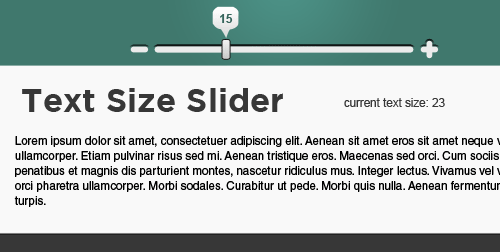
This tutorial explains how to use a slider to control the text size of an article on a page. This lets the user control exactly the size that suits them, and is also a pretty impressive feature to have on a site.
18. Pagination
Create navigational elements: when you have a large number of items, you can group them into pages and present navigational elements that allow users to move from one page to another.

19. Coda-Slider
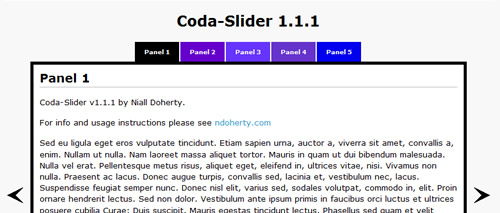
As with the last tool, groups items together using navigational elements that allow users to move from one page to another.
20. Creating a Slick Auto-Playing Featured-Content Slider
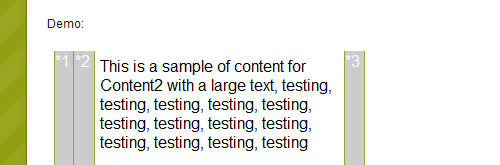
If you love the Coda-Slider plug-in for jQuery, then you will find this plug-in very useful for displaying lots of content in a small area. This nice plug-in adds some features not found in the original Coda-Slider, such as slowly cycling through panels, auto-playing different types of custom content. An arrow indicator serves as a visual indication of which panel you are currently viewing.

21. haccordion
A simple horizontal accordion plug-in for jQuery.
Tabular Data and Grids
22. Table Row Checkbox Toggle
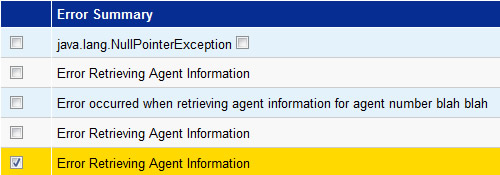
This tool generically adds a toggle function to any table row you specify based on a CSS class name. It will, by default, toggle on any check boxes within that table row.
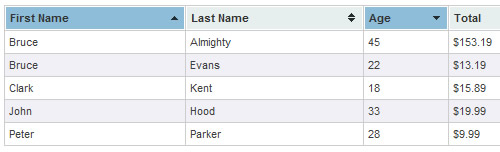
23. Tablesorter
Tablesorter is a jQuery plug-in that turns a standard HTML table with <th> and <td> tags into a sortable table without the need for page refreshes. Tablesorter can successfully parse and sort many types of data, including linked data, in a cell.
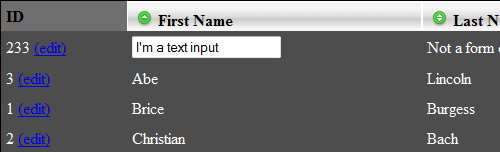
24. TableEditor
TableEditor provides flexible in-place editing of HTML tables. User-defined handler functions can easily be dropped in to update, for example, a data source via an AJAX request.
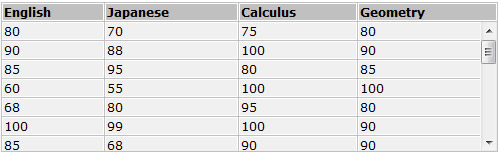
25. Scrollable HTML Table
This JavaScript code can be used to convert ordinary HTML tables into scrollable ones.
Lightbox Techniques
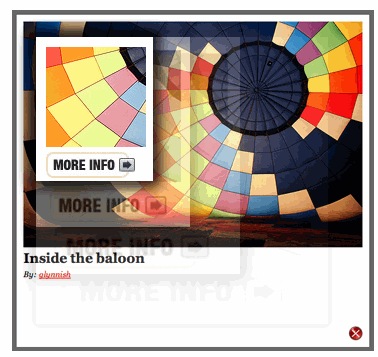
26. Revealing Photo Slider
Learn how to create a thumbnail photo gallery, where clicking a button reveals the entire photo and more information about that photo.
27. FancyBox
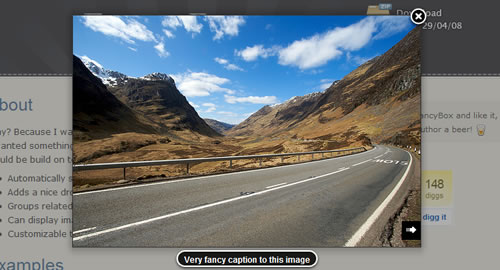
FancyBox was born to automatically scale large images to fit in windows, adding a nice drop-shadow under the zoomed item. It can be used to group related items and add navigation between them (using a pre-loading function). FancyBox is totally customizable through settings and CSS.
28. Facebox Image and Content Viewer
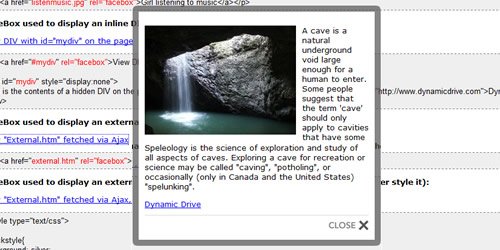
Facebox is a lightweight Facebook-style Lightbox that can display images, divs, and even entirely remote pages (via AJAX) inline on a page and on demand. It uses the compact jQuery library as its engine, unlike Lightbox v2.0, which uses Prototype.
29. jQuery.popeye
jQuery.popeye is a plug-in that transforms an unordered list of images into a simple image gallery. When an image is clicked, it enlarges Lightbox-style. The images are displayed in a box with “Previous” and “Next” controls, and information about the images can be included.
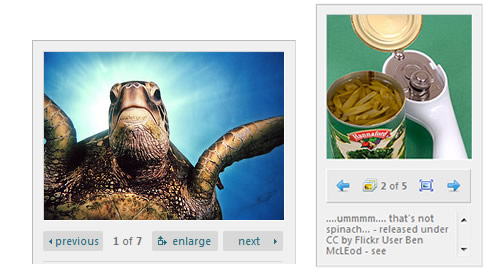
Image Galleries and Viewers
30. Simple Controls Gallery
Simple Controls Gallery rotates and displays each image by fading it into view over the previous one, with navigation controls that pop up when the mouse hovers over the gallery. The controls allow the user to play, pause or jump to a specific image in the gallery.

31. Agile Carousel
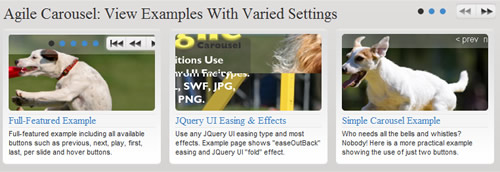
This jQuery plug-in allows you to easily create a custom carousel. Use the jQuery UI to enable many different types of transition. The plug-in uses PHP to call images from the folder you specify. Configure many different options including controls, slide timer length, easing type, transition type and more!
Browser Tweaks
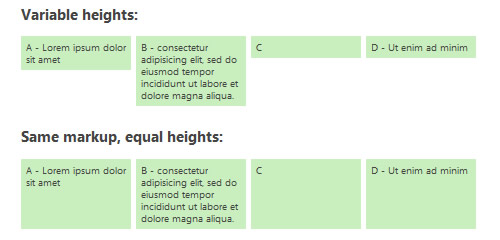
32. Setting Equal Heights with jQuery
A script to equalize the heights of boxes within the same container and create a tidy grid.
33. jQuery IE6 PNG Transparency Fix
Another IE6 PNG fix that uses jQuery selectors to automatically fix all PNG images on a page.
34. BGI frame
This tool helps ease the pain of dealing with IE z-index issues. You can find a demo here.
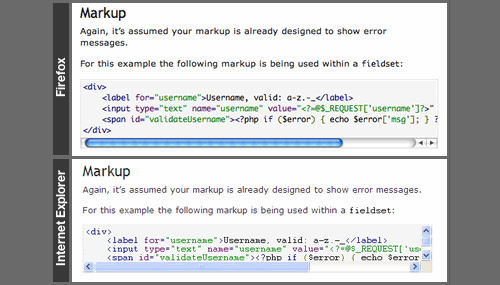
35. Fix Overflow
IE puts scroll bars inside overflowing elements, and if an element is only one line, the scroll bar will cover it. This plug-in fixes that issue.
36. Lazy Load
Lazy Load delays the loading of images below the fold on long pages. As the user scrolls down, the images are loaded as needed. Check out the demo here.
37. Maxlength
It’s a fairly common design practice to limit the number of characters a user can input in a field while giving feedback on how many spaces are left. This plug-in automates that task.

Animation Effects
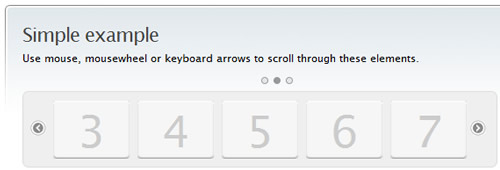
38. Scrollable
Scrollable is a flexible and lightweight (3.9 KB) jQuery plug-in for creating scrollable content. Scrollable items can contain any HTML, such as text, images, forms, video or any combination of them. You can make items scroll horizontally or vertically and decide how many items are visible at once.
39. jQuery Fading Menu – Replacing Content
“Instead of thinking about CSS as page layout and a way to style your page when it loads, you can use in animation and change it on-the-fly to react to events that happen on your page. Take for example a menu. You can take the “click” event that happens when clicking on a menu to do lots of stuff.”

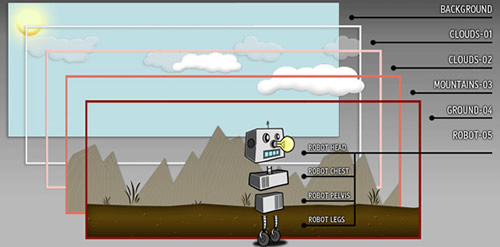
40. Build an Animated Cartoon Robot with jQuery
This effect simulates a faux 3-D animated background reminiscent of old-school side-scrolling video games (and not unlike the parallax effect). This effect is created by layering several empty divs over each other, with transparent PNGs as background images. The backgrounds are animated at different speeds using jQuery.
41. Flip
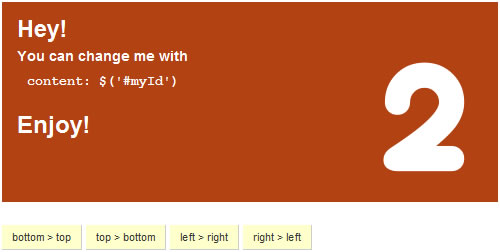
Flip is a plug-in for jQuery that “flips” page elements in four directions. Compatible with Firefox 2+, Internet Explorer 6+, Safari 3.1 (for Windows) and Google Chrome.
- Download files here.
42. Use jQuery for Background Image Animations
Animate your menu whenever a user hovers over an item with this effect.
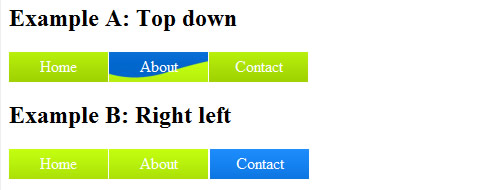
Image Manipulation
43. Jcrop
Jcrop is the quick and easy way to add image-cropping functionality to your Web application. It combines the ease of use of a typical jQuery plug-in with a powerful cross-platform DHTML cropping engine that is faithful to familiar desktop graphics applications.

44. jQZoom
JQZoom is a JavaScript image magnifier that makes it really easy to magnify what you want. It is easy to customize and works on all modern browsers.

Miscellaneous
45. Date Range Picker
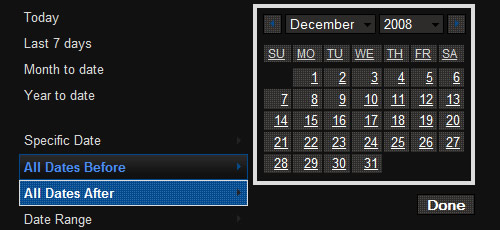
A rich date-range widget that uses the jQuery UI’s date picker and some additional custom interaction.
46. Sortable Lists
Unordered lists are commonly used to structure a website’s navigation. Having the ability to re-order such lists would be extremely useful. Here is a method to easily save and reload the list element order without getting lost as the page is refreshed.

47. Amazing Music Player Using Mouse Gestures and Hotkeys
Learn how to create an amazing music player, coded in XHTML and jQuery, that makes use of mouse gestures and hotkeys. You can click and drag the mouse to interact with the music player’s interface or use directional keys and the space bar instead of the mouse.

48. Script for Tracking Outbound Links in Google Analytics with jQuery
This code snippet uses Google Analytics and jQuery to automatically track outbound links. This interesting script enhances behavior by comparing the link’s domain to the current page’s domain and, if they are different, triggering the behavior. This is helpful when using a CMS or other tool that generates full URLs, including the “http://,” instead of relative ones.
<script type="text/javascript">
$('#content a:not(.popupwindow)').filter(function() {
var theHref = this;
if (theHref.hostname && theHref.hostname !== location.hostname) {
$(theHref).not(".noAutoIcon").addClass("offSite");
$(theHref).not(".noAutoLink").attr('target','_blank').bind('click keypress', function(event) {
var code=event.charCode || event.keyCode;
if (!code || (code && code == 13)) {
if(pageTracker){
var fixedLink = this.href;
fixedLink = fixedLink.replace(/https?:\/\/(.*)/,"$1");
fixedLink = '/outgoing/' fixedLink;
pageTracker._trackPageview(fixedLink);
};
};
});
};
});
</script>
49. jGrowl
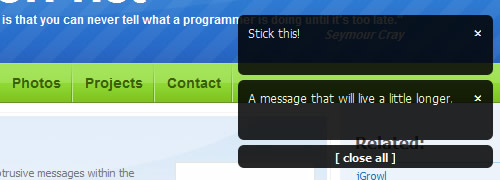
jGrowl is a jQuery plug-in that delivers unobtrusive messages within the browser, similar to the way that OS X’s Growl Framework works.


Elliot
January 15th, 2009 8:15 pmNice list, my technique for rollovers and tooltips in jQuery could add a little bit to it. http://www.ilovecolors.com.ar/rollovers-tooltips-jquery/
adder
November 8th, 2010 8:08 amgood
Ismail
August 2nd, 2011 11:23 pmIt is very helpful….
AURUM3
January 15th, 2009 8:19 pmWhat a comprehensive list of jQuery examples. I was looking for similar examples too. Good timing.
Well done SmashingMagazine :)
Patrick McLaren
January 15th, 2009 8:23 pmGreat Techniques, Thanks for the list.
Raj
June 17th, 2010 1:20 amSuperb……….!!!
Mike Brisk
January 15th, 2009 8:27 pmVery good list! you guys always list the best stuff!
Jhay
January 15th, 2009 8:32 pmAwesome! Thanks
Ryan Harris
January 15th, 2009 8:50 pmwow I really love the jgrowl. I’d love to see something like it implemented on facebook and other social networking sites. I am definitely going to try and use it on some new sites. The animated robot is pretty cool also.
Jake
August 27th, 2010 3:06 pmThey do now! :)
sam
January 15th, 2009 8:59 pmOver 45!! Really?
45 is one of the biggest numbers!! That’s way better than over 40, or over 35.
Thanks, SmashingMagazine, you’re the best!
sam
January 15th, 2009 9:01 pmSteps to have a profitiable blog.
1) Choose a stupid name.
2) Go to well known websites, and “report” on every little aspect of them. Such as, what plug-ins are made.
3) Make sure your posts are in the format: ”
4) Don’t worry about the actual content, the title is really all that matters!
4) PROFIT!!!
neverest
February 17th, 2010 10:01 amAny jackass can kick down a barn. Takes planning and, you know, actual work to build one.
OrganizedFellow
January 15th, 2009 9:37 pmMy favorites are #1-45, really.
Thanks Smashing!
Zack
January 15th, 2009 9:39 pmcool~ I Love JQuery !
Raymond Selda
January 15th, 2009 9:47 pmIncredible list! I’m going to incorporate one of these in my next template. Thank you SM.
ANNOY
April 5th, 2010 9:00 pmYAAAAAAA
www.karizmatic.fr
January 15th, 2009 9:48 pmReally nice post, very usefull. Thanks Smashing!!
gr8pixel
January 15th, 2009 9:53 pmwow… this is a fantastic post! thanks for all the jQuery techniques…
Dele
January 15th, 2009 10:15 pmWouldnt mind seeing some on other js libraries like Dojo, Mootools, Prototype – just to balance the scale ;)
http://www.csshook.com
January 15th, 2009 10:43 pmgreat article. i am very glad to say i like JQUERY. I mostly use jquery in my site as compare to other javascript tools.
thanks a lots Jquery team.
jon
StartBreakingFree.com
January 15th, 2009 11:12 pmWow…absolutely brilliant!
Andris
January 15th, 2009 11:14 pmThanx for this awesome list. Some I’ve them I haven’t seen yet.
maikeroo
January 15th, 2009 11:17 pmI was looking for image-cropping functionality to my Web application. Thanks for it! Awesome :-) Is there anybody, who know free plugin to tinyMce as Image Manager?
carcotas
January 16th, 2009 12:58 amawesome! big thanks
draciP
January 16th, 2009 12:59 amA cropper using Mootools 1.2 (like number 43, Jcrop) : ByCropper for Mootools 1.2
Chris
January 16th, 2009 1:25 amNumber two doesn’t seem to go to the right place – unless of course I’m being stupid!
I found it here: http://css-tricks.com/fade-in-spoiler-revealer/
João Ramos
January 16th, 2009 1:33 amSmashing did it again! thanks for this awesome list
Bruno
January 16th, 2009 1:40 amVery useful! Thanks!
jadenorven
January 16th, 2009 1:53 amWow! you made it sound really easy! Why didn’t you do it yourself then?
zarathustra
January 16th, 2009 1:55 amExtremely uninspired list, definitely requires the “new” dropping from the title. For instance the very FIRST example was published in August. In terms of jQuery development that is certainly NOT new. This article wasted my time, I don’t like that :(
Gordon
January 16th, 2009 1:57 amSome interesting looking techniques in here, will take a closer look at those. However it is very important to bear in mind when working with them as with any javascript that you need to always think about accessibility – ie, what happens if the user has javascript disabled?
It is far too easy to create a site that completely depends on the javascript and won’t work without it. However it usually doesn’t take much additional effort to ensure that if javascript is turned off then your page falls back gracefully into a still fully-functional form.
Matt
January 16th, 2009 2:03 amGreat post, but could we have something similar for Prototype and Script.aculo.us?
Thanks
Sam Bannister
January 16th, 2009 2:10 amGreat list! The ‘Simple Controls Gallery’ looks a lot like the one the BBC News website uses on its main page when something major is happening.
Stefan
January 16th, 2009 2:42 amGorgeous list, thank you, SM ! :-)
Jqueryamo
January 16th, 2009 2:52 amall beautiful. Pity there are not ours: JqNews a jquery news slider
LC
January 16th, 2009 3:04 amNice collection ! I don’t like much the plugin repository of jQuery so articles like that one with only the best plugins are really appreciated.
Nak1doigt
January 16th, 2009 3:22 amI prefer speak in french – smooth ! :-)
Encore un article qui déchire tout ! Mais qui se cache derrière toutes ces ressources et toutes cette veille ? Un grand merci, même si je n’arrive pas à tout traduire °(:-/
D’ailleurs ? Il y a des français ? Ca vous dirais pas de traduire un peu ? Ou d’amener des french’ressources ?
Nak’
DKumar M.
January 16th, 2009 3:26 amAs usual, good stuff Noura…. Nice Collection of techniques !!
Tom Ross - PSDFAN.com
January 16th, 2009 3:41 amI really loved this list. I’m pretty new to J-Query but these are some awesome effects. Thanks for sharing.
fatih
January 16th, 2009 3:41 amso coool
James
January 16th, 2009 4:02 amThanks for the list! All of these examples show the very best of JavaScript, the best thing is that all of these examples are accessible to all users (impaired or not) because they’re all totally degradable. I’m sure Smashing Magazine will continue to serve up content with web standards in mind!
[/sarcasm]
Matsky
January 16th, 2009 4:41 amThanks! But where are examples for prototypejs?
Paul Bennett
January 16th, 2009 5:20 amThanks for these, I’m already using some for my latest project but of course its good to ssee them all in one place. In fact this and the last few articles from Smashing Magazine have been really useful for me, top work guys!
Dan
January 16th, 2009 5:25 amThis is a re-hashed list of previously featured j-query examples.
We don’t need to be shown the same examples again – please come up with something new!
antipix
January 16th, 2009 5:28 amnice list but nothing new…you just compiled articles of others blogs…
et oui Nak1doigt ya des français aussi ici…t’inquiètes, ya rien besoin de traduire, prends juste le code ^^
1.april
January 16th, 2009 6:18 amthanks thanks thanks!
I LOVE YOU smashing magazine
Lillan
January 16th, 2009 6:19 amJust one word – SMASHING!!!
Stevo
January 16th, 2009 6:38 amPerfect! This will be the most used reference this year!
Claudia
January 16th, 2009 6:55 amSweet!
Does this ever come in handy.
Thanks.
C.
ilz
January 16th, 2009 7:12 amNice! I just bookmarked like 6 pages. This is the best post in a while, IMO.
I especially like the FancyBox effect of popping the you tube video up.. very clean.
Also, the color fade in on a link someone had was great too.. I’ll be using that for sure.
aniec2
January 16th, 2009 7:14 amnice art. thx very much.
Ворон
January 16th, 2009 7:26 ambau wau
ddsign
January 16th, 2009 7:33 amNice post! It’s amazing! Thanks.
Asad Abbas
January 16th, 2009 7:39 amawesome list … dugg it for future reference … i am also looking for a jquery facebook like chat ui … I wish some one also make a plugin of jquery in it … just the ui
JL Smith
January 16th, 2009 7:44 amWow, this is like web developer porn…awesome article!
Tim Holmes
January 16th, 2009 7:53 amAn Awesome list SM.
Can’t wait to try some of these out.
Cheers
tanya
January 16th, 2009 7:55 amthanks for the post. Try the image manipulation, simple gallery, background image and flip are very useful for me.
But the No.14′s technique, i think mootool’s one is better.
alphadog
January 16th, 2009 9:02 amWow. Decent search result list, but what’s up with all the gushing, bootlicking, obsequious comments?!?
So someone used Google to scour the net for 45 definitely-not-new jQuery plugins and techniques and made a Cosmo-like article out of it. (Fifteen Ways To Leave Your Website Lover! Forty-Six Tests To Know Your Mate Practices Safe CSS!)
Does Smashing Magazine have some job openings or something? Is there a free source of Zoloft I am not aware of?
Paul
January 16th, 2009 9:02 amBrilliant guys, thanks!
Kennyboy7
January 16th, 2009 9:13 amAwesome article, keep up the great work Smashing !!!
vu
January 16th, 2009 9:38 amI love this article.
awesome!
Benjamin Falk
January 16th, 2009 10:38 amUseful stuff here! The jQuery File Tree will be especially useful for me — I haven’t seen that one before.
dodo
January 16th, 2009 10:52 amjQuery is the bomb!! Love the amazing list. Thanks!
vanishdesign.com
January 16th, 2009 10:53 amI think jQuery is great, but it’s easy to get a glut of plugins for it. I think you’re better off making your own, since it is so much easier to work with than javascript.
webthese
January 16th, 2009 11:04 amThank you! this is a very useful list
Seba
January 16th, 2009 11:23 amI guess this will help me a lot. Great list, thank you very much!
Kyle
January 16th, 2009 1:09 pmNice list. Some stuff in there that I hadn’t seen before.
Joris_Lucius
January 16th, 2009 1:59 pmThanx for this usefull list! Some very nice eye-openers
zarathustra
January 16th, 2009 2:08 pm@alphadog. I know it’s creepy. It’s like we’re the only normal ones and the rest have been taken over by the body snatchers. Wait till you see what they’re like when you show them some bad HDRI photography. They really let go then :(
It’s becoming increasingly irrelevant to come here. I think I generally visit the three websites they crib all their stuff off each time. I had LITERALLY seen every one of these. Months ago.
Valiik
January 16th, 2009 2:39 pmSweet!! This is what I was looking for. I was not too impressed with jQuery at first but this really prroves me wrong. Thank you.
Geeee
January 16th, 2009 4:34 pmWell done Noura .. That’s a big list & very useful to me .. bookmarked for sure ;D keep it up please we are waiting for more
Chetan
January 16th, 2009 11:28 pmaah!! nothing special here, seems like its a combination of 2-3 jquery related bogs :)
still its too little, many more i found here…
http://hiddenpixels.com/designer-and-developer-resources/jquery-examples/
http://www.csshook.com/cssresources/
January 16th, 2009 11:41 pmthanks Jquery
James
January 17th, 2009 1:59 amThe worst part of these plugins is that designers get paid the big money to add these effects with Flash.
AdrianMG
January 17th, 2009 7:46 amThanks for the referral ;)
ezsky
January 17th, 2009 9:02 amIt’s so cool , thanks.
Noam
January 17th, 2009 11:37 amWhat a great article!!!
Thanks…!!!
Saeed Jabbar
January 17th, 2009 11:40 amThis is a great list,loving using jquery.
Salih
January 17th, 2009 12:14 pmThank you Smashing Magazine. I like JQuery. Ajax upload works.
Hafees
January 18th, 2009 1:02 amThanks for the list.
For text size changing I have done a very light weight and reusable jQuery function (just one function call will make all the interface with cookie support).
Please check it:
Url: http://cool-javascripts.com/jquery/building-a-reusabe-font-size-controller-interface-using-jquery.html
Kike R.
January 18th, 2009 8:25 amjust when i needed it most, thanks SM!
Safaa
January 18th, 2009 12:51 pmYes JQuery is great, I don’t know much about JavaScript but I learned the basics of jquery and started to use it right away, and the results was sooo good. I also used some of those plugins in my recent projects like the Coda slider, Simple gallery,Table and galleria and they made them look greeaaaaaaaaat.
Well Done Noura keep going.
Atiq at Metrodesk.com.bd
January 18th, 2009 12:53 pmBrilliant guys ! Love the amazing list.
amaltra
January 18th, 2009 5:19 pmawesome,
so guys should i put down flash, and start using jquery?
what is the major difference? maybe jquery even uses les kb on most of these options.
very interested if someone could pls post an answer
Covienam
January 18th, 2009 6:54 pmGreat informative list!
Peter Gallagher
January 18th, 2009 8:03 pmFor serious use of tables (especially if hooking to an SQL backend) in a jQuery plugin that is highly configurable (with good defaults) I suggest you take a look at Allan Jardine’s DataTables
I’ve used them here for a largish database of World Bank data on subsidies to farmers.
Two Socks - Graphic design and print
January 19th, 2009 4:59 amthanks nice list :)
Navdeep
January 19th, 2009 9:32 amThanks a lot. I am a jQuery fan :)
Yuvraj
January 19th, 2009 10:07 amMind blowing, wonderful, marvelous, … these are the words for the author.
Truly Innovative.
Harald Schipper
January 19th, 2009 10:23 amThanks for this list, got me into jQuery this weekend and I like it!
alphadog
January 19th, 2009 11:23 amThis website is wonderful! Thank you for your awesomeness! I am so glad you’re so awesome and that it is free. This will really help me achieve great wonderfulness and awesomeness. jQuery rules, but with magnificence and benevolence. If jQuery were a person, I’d wash its feet with oil and myrrh, and swaddle them in the finest lambswool after a sound kissing. Smashing Magazine is awesome, and lovely, and wonderful too.
Psst, @zarathustra: just blending in… maybe they won’t notice I didn’t drink the ecstasy kool-aid…
Shubhamoy
January 19th, 2009 11:35 amHi Admin,
Really amazing collection to improve UI to a great extent. Well there’s a mistake I guess, it is a Photo Revealer with jQuery not Spoiler Revealer with jQuery. Kindly correct it.
Best Regards,
Dylan H
January 19th, 2009 2:25 pmI enjoyed the article. It seems as though #2 is linking to the wrong tutorial, however? (photo slider)
t.gee.
January 19th, 2009 3:12 pmE-gads you guys rounded up some kick-@$$-ish new to me goodies, man, yum-ee!!
Ram
January 19th, 2009 10:13 pmFantastic List!
Thanks a lot!
Muzi
January 19th, 2009 11:00 pmAwesome List, wow I’ve been looking for something like this, Yeah!!!
Thank You
Mustafa
January 20th, 2009 5:21 pmExcellent information! I liked the perspective of presenting it, till now what ever information and advantages I read on the internet just presented it in a technical manner, but this one could be well understood and explained to a not so technical person.
Samir Shah
January 20th, 2009 8:54 pmExcellent Article… Great job
I love jQuery
Hugo Sequeira
January 21st, 2009 4:20 am2. Spoiler Revealer with jQuery
has a wrong link
goma
January 21st, 2009 7:32 pmWow! 45+ jquery techniques! Drools~ I love jquery!
SmashingMagazine, you roxxxx!
Love your comment box too, love the preview. How can I have one like this?
Guys, you could also checkout the 37 shocking jQuery plugins too!
teh PaperCut
January 21st, 2009 10:13 pmGreat list.
Already incorporating a couple from this list into my new site.
Thanx SM!
Brandon Truong
January 23rd, 2009 10:07 pmexcellent post
Luna
February 1st, 2009 8:00 pmIt’s just amazing how great this website is – Beatufidul graphics with uncomparable posts/topics , often updated, extremely useful-helpful. Thank you for all excellent work!
Jamshed
March 17th, 2009 10:27 pmanother smashing hit………
thanks…….
Deep Shah
April 13th, 2009 4:33 amAwesome……!
Thank you very very much.
I can say that you guys are experts…
Keep Rocking…………………………….
Djoh
April 28th, 2009 9:55 pmThe great Datatables is missing here !
It’s a wonderful plugin to handle large tables, sort, dynamically load, search into the table, etc.
You’ll find it on google – it’s so useful !
farogh haider
May 19th, 2009 9:38 pmhi,
I realy appriciate you and thanks for providing such type of list
osuss
May 29th, 2009 9:22 amnice !!!!
Ezrad Lionel
June 15th, 2009 1:28 amIt’s a list! Who can argue with that!? Bookmarked!!
Leo
July 3rd, 2009 2:30 amAwesome! Jquery is a lamp of Aladin.
Why don’t we create a website for components of Jquery?
It will be helpful for everyone…
Filament Group
July 6th, 2009 11:56 am#5, Filament Group’s jQuery plugin to build charts from HTML tables, has been re-released with a lot of improvements. You can check it out here:
http://www.filamentgroup.com/lab/jquery_visualize_plugin_accessible_charts_graphs_from_tables_html5_canvas
bitwords
July 8th, 2009 1:00 amthese are some of tips i was looking for a long time. i think these examples can be easily modified.
Shakty Singh
July 11th, 2009 3:36 amIts an remarkable collection of some awesome jquery implementation.
I really appreciate this bcoz I was in need of this for a long time.
Thank You So Much!
ganesh
July 18th, 2009 9:36 amNice tips, cheers to the owners !! But Nothing new !!
SohelElite
August 13th, 2009 10:38 amfabulous jQuery ultimate stuff r here thanks dude
Paul Olyslager
October 15th, 2009 10:49 pmNice roundup of usable jQuery implementations! thanks
Nikita
October 29th, 2009 5:22 amFading in notification messages like the ones used in Twitter and Stackoverflow are a good user experience as well since they don’t burden the user. There is a configurable plugin for that:
jBar: A jQuery Notification Plugin
bhavesh
February 17th, 2011 2:49 amhi nikita
how it’s use, i don’t know?
Chuck
December 19th, 2009 3:32 pmGreat collection of jQuery uses. We use at least 10 of these on a regular basis. We just built our own jQuery based slider presentation tool called SlideDeck. http://www.slidedeck.com.
Abhishek Lavaniya
April 15th, 2010 10:25 pmNice tutorial.
Thank you very very much Smashing Magazine.
Disain
April 20th, 2010 11:10 pmGreat stuff, I can wait to see the resultats on my work, some are for fun, but some others will be very useful, thank youdesign
karthic
May 21st, 2010 8:16 amawesome collection of jquery..Thank you…i like you comment box and the panel to display the comments..Did you use any jquery plugin for this?..
karthic
May 21st, 2010 8:19 amawesome jquery collection….Thank you..I like your comment box and the panel to display the comment..Did you use jquery ?..can you give me more details about the comment box..
RHOM
June 17th, 2010 3:46 amnice…very useful..
Haans
July 4th, 2010 3:58 pmThank you for this beautiful article published webdunyam.net Thanks
Shahid
August 11th, 2010 9:38 pmThanks for such a great list.
Aman
August 15th, 2010 10:28 amhi
cool list.i have some new jQuery plugin please see this:-
http://jquery13.blogspot.com
Thanks
Aman
Aman
August 16th, 2010 9:55 amhi
I like you Jquery Plugins List.I have also some new brand jquery Plugin list:-
http://jquery13.blogspot.com/2010/08/40-new-brand-jquery-plugins.html
Thanks
Aman
Aman
August 17th, 2010 9:54 amhey
I cool list.I have also 70+ jQuery Best Interface Techniques and Tutorials
http://jquery13.blogspot.com/2010/08/70-jquery-best-interface-techniques-and.html
Thanks
Aman
bahmandb
September 7th, 2010 10:00 amVery Cool collection of jQuery sample you have here.
Azeem Michael
October 14th, 2010 6:03 pmgreat collection. Thanks for sharing!
Bong Ebbighausen
November 6th, 2010 4:48 pmAmazing! For a nice and seeking google all night because of this and i as a final point found it here!
Manish
November 15th, 2010 4:16 amGreat !!!!!
webunique
December 23rd, 2010 2:18 amVery Usefull.
chandrasekar
April 30th, 2011 2:07 amgreat list…very useful.
derek
May 3rd, 2011 10:53 pmgreat list;
thanks
Ed Talmadge
May 7th, 2011 7:15 amI just made a whole new and improved version of Agile Carousel (one of the items shown in the above article). Check it out!
Sandeep Tripathi
May 9th, 2011 12:51 amHey its Amazing.. All stuff there is usefull & easy to use. Image-cropping functionality is Awesome :-)
Thanks
Deepali Katkar
May 11th, 2011 4:43 amawesome, I just love it n like to play with it
Praveen Kumar
June 2nd, 2011 12:26 amPlease update the 18. Pagination link with http://d-scribe.de/webtools/jquery-pagination/demo/demo.htm
ocopmat
June 3rd, 2011 4:37 amcool
Snrky
July 7th, 2011 5:48 pmNot sure I’ll ever need an animated robot, but there’s a lot of great info. here.
pardeep
August 22nd, 2011 1:00 amautocomplete
DANIELNGAN
October 24th, 2011 3:08 amThx for grouping those cool tools
DANIELNGAN
October 24th, 2011 8:40 amSome kinds of problem exist
Ali
March 12th, 2012 12:02 amNice Collection Keep It Up :)
Nguyễn Đình Đại
October 5th, 2012 7:20 pmVery good!
LeeBin
October 11th, 2012 9:28 pmThanks
Thanks
Thanks