75 (Really) Useful JavaScript Techniques

Advertisement

Developers and designers are using more and more JavaScript in modern designs. Sometimes this can be a hindrance to the user and take away from the simplicity of the design, and other times it can add greatly to the user’s experience. The key is a) adding the right amount of JavaScript, and b) using the right JavaScript techniques. We have already collected various JavaScript techniques in the past – now it’s time for a new portion of JavaScript.

Thanks to the Web’s widespread adoption of JavaScript, JavaScript libraries have sprung up to help make design and development easier. Here are a few of the major JavaScript libraries that developers use: jQuery, Prototype, Scriptaculous, mootools, Dojo. These frameworks have thriving communities whose members have developed countless plug-ins that can greatly add to the JavaScript framework.

However, sometimes we need JavaScript solutions that are a little more involved or specific. Here are 75 more handy JavaScript techniques that have made websites much sleeker and more interesting.

You may want to take a look at the following related articles:

75 Useful JavaScript Techniques

Hyphenation in Web
This project collects working solutions for automatic hyphenation in (X)HTML pages. For different human and script languages, server- and client-side. A JavaScript-solution, called Hyphenator.js is available as well. Hyphenator.js brings client-side hyphenation of HTML-Documents on to every browser by inserting soft hyphens using hyphenation patterns and Franklin M. Liangs hyphenation algorithm commonly known from LaTeX and Openoffice.

Showcase of Beautiful Album and CD covers- Hyphenation in Web

SocialHistory.js
SocialHistory.js enables you to detect which social bookmarking sites your visitors use. It cannot enable you to see all of the user’s history. It checks, in a 20-questions style, if the user has been to a particular URL: It’s hit or miss. SocialHistory.js has a big list of the most popular social bookmarking sites which it checks against. An alternative approach.

Useful JavaScript Techniques - SocialHistory.js

Textboxlist Auto-Completion
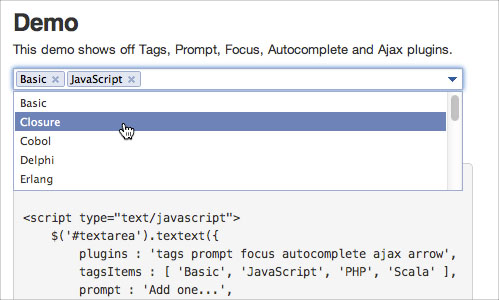
One of the most attractive features of JavaScript is the highly useful autocompletion. No other website does the autocompletion better than Facebook. They have created an elegant way to search for other Facebook users using the autocomplete feature. Once the user is found, their name is added with an outline and an “X” link to remove the name. TextboxList has mimicked this feature and created a little script for downloading.

TextboxList's Autocompletion

addSizes.js
This small JavaScript takes care of an automatic link file-size generation. For instance, if you have large .mp3- or .pdf-files offered on your page, this script automatically checks the size of the file and displays the format and the file size in brackets.

Useful JavaScript Techniques - addSizes.js

syntaxhighlighter
SyntaxHighlighter is here to help a developer/coder to post code snippets online with ease and have it look pretty. It’s 100% Java Script based and it doesn’t care what you have on your server.

Useful JavaScript Techniques - syntaxhighlighter

samaxesjs
samaxesJS is a set of utilities and controls, written in JavaScript, for building rich interactive web applications. The TOC control dynamically builds a table of contents from the headings in a document and prepends legal-style section numbers to each of the headings: adds numeration in front of all headings, generates an HTML table of contents, degrades gracefully if JavaScript is not available/enabled.

Useful JavaScript Techniques - samaxesjs

Step by Step
This script allows you to show and explain visitors what your page has for them. You might have encountered interactive demos created with screencasting and screengrabbing software that explain an interface to users in a step-by-step manner. This is exactly what this script does for web sites.

Useful JavaScript Techniques - Step by Step

MoreCSS
MoreCSS is a small, cross-browser compatible JavaScript library which enables you to create tab menus, tables and lists with “zebra”-style as if you were using regular CSS. It’s enough to include the library in HTML and use CSS for general purpose design elements.

Useful JavaScript Techniques - MoreCSS

Facelift Image Replacement
Facelift Image Replacement (or FLIR, pronounced fleer) is an image replacement script that dynamically generates image representations of text on your web page in fonts that otherwise might not be visible to your visitors. The generated image will be automatically inserted into your web page via Javascript and visible to all modern browsers. Any element with text can be replaced: from headers (h1, h2, etc.) to span-elements and everything in between!

Useful JavaScript Techniques - Facelift Image Replacement

CSS Sprites2
Cross-browser functionality is a bit of a freebie; jQuery works across most modern browsers, so everything you see here works in IE6+, Firefox, Safari, Opera, etc. We’ve also accounted for multiple graceful degradation scenarios.

Useful JavaScript Techniques - CSS Sprites2

jParralax
“Parallax is [a jQuery library that] turns a selected element into a ‘window’, or viewport, and all its children into absolutely positioned layers that can be seen through the viewport. These layers move in response to the mouse, and, depending on their dimensions (and options for layer initialisation), they move by different amounts, in a parallaxy kind of way.” Think of looking through a camera and having layers of objects at various distances moving around. This library achieves that effect using multiple using static images, one for each layer.

Useful JavaScript Techniques - jParralax

ddMenu – Context Menu Script
ddMenu is a simple MooTools-based script to create you’re own context menus. Press the Crtl-key and right click to switch between ddMenu and browser default context menu. Press the Shift-key and right click to open ddMenu beside the browser default context menu.

Useful JavaScript Techniques - ddMenu - Context Menu Script

js-hotkeys
jQuery.Hotkeys plugin lets you easily add and remove handlers for keyboard events anywhere in your code supporting almost any key combination. It takes one line of code to bind/unbind a hot key combination. Alternative approach.

Useful JavaScript Techniques - js-hotkeys

BarackSlideshow
An elegant, lightweight slideshow script. It works with MooTools 1.2, and supports all kinds of shape transformations (top and left coordinates, and height and width properties), which means it can now be used with vertical, horizontal, or even irregular lists.

Useful JavaScript Techniques - Proto.Menu, prototype based context menu

Galleria
Galleria is a javascript image gallery written in jQuery. It loads the images one by one from an unordered list and displays thumbnails when each image is loaded. It will create thumbnails for you if you choose so, scaled or unscaled, centered and cropped inside a fixed thumbnail box defined by CSS.

Useful JavaScript Techniques - Galleria

History Keeper
unFocus History Keeper is a JavaScript based library for managing browser history (back button) and providing support for deep linking for Flash and Ajax applications. It enables back button support, for client-side applications, has a hash-based deep linking (Anchor Style – index.html#foo=bar) and is event-driven – Subscriber pattern. Currently the script works well in all modern browsers.

Useful JavaScript Techniques - History Keeper

date.js
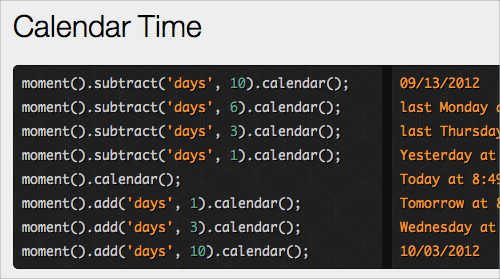
Datejs is an extensive open source JavaScript Date library for parsing, formatting and processing time and dates.

Useful JavaScript Techniques - date.js

Lightview
Lightview is another script that create modal windows on a web-site. It has a smart image preloading, adjustable rounded corners, without PNGs and content resizes to always fit on your screen. The script can be used for presentations, single images, Quicktime-files, Forms, Iframes, Inline content and Flash-files.

Useful JavaScript Techniques - Lightview

Coda popup bubbles

The software company Panic has a beloved Mac application for developers called Coda. Coda has an incredibly elegant design, and one of the subtle JavaScript effects that have been added to it is a stylized pop-up bubble. The blog jQuery for Designers has created a script that combines jQuery with custom code to replicate the feature used on the Coda website. The effect is subtle and elegant and greatly adds to the user’s experience.

Coda Bubble

ajax im
With the popularity of Web-based IM clients, like meebox, many developers want to add a JavaScript IM client of their own. Ajax IM is a library dedicated to creating an Ajax IM client that works out of the box. The script is a relatively large one, but it can be a nice effect for some websites that need more interaction with their users.

LiveValidation

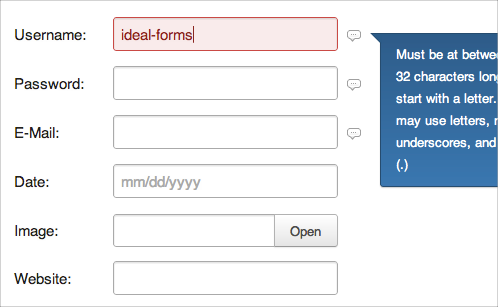
This is a handy gem for any web developer who uses forms. Trying to create an intuitive sign-up form can be a chore with all the different types of validation that need to happen. Also, creating a faster, more intuitive form with JavaScript can be tricky, too. Thankfully, LiveValidation has taken the guesswork out of the process and created a tiny, unobtrusive script that can take the pain out of form validation. If you’re a Ruby on Rails developer, LiveValidation comes in two forms: either with Prototype (ideal for Ruby on Rails) or one that can be used as a stand-alone package.

Live Validation

Ajax AutoSuggest
Like TextboxList’s autocompletion script, Ajax AutoSuggest is a tasteful and refined autosuggest script. The script is quite tiny, weighing in at just under 9k, and adds a very nice touch to any search form.

Ajax Auto Suggest

FancyUpload
This is an upload script that shows the progress of files you are uploading. It’s perfect for any upload form and even allows for multiple uploads at the same time. You can limit the size of the uploaded file as well as restrict the type of file that can be uploaded. The only requirement that FancyUpload has is that your users have installed Flash, which has a 95% penetration among Web users.

Fancy Upload

Taggify
Taggify is a bit different in implementation than the other JavaScripts listed. Taggify is a hosted solution for adding pop-up widgets to photos. Instead of having to download a script and host it on your site, you can just add a tiny <include> in your tag, and you’ll have the power of Taggify installed on your site. Using Taggify is interesting; it adds notes and other useful information to photos.

Think of it as a souped-up version of the note-adding feature for Flickr images. You can add any HTML to the Taggify note, creating a nice informational page to accompany any image that needs a bit more explanation.

Taggify

AmberJack
AmberJack is one of the more interesting and compelling JavaScript techniques. Website tours are extremely beneficial because they can help familiarize users, showcase features and products, and many other things. Possibly the best part about AmberJack is that nothing has to be installed or learned to start creating website tours. AmberJack provides a way for website and product owners to quickly and easily create website tours with JavaScript. It’s an amazingly tiny download, at only 4 KB.

Sliding Tabs
This is another script inspired by Coda. Essentially, it’s a smooth-scrolling tab system that makes switching between panes easy and smart. You can see a demo of Sliding Tabs here. Sliding Tabs is built off of the JavaScript framework MooTools. Alternative solution.

JavaScript Image Loader
If you’re looking for a more intuitive way for users to upload and preview images on your website, the JavaScript Image Loader (demo) might fit the bill. The JavaScript Image Loader is a great way to show your users an image before it has uploaded, and it can also provide other information about the image if desired.

swfIR
swfIR is an interesting concept as it uses a combination of Flash and JavaScript and adds image manipulation functionality to it. Once swfIR is installed, it adds a <span> with the class “swfir” around the image. swfIR can add almost any manipulation to an image. An especially useful feature of the script is its ability to automatically resize images based on the size of the page. When you resize the text on the page, the image resizes proportionally with the layout. By resizing the picture along with the text, the design feels much more cohesive.

swfIR

MooFlow
For fans of Apple’s Cover Flow feature in Leopard, MooFlow is taken directly from Apple’s playbook. MooFlow is a JavaScript gallery script that uses MooTools and adds a bit of JavaScript magic to make beautiful image galleries, complete with a slider that mimics Cover Flow.

Just like with Cover Flow, you can manipulate MooFlow’s gallery layout and functionality. You can toggle full-screen mode, image reflection, and autoplay. MooFlow is quite configurable and easy to set up because it just grabs all of the images within an element.

MooFlow

amCharts
This script is a chart generator that runs off of a combination of flash and JavaScript. You can generate virtually any type of graph or chart with the script, and can even use .csv and xml files to pull the data from. With amCharts, you can generate graphs in the form of Column & Bar, Pie & Donut, Line & Area and Scatter & Bubble.

AM Charts

GreyBox
GreyBox’s website hails the JavaScript pop-up window as “A pop-up window that doesn’t suck,” and for good reason. GreyBox does everything that a modal window should do. It can display pictures, websites, and just about any other content you can think of.

Using GreyBox is incredibly easy because once you’ve included the JavaScript file in the header, the only thing left to configure is adding a <rel> tag to whatever element you want to display in the window.

Mailist
While Mailist isn’t a full-blown AJAX contact form, the tiny script is exactly what most Web developers need to quickly store email addresses for things like beta sign-ups and other expression-of-interest forms. It even has a back end for administering things like email backups and editing the look of the form.

SWFObject
SWFObject is a tiny little Flash player that uses JavaScript to overcome many of the obstacles that can’t be solved by markup alone. The player is a tiny download, only 9.5 KB (or 3.8 KB GZIP’ed). SWFObject prides itself on its compatibility with modern browsers, and it actually uses JavaScript to help detect which Flash player version to use and to avoid outdated Flash plug-ins that break Flash content.

SWF Object

PlotKit
PlotKit is a JavaScript chart-plotting script that relies on the tiny JavaScript framework Moochikit. PlotKit is an exceptional library for quickly plotting all sorts of graphs.

PlotKit

JavaScript tabifier
The JavaScript tabifier is a nifty little script that allows you to quickly and easily create tabs for your content. All that is required to use tabifier is to include the JavaScript and add a <div> with the class “tabber” surrounding the tabbed content, and then add the class “tabbertab” and the title for the <div> in what shows as the tab’s title. You can even use advanced techniques, such as adding cookies to the tabs, dynamically changing the tabs, and setting a default tab.

Tabifier

FancyZoom 1.1
Designed to view full-size photos and images inline without requiring a separate web page load, FancyZoom is providing a smooth, clean, truly Mac-like effect.

It is focused on a smoothest, polished zooming animation and automatically scales images from any image link, with no HTML changes. The script also preloads full-size images in the background on link mouseover and requires no Javascript libraries. FancyZoom requires only two lines of code in your HTML-files.

A Mac OS X-style Dock In JavaScript
Apple’s Mac OS X operating system is renowned for its fluid graphical effects. One impressive feature is the dock’s ‘fish-eye’ effect, whereby icons expand and contract as the mouse moves over them. Achieving this effect in JavaScript is difficult, but the MacStyleDock function allows this feature to be implemented easily.

Useful JavaScript Techniques - A Mac OS X-style Dock In JavaScript

fValidator – An open source (free) unobtrusive javascript tool for easy handling form validation
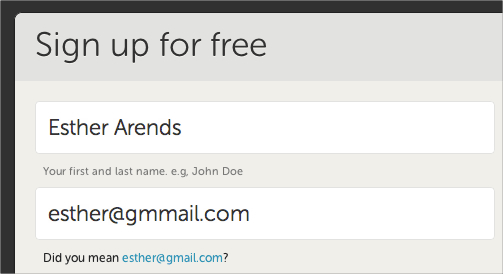
fValidator is an open source (free) unobtrusive javascript tool for easy handling form validation. It allows a user to more easily enter fixed width input where you would like them to enter the data in a certain format (dates,phone numbers, etc). Alternative jQuery Plugin.

Useful JavaScript Techniques - fValidator - An open source (free) unobtrusive javascript tool for easy handling form validation

jQuery Interactive Date Range Picker with Shortcuts
An advanced jQuery date picker that is optimized for quickly selecting a date from a list of preset dates/ranges, and we added smooth transitions when additional options are revealed.

Useful JavaScript Techniques - jQuery Interactive Date Range Picker with Shortcuts

Raphaël
Raphaël is a small JavaScript library that should simplify your work with vector graphics on the Web. In case you want to create your own specific chart or image crop-n-rotate widget, you can simply achieve it with this library. Raphaël uses SVG and VML as a base for graphics creation.

Useful JavaScript Techniques - Raphaël

NoGray Time Picker
This time picker utilizes a simple drag and drop interface. To select the time users can just drag the minutes or hour of a clock.

Useful JavaScript Techniques - NoGray Time Picker

Yetii – Yet (E)Another JavaScript Tab Interface
Yetii is a simple, yet functional tab interface implementation. It has lightweight, object-oriented code and degrades gracefully in browsers without JavaScript-support. You can have many independend tab interfaces on a single page, specify initial tab, turn on automatic tabs rotation, add next/previous navigation, nest one tab interface inside another and define custom function to run after certain tab is clicked.

You can link to certain tab on page A from page B via URL parameter and you can turn on tab persistence feature, so the most recently clicked tab is stored inside a cookie and remembered between page refresh.

Useful JavaScript Techniques - Yetii - Yet (E)Another JavaScript Tab Interface

Calendar
Calendar is a Mootools Javascript class that adds accessible and unobtrusive date-pickers to your form elements.It has highly configurable inputs and selects, multi-calendar support (with padding), variable navigation options and multi-lingual and fancy date formatting.

Useful JavaScript Techniques - Calendar

Starbox
Starbox allows you to easily create all kinds of rating boxes using just one PNG image. The library is build on top of the Prototype javascript framework. For some extra effects you can add Scriptaculous as well.

Useful JavaScript Techniques - Starbox

Magic Zoom
Magic Zoom is a JavaScript zoom tool. It’s the best way to display images in incredible detail. Users do not need to click anything – they just move their mouse over the image to see every detail of your product.

Useful JavaScript Techniques - Magic Zoom

Magic Magnify
Magic Magnify is a Flash zoom tool. It’s an elegant effect to view images with a magnifying-glass. Upon hover over the image, the user sees the close-up detail of the product. Price: $28 / £15 / €18.

Useful JavaScript Techniques - Magic Magnify

Carousel.us
Carousel.us is a Javascript 3D carousel, using either the prototype.js and scriptaculous.js or mootools.js frameworks. It also uses PHP Easy Reflections v3 by Richard Davey.

Useful JavaScript Techniques - Carousel.us

slideshow
Slideshow is a javascript class for Mootools 1.2 to stream and animate the presentation of images on your website. Slideshow is the result of many trials in code attempting to create a javascript class that was lightweight, unobtrusive, a snap to setup (but also highly configurable), extendable and – built using the javascript framework with the best effects – visually very impressive. Slideshow began as a side project by Aeron Glemann, and is now open source with an MIT-style license.

Useful JavaScript Techniques - slideshow

jgrousedoc
jGrouseDoc allows developers to produce documentation for their javascript code based on javadoc-like comments embedded into the source code. It allows documentation of classes, regardless what kind of library/technology was used to implement OOP. The script also allows documentation of multiple syntaxes that could be used to invoke a function/method. The output is customizable using CSS and Velocity templates or XSLT.

Useful JavaScript Techniques - jgrousedoc

Lightbox 2
Lightbox is a simple, unobtrusive script used to overlay images on the current page. It’s a snap to setup and works on all modern browsers.

Useful JavaScript Techniques - Lightbox 2

Control.Window
Control.Window is a fully programmable, multi purpose windowing toolkit for Prototype. It covers a wide variety of use cases and allows for a high degree of customization. It can attach to links to open the targets as windows, or can be filled with dynamic content. It includes support for stackable, draggable and resizable windows. Subclasses to handle Modal windows, LightBoxes and Tooltips are included.

Useful JavaScript Techniques - Control.Window

SimpleModal
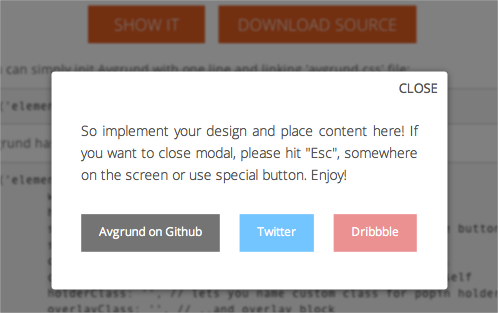
SimpleModal is a lightweight jQuery plugin that provides a simple interface to create a modal dialog. The goal of SimpleModal is to provide developers with a cross-browser overlay and container that will be populated with data provided to SimpleModal.

Useful JavaScript Techniques - SimpleModal

Creating a carousel with MooTools
You’ve probably seen it on various websites: those neat little inline slideshows that browse you through a gallery of images (or content if you want, too). Most people simply copy the code to use it on their own site, but I believe that by making it yourself, you learn new techniques and gain new insight. Therefore I’ll walk you through this tutorial that teaches you how to achieve this through the use of CSS and MooTools.

Useful JavaScript Techniques - Creating a carousel with MooTools

Unobtrusive Expand and Collapse Navigation
A tutorial that displays how to to create a vertical navigation that will expand and collapse to show and hide sub-navigation using only unordered lists and as few class/id names as possible.

Useful JavaScript Techniques - Unobtrusive Expand and Collapse Navigation

Image Cross Fade Transition
Image rollovers were the staple JavaScript nugget of the 90s, and for a lot of JavaScript developers I know, one of the starting places their passion for JavaScript. Today, rollovers are a no-brainer – either in CSS or with the simplest of JavaScript. Today’s challenge is the rollover transition.

Useful JavaScript Techniques - Image Cross Fade Transition

Slider Gallery
This ‘product slider’ is similar to a straight forward gallery, except that there is a slider to navigate the items, i.e. the bit the user controls to view the items.

Useful JavaScript Techniques - Slider Gallery

FancyZoom meets jQuery // Ordered List // We Make The Web Beautifully Simple

Useful JavaScript Techniques - FancyZoom meets jQuery // Ordered List // We Make The Web Beautifully Simple

Build An AJAX Powered Shopping Cart
The goal of this tutorial is to show you how to build an AJAX powered shopping cart. However, it will not be production ready. The back end requirements vary from site to site far too much to write an effective tutorial. Instead, we are going to focus on the AJAX parts.

Useful JavaScript Techniques - Build An AJAX Powered Shopping Cart

jQuery iPod-style Drilldown Menu
“We created an iPod-style drilldown menu to help users traverse hierarchical data quickly and with control. It’s especially helpful when organizing large data structures that don’t translate well into traditional dropdown or fly-out menus.”

Useful JavaScript Techniques - jQuery iPod-style Drilldown Menu

Load Content While Scrolling With jQuery
This script allows to load the content “on the fly” – once th visitors has scrolled vertically to the end of the content block. “I always loved the dZone’s Ajax content loading while scrolling feature and created a similar one using jQuery.”

Useful JavaScript Techniques - Load Content While Scrolling With jQuery

JavaScript Tooltips
This tutorial describes how to create a nice, lightweight JavaScript tooltip. By Michael Leigeber.

Useful JavaScript Techniques - JavaScript Tooltips

Newsticker
Antonio Lupetti re-creates a news ticker which is similar to the one used on Newsvine. Mootools in use.

Useful JavaScript Techniques - Newsticker

jQuery virtual tour
This is an extension to the simple panorama viewer that allows you to play a little bit more with jQuery by adding interactivity to transform some panoramic views into a virtual tour.

Useful JavaScript Techniques - jQuery virtual tour

Flexigrid
Lightweight but rich data grid with resizable columns and a scrolling data to match the headers, plus an ability to connect to an xml based data source using Ajax to load the content. Similar in concept with the Ext Grid only its pure jQuery love, which makes it light weight and follows the jQuery mantra of running with the least amount of configuration.

Useful JavaScript Techniques - Flexigrid

tableFilter
This script allows users to filter and sort even large tables quickly and in an interactive way.

Useful JavaScript Techniques - tableFilter

Row Locking with Checkboxes
“I had my function set up so that if any part of the row was clicked, the checkbox would check. When I clicked the actual checkbox, it would show a checkmark, but since the checkbox is a part of that row, my function would run, too, which would then think it’s time to uncheck the checkbox. In a fraction of a second, it would look like the checkbox never checked, but the row changed color anyway, sending the wrong signals to the end user.”

Useful JavaScript Techniques - Row Locking with Checkboxes

jQuery File Tree
jQuery File Tree is a configurable, AJAX file browser plugin for jQuery. You can create a customized, fully-interactive file tree with as little as one line of JavaScript code. It has the ability to style icons based on file extension, uses AJAX to fetch file information on the fly, has a customizable expand/collapse event and support single- and multi-folder views.

Useful JavaScript Techniques - jQuery File Tree

Proto.Menu, prototype based context menu
Proto.Menu is a simple and lightweight prototype-based solution for context menu functionality on your page.

Useful JavaScript Techniques - Proto.Menu, prototype based context menu

Pricing Matrix
This tutorial explains how to create a matrix that would give an indication of relationships among the information provided.

Useful JavaScript Techniques - Proto.Menu, prototype based context menu

Toggling Announcement Slider
“A few of my customer have asked for me to create a subtle but dynamic (…I know…) way for them to advertise different specials on their website. Not something that would display on every page, but periodically or only the homepage. Using a trick from GoDaddy’s playbook, I put together an announcement slider that toggles on click. Thanks to MooTools 1.2, this was a breeze.”

Useful JavaScript Techniques - Proto.Menu, prototype based context menu

Tutorials

Show/hide a Login Panel using Mootools 1.2
“Some of you were wondering what script I used to show/hide the login panel on top of this page (or in my latest WordPress theme: “Night Transition”). In this tutorial, we will see how to create a similar login/signup panel for your website using Mootools 1.2.”

Images slider to create Flickr-like slideshows
If you like Flickr slideshow, this article explains how to implement it using Prototype-UI framework. “Since long time I was looking for a simple way to implement a Flickr-like slideshow (”image carousel”) and finally I found a good compromise between complexity and result to implement it using Prototype-UI, an awesome JavaScript framework based on Prototype and Scriptaculous.”

Create an apple style menu and improve it via jQuery
“Since I wrote my last tutorial on how to create a CSS only multilevel dropdown menu I got a lot of visitors who wanted to know how I created the main navigation of kriesi.at. (a so called kwicks menu) The interest in extraordinary menus seems to be high nowadays, so today I will teach you how this is done.”

Useful JavaScript Techniques - Create an apple style menu and improve it via jQuery

Creating a Slick Auto-Playing Featured Content Slider
By Chris Coyier.

Useful JavaScript Techniques - Creating a Slick Auto-Playing Featured Content Slider

Build An Incredible Login Form With jQuery
One struggle that still remains today in web design is displaying all of the redundant information on every page. For example, a login form. What if there was a way to easily make the content accessible on every page, but keep it hidden until needed? Well you can, by making a top panel that when clicked, will reveal its self and its content. But we need to make this look nice, so we’ll also animate it

Useful JavaScript Techniques - Build An Incredible Login Form With jQuery

Create a Slick Tabbed Content Area using CSS & jQuery
“One of the biggest challenge to web designers is finding ways to place a lot of information on a page without losing usability. Tabbed content is a great way to handle this issue and has been widely used on blogs recently. Today we’re going to build a simple little tabbed information box in HTML, then make it function using some simple Javascript, and then finally we’ll achieve the same thing using the jQuery library.”

Useful JavaScript Techniques - Create a Slick Tabbed Content Area using CSS & jQuery

Create a Simple, Intelligent Accordion Effect Using Prototype and Scriptaculous
Learn how to create a lightweight, intelligent “accordion” effect using the Prototype and Scriptaculous libraries.

Useful JavaScript Techniques - Create a Simple, Intelligent Accordion Effect Using Prototype and Scriptaculous

Create a Simple, Powerful Product Highlighter with MooTools
This tutorial will help you find your inner cow by introducing you to one of the most powerful and modular javascript libraries—MooTools. You’ll create a flexible tool for highlighting your sites products or services using the MooTools javascript framework.

Useful JavaScript Techniques - Create a Simple, Powerful Product Highlighter with MooTools

Creating a Dynamic Poll with jQuery and PHP
When you combine some neat functionality courtesy of PHP with the cleverness of jQuery you can produce some pretty cool results. In this tutorial we’ll create a poll using PHP and XHTML, then make use of some jQuery Ajax effects to eliminate the need for a page refresh, and to give it a nice little bit of animation.

Useful JavaScript Techniques - Creating a Dynamic Poll with jQuery and PHP

Related Posts

You may want to take a look at the following related articles:

Glen Stansberry is the editor at Web Jackalope, a blog about creative Web development.

  1. 1

    Robert

    September 11th, 2008 10:55 am

    Wow, that is an insanely good list of good JS techniques! Thanks so much for sharing!

    +2
  2. 2

    Roger Padilla

    September 11th, 2008 11:14 am

    Thanks so much. This is a really wonderful post!!!

    Best regards,
    Roger

    -1
  3. 3

    Tom

    September 11th, 2008 11:19 am

    Great list of resources, especially liking the chart/graph ones!

    0
  4. 4

    Nick Stakenburg

    September 11th, 2008 11:22 am

    Awesome list. Thanks for listing my scripts [Lightview & Starbox]

    0
  5. 5

    kevin

    September 11th, 2008 11:26 am

    Great collection, I have used some of them that give my site a wonderful look.

    0
  6. 6

    jeff

    September 11th, 2008 11:41 am

    Man, this stuff is so much better than your ” (really) cute animal pictures ” posts…

    good job!

    0
  7. 7

    readywpthemes

    September 11th, 2008 11:42 am

    Thanks for this great JS collection!!!

    0
  8. 8

    Benjamin

    September 11th, 2008 11:50 am

    crazy goodness, thanks for putting in the effort.

    0
  9. 9

    rokhayakebe

    September 11th, 2008 12:04 pm

    I once (April/May 2007) used AjaxIm to create one of the first Facebook IM applications. It was able to handle until 20 thousands users. At that point we had some serious scalling issues and eventually decided to focus on other things.

    0
  10. 10

    IRM

    September 11th, 2008 12:08 pm

    I love you Smashing Team!

    0
  11. 11

    Pascal Hartig

    September 11th, 2008 12:10 pm

    Great list! Was fun to read.

    +1
  12. 12

    Marie

    September 11th, 2008 12:13 pm

    Good stuff instead! Thank you!

    0
  13. 13

    Luzzie

    September 11th, 2008 12:17 pm

    AMAZING!!!! thanks a lot! great listing

    0
  14. 14

    Umut

    September 11th, 2008 12:27 pm

    Great post & thanks very much for featuring “Load Content While Scrolling” by WebResourcesDepot.

    0
  15. 15

    Sergiu

    September 11th, 2008 12:35 pm

    Thank you so much! Unbelievable post!

    0
  16. 16

    eGrace Creative

    September 11th, 2008 12:45 pm

    Wow, Smashing gives away some programming / UI advice too! Cool. Thanks guys!

    0
  17. 17

    reid_matt

    September 11th, 2008 12:54 pm

    This is an extraordinary list – thank you!

    0
  18. 18

    BarryMcGee

    September 11th, 2008 12:54 pm

    amazing list, very useful.. thanks!

    0
  19. 19

    Patrick

    September 11th, 2008 12:55 pm

    Holy ©π@#!!! That smashed my web world to bits! I can’t wait to implement some of these!!!

    0
  20. 20

    Allen

    September 11th, 2008 1:12 pm

    Awesome!!!!!!!!!!!!!!! Very Very useful to developers like me.

    0
  21. 21

    Pilou

    September 11th, 2008 1:23 pm

    One of the most useful post I’ve ever seen on Smashing Mag. Thanks a lot :)

    0
  22. 22

    Julien L

    September 11th, 2008 1:28 pm

    WoW ! Nice list ! Thx Smashing Magazine !

    0
  23. 23

    Yves

    September 11th, 2008 1:44 pm

    Awesome! Thank you so much!

    0
  24. 24

    Michael

    September 11th, 2008 1:45 pm

    But why 75 at one time!?? they are all useful, but a little hard to read…

    0
  25. 25

    Eddy

    September 11th, 2008 1:49 pm

    Unbelievably helpful, thanks for all the help mate, great post!

    0
  26. 26

    Jon Aizlewood

    September 11th, 2008 2:00 pm

    I’ve been Smashed. Cheers guys.

    0
  27. 27

    Eric Martin

    September 11th, 2008 2:23 pm

    Great list! Thanks for including SimpleModal!

    0
  28. 28

    Jeff Livings

    September 11th, 2008 2:27 pm

    awesome stuff. Just as I am moving past Css and toward Javascript you create this. Now I’m going to busy for weeks.

    thanks as always

    0
  29. 29

    Jamie

    September 11th, 2008 2:56 pm

    Simply SMASHING!

    Thanks Smashing Magazine for all the wonderful work you’ve done!

    0
  30. 30

    Mark

    September 11th, 2008 2:57 pm

    I think HighSlide deserves to be much better known.

    0
  31. 31

    Richard Acquaye

    September 11th, 2008 2:57 pm

    really insane review + tutorials! Theres always 1 thing i wanted to do with JavaScript and that is creating a news slider where each image/news had its own link like the one in nclud

    0
  32. 32

    Make Design, Not War

    September 11th, 2008 3:07 pm

    Wow quite a collection here – thanks for sharing all of these in one easy to check spot; I’ll look forward to trying a few out soon.

    0
  33. 33

    mondfish

    September 11th, 2008 3:14 pm

    Unglaublich…gute Zusammenstellung!

    0
  34. 34

    Salmen

    September 11th, 2008 3:23 pm

    wow nice article

    0
  35. 35

    Eric Oliver

    September 11th, 2008 3:24 pm

    Best… blog entry… EVER

    0
  36. 36

    Maverick

    September 11th, 2008 3:45 pm

    Great list, in addition to PlotKit, there is Flot for jQuery: http://code.google.com/p/flot/

    Again, great list of resources!

    0
  37. 37

    greven

    September 11th, 2008 4:05 pm

    Awesome post. Thank you.

    greven – Paintbits.com

    0
  38. 38

    Pascal

    September 11th, 2008 4:10 pm

    Nice list indeed most of them i already knew! but still nice job!
    once again!! i my add

    0
  39. 39

    Nasip

    September 11th, 2008 4:31 pm

    This is Smashing… (Really)!

    0
  40. 40

    Kit

    September 11th, 2008 4:56 pm

    This is the best Smashing Magazine article I have ever read.

    0
  41. 41

    Ian Burris

    September 11th, 2008 5:14 pm

    Amazing list. Great job SM.

    0
  42. 42

    Mc.Spring

    September 11th, 2008 5:16 pm

    Greate work!~!~

    0
  43. 43

    James

    September 11th, 2008 6:02 pm

    There is an error and/or misleading information with regards to SWFObject. SWFObject is not a media player, and in fact, does nothing on it’s own. It’s a Javascript library / application that simply allows an easy and standards way of of embedding flash content on a web page.

    The picture for SWFObject is actually depicting SlideShowPro, an excellent and cheap flash slideshow application and media player: http://slideshowpro.net/examples/

    0
  44. 44

    amin

    September 11th, 2008 6:16 pm

    great stuff..

    0
  45. 45

    Roy

    September 11th, 2008 6:24 pm

    Cool man , this is a great list of all cool JS framework.
    Could possibly use this for my freelance project.
    Thanks for sharing buddy.

    0
  46. 46

    Angstrom

    September 11th, 2008 6:41 pm

    FancyUpload is going to die a nasty death unless a workaround is found for the “security fix” in Flashplayer 10. This “fix” means that we can no longer externally target the flash upload facility.
    Official word:
    http://theflashblog.com/?p=423

    I’m sure a workaround will appear eventually – but for now be aware that FancyUpload may not work if users have already upgraded their Flashplayer to version 10

    0
  47. 47

    Colormono

    September 11th, 2008 6:41 pm

    Awesome!! One of the best post of the year!! I really love this stuff!! Thank you!!

    0
  48. 48

    Grafiko

    September 11th, 2008 7:17 pm

    wow, great list

    0
  49. 49

    Jonathan Franzone

    September 11th, 2008 7:44 pm

    Great post. I believe you have the screenshots mixed up between MoreCSS and Hyphenation though.

    0
  50. 50

    Runa

    September 11th, 2008 7:59 pm

    Taggify is nice. I discovered that Steve Jobs and I have birthday on feb 24 :)

    0
  51. 51

    Ishwor Manandhar

    September 11th, 2008 8:25 pm

    Really a useful resource…..thanx SM.

    0
  52. 52

    Anthony

    September 11th, 2008 8:33 pm

    Whoa! Thanks so much for this post! One of the best yet, in my opinion.
    I have a lot to learn!

    0
  53. 53

    kebab

    September 11th, 2008 9:07 pm

    *dropjaw*

    0
  54. 54

    Darsh

    September 11th, 2008 9:29 pm

    Great Work!!!!!

    0
  55. 55

    gaurav_m

    September 11th, 2008 9:32 pm

    awesome post smashers

    0
  56. 56

    PrabhakaranG

    September 11th, 2008 10:00 pm

    Interesting..I luv it..Thanks to Smashing Magazine for helping us.

    0
  57. 57

    Christoph

    September 11th, 2008 10:01 pm

    Great list! But please, DO skip those “Really”´s in the headline to mark that this IS a useful list of something. Convince with the content itself, just as you always (well, mostly) do, and you won´t need to “sell in” your articles by spicing them.

    Cheers,

    Christoph

    0
  58. 58

    Vipul Limbachiya

    September 11th, 2008 10:27 pm

    This is awesome collection………. Thanks for sharing.

    0
  59. 59

    Samuel

    September 11th, 2008 10:46 pm

    That’s an amazing list of useful javascript techniques. Thanks a bunch!

    0
  60. 60

    Lorenzo Bondioni

    September 11th, 2008 11:03 pm

    yeah…very cool post…realy intresting.thanks.

    0
  61. 61

    Stan

    September 11th, 2008 11:07 pm

    Compliments for this great post!

    0
  62. 62

    trice22

    September 11th, 2008 11:12 pm

    Great selection! Thanks.
    —trice

    0
  63. 63

    jbcarey

    September 11th, 2008 11:12 pm

    Smashing post! job well done!

    0
  64. 64

    Chris

    September 11th, 2008 11:23 pm

    The list should really have been reduced.
    Use JavaScript responsibly…

    0
  65. 65

    prabhjeet singh

    September 11th, 2008 11:51 pm

    perfect list. thanks.

    0
  66. 66

    Zoltan

    September 11th, 2008 11:55 pm

    Ohh Yeah, that was amazing, thank you!

    0
  67. 67

    Martijn

    September 11th, 2008 11:59 pm

    Nice post!!!!!!!!!!!!!!

    0
  68. 68

    Pioter

    September 12th, 2008 12:00 am

    Overwelming list! I’ve been smashed! ^^
    Keep up the good work!

    0
  69. 69

    crypta

    September 12th, 2008 12:30 am

    really impressive, thx SM

    0
  70. 70

    Htoo Tay Zar

    September 12th, 2008 12:41 am

    Absolutely Awesome Compilation!! I think i don’t need to code js myself.. just need to grab and use… =P Thanks for sharing us…

    0
  71. 71

    turschte

    September 12th, 2008 12:42 am

    Thank you for that great selection!

    0
  72. 72

    blaszta

    September 12th, 2008 12:56 am

    S.U.P.E.R.B.!

    +1
  73. 73

    NeoSheet

    September 12th, 2008 1:07 am

    AMAZING!, you gave me all what i need Smashing, specially this article

    0
  74. 74

    LC

    September 12th, 2008 1:08 am

    Such a good list !

    Doesn’t help to make a definitive choice between jQuery and mootools though, arg.

    0
  75. 75

    Curt Simon Harlinghausen

    September 12th, 2008 1:21 am

    G E N I U S article. Thanks folks.

    0
  76. 76

    Rootix

    September 12th, 2008 1:42 am

    Nice!

    What’s the name of the editor tool at “Raphaël”?

    0
  77. 77

    Charles

    September 12th, 2008 2:01 am

    Awsome list! now I have got a lot of javascript wigets to play with ;)

    0
  78. 78

    remote

    September 12th, 2008 2:14 am

    posts like this one make smashing worth reading. ty.

    0
  79. 79

    MoiN

    September 12th, 2008 2:20 am

    Perfect List!

    0
  80. 80

    Jorn

    September 12th, 2008 3:53 am

    Excuse me? Best post ever!

    0
  81. 81

    Chris

    September 12th, 2008 3:55 am

    omg I feel soo full up!

    0
  82. 82

    Erwin Heiser

    September 12th, 2008 4:18 am

    There goes my friday afternoon! :)

    0
  83. 83

    antipix

    September 12th, 2008 4:19 am

    nice collection with nothing new ^^

    0
  84. 84

    Aaron

    September 12th, 2008 4:26 am

    Great list, but I’m a little disappointed because the list is missing a commonly used script or so I think. So you know how headers are usually an include with the navigation? Well, what type of script recognizes the selected button of the page that you are on in the site? No one wants 50 different navigation menus with only the class moved around to show which tab is selected. So how is it done to where you can make the navigation menu tabs selected depending on which page you are on?

    0
  85. 85

    Spin

    September 12th, 2008 4:49 am

    That was delicious

    0
  86. 86

    Boris Smirnov

    September 12th, 2008 5:31 am

    Super awesome list. Thank you so much!

    0
  87. 87

    Jackson Hyde

    September 12th, 2008 5:33 am

    What an absolutely awesome list! Top marks to Glen and the Smashing team.

    0
  88. 88

    John

    September 12th, 2008 5:50 am

    That for this set S&M.

    0
  89. 89

    Marc Beharry

    September 12th, 2008 5:59 am

    Once again, great compilation!

    0
  90. 90

    Armando

    September 12th, 2008 6:00 am

    congratulations it´s perfect, I´ll use on my projects. Smashingmagazine number one…….

    0
  91. 91

    Brendon Kozlowski

    September 12th, 2008 6:03 am

    Two scripts which I feel could be beneficial to some:
    1. A comparable but slightly different option to the CoverFlow scripts listed above: Image Flow LINK – not the official site, but a better representation of its features.

    2. CheckTree, a jQuery based tree navigated checkbox list (ala custom Product Installation options GUI). Could be useful… LINK

    0
  92. 92

    Dan Koperski

    September 12th, 2008 6:17 am

    Thanks for the great post…there are definately some great gems here!!!

    0
  93. 93

    Thomas Strobl

    September 12th, 2008 6:24 am

    This is the best article this year imho
    thanks guys

    0
  94. 94

    ashvin

    September 12th, 2008 6:56 am

    great! smashing! thanx!

    0
  95. 95

    Matt

    September 12th, 2008 7:19 am

    I haven’t looked at javascript libraries before. This has opened my eyes! Great stuff.

    0
  96. 96

    Calvin Gilbert

    September 12th, 2008 7:29 am

    Great Post, hope I can use some of these soon.

    0
  97. 97

    enjoidesign

    September 12th, 2008 7:52 am

    wow. you are my hero!

    this list is amazing

    0
  98. 98

    Cosmi

    September 12th, 2008 8:04 am

    Sliding Tabs still has some bugs, but is nice.
    Great list and useful

    0
  99. 99

    robotobi

    September 12th, 2008 8:37 am

    great list. it’s been a while – but smashing strikes again..

    0
  100. 100

    Travis

    September 12th, 2008 8:45 am

    I’m confused. I see no mention of YUI.

    0
  101. 101

    Gabe

    September 12th, 2008 10:53 am

    I fail to see how parallax is “useful”. What am I missing? What can it be “used” for? “fun” or “entertaining” or “cool” sure, but I wouldn’t categorize it in a post about usefulness.

    0
  102. 102

    ramdath

    September 12th, 2008 11:09 am

    great and very usefull list !!
    thanx.

    0
  103. 103

    Justin

    September 12th, 2008 12:08 pm

    Awesome post. Thank you so much!

    0
  104. 104

    Gomi Lao

    September 12th, 2008 5:58 pm

    Awesomeness

    0
  105. 105

    Tom Hermans

    September 13th, 2008 2:15 am

    great list. have experimented a bit with jquery & mootools, and this stuff makes it even more interesting to go further with it..

    0
  106. 106

    Malcolm Almeida

    September 13th, 2008 4:10 am

    This is so cool.. would use some of the ones featured here :)

    Thanks

    0
  107. 107

    Robin

    September 13th, 2008 5:21 am

    Really interesting. Thanks !

    0
  108. 108

    Danny

    September 13th, 2008 5:51 am

    Damn they just keep getting longer. Good stuff!

    0
  109. 109

    J Persson

    September 13th, 2008 6:46 am
    Awesome! Thanx for this amazing list! 
    0
  110. 110

    K.Brown

    September 13th, 2008 9:02 am

    Very useful list! I know I’ll return to this as a reference in the future! Great job!

    0
  111. 111

    Neowster

    September 13th, 2008 8:53 pm

    Great resource!

    0
  112. 112

    ReTox

    September 14th, 2008 11:40 am

    you guys simply rock.

    0
  113. 113

    James

    September 14th, 2008 1:33 pm

    Wow! I think you’ve cover most of web2.0 techniques ever created there! great work

    0
  114. 114

    Okibi

    September 14th, 2008 3:47 pm

    Fantastic collection of tools, thanks for your hard work.

    0
  115. 115

    gr8pixel

    September 14th, 2008 8:50 pm

    amazing.. amazing.. amazing.. thank YOU!!!

    0
  116. 116

    bintek

    September 14th, 2008 9:30 pm

    thank you for sharing. this is just what i need. (^_^)

    0
  117. 117

    Sandeep Sharma

    September 14th, 2008 9:37 pm

    nice collection.. Thank you….

    0
  118. 118

    mobs

    September 14th, 2008 10:11 pm

    indeed useful…

    0
  119. 119

    Leo

    September 15th, 2008 4:04 am

    I would recommend adding to the list a tiny library XMLHttpRequest.js that brings support for XMLHttpRequest to IE7< and fixes all major bugs (including for example memory leaks or misbehaviors) in browsers native implementations of that object.

    0
  120. 120

    Ob

    September 15th, 2008 5:52 am

    Have you guys tried ProtoChart? http://www.deensoft.com/lab/protochart/

    its a JS based charting library.

    0
  121. 121

    sempsteen

    September 15th, 2008 2:28 pm

    smashing magazine really does a good job, keep up the good work!

    0
  122. 122

    archknight79

    September 15th, 2008 6:15 pm

    this is one really helps me a lot. Done a great job :)

    0
  123. 123

    kombai.js

    September 15th, 2008 8:42 pm

    Kombai is my library that create javascript database. That allows you to select, insert, update, delete, order a client collection of data( syntax like MySQL ):
    //create new database
    var mydata = K.create.database({
    fieldName: ["name", "phone"],
    primaryKey: “phone”
    });
    // insert in to database
    mydata.Insert(["ohay", "0987654321"]);
    mydata.Insert(["oh", "0987654322"]);
    mydata.Insert(["ha", "0987654323"]);
    mydata.Insert(["hy", "0987654324"]);

    mydata.Insert({“phone” : “0987654324″, “name” : “hy”});
    mydata.Insert({“phone” : “0987654325″, “name” : “yo”});

    //update
    mydata.Update({“phone” : “232093430″, Where: “name like ‘o%’”});
    mydata.Update({“name”: “none”, Where: “phone ==’0987654325′”});

    //select

    mydata.Select({fieldName: “phone”, Where: “name like ‘%o%’”, orderBy: “phone”, Limit: 3});

    //delete
    mydata.Delete({Where: “name == ‘ohay’”});

    other you can use select in DOM :

    //getElementsByClassName

    var list = K.select({from: document, where: “className == ‘toolbox’”});

    var list2 = K.selcet({from: K(‘id’), where: “nodeName == ‘SPAN’”});

    ….

    Download: http://www.box.net/shared/f1cn69corr

    0
  124. 124

    Mika Tuupola

    September 16th, 2008 2:51 am

    No edit in place plugins mentioned at all?

    0
  125. 125

    web design company

    September 16th, 2008 4:26 pm

    Useful javascripts Techniques. Great site to reference.

    0
  126. 126

    Falco

    September 17th, 2008 1:00 am

    One day, you should publish a book or a CD-ROM with a list of all those links, it will be great :)

    0
  127. 127

    JSHAW

    September 17th, 2008 5:41 am

    all i can say is this is sooo helpful. Thanks!

    0
  128. 128

    Chris

    September 19th, 2008 12:35 pm

    Thanks it’s great

    0
  129. 129

    Amikka

    September 21st, 2008 2:35 am

    Awesome!! resource list thanku SM

    0
  130. 130

    Joel

    September 22nd, 2008 7:15 am
    0
  131. 131

    Arnaud Velten (Business Commando)

    September 24th, 2008 9:40 pm

    Very Very interesting and concise post, Thanks you for the good pack of Javascript goodies ;)
    Arnaud the froggy

    0
  132. 132

    akamuza

    September 27th, 2008 10:39 am

    THANX!!
    great post!

    0
  133. 133

    Nouman Saleem

    October 1st, 2008 2:38 pm

    I have too many tabs open :)

    0
  134. 134

    Leonardo

    October 29th, 2008 3:19 am

    You’re the best, the exmples are the best, Thanks for sharing this, this are rich tools an d resources for our work, for a better web… and for a better world.

    0
  135. 135

    Dust

    November 9th, 2008 1:53 am

    Very nice scripts, I saved a bunch of them on delicous. Thanks !

    0
  136. 136

    Umesh

    November 9th, 2008 8:55 am

    Good Collection. This really help

    Umesh Gohil
    Web Developer

    0
  137. 137

    BlogOfWind

    November 16th, 2008 8:50 pm

    This is definitely the best JavaScripts techniques I ever seen!

    0
  138. 138

    murali

    December 16th, 2008 10:23 pm

    Hi,
    Very good article.but I need a menu whic has to move from left to right when i click image
    like .net toolbox dock menu

    0
  139. 139

    Shuklendu

    January 8th, 2009 4:43 am

    Thanks for giving these techniques for most commonly used tasks on one page.

    0
  140. 140

    INTURL

    February 8th, 2009 5:41 pm

    thanks a million for this!

    0
  141. 141

    ianjohn

    February 10th, 2009 1:05 am

    wow! thank you very much. can’t wait to try these cool stuffs!!!!!

    0
  142. 142

    Ian

    February 14th, 2009 9:49 am

    nice tutorials keep up the goodwork!

    0
  143. 143

    Pravin

    March 2nd, 2009 10:33 pm

    gr8 post !!!!!

    0
  144. 144

    Daniel

    March 6th, 2009 9:09 am

    Serious – this site is pure and awesome usefullnes.

    I learned a lot and lots of these scripts are just too handy to not have.

    Thanks!

    0
  145. 145

    Houssam

    March 10th, 2009 8:22 am

    You made my day – Smashilecious

    0
  146. 146

    paradox

    March 13th, 2009 5:18 am

    really, wonderfull lists

    0
  147. 147

    Altyazı

    March 30th, 2009 2:25 am

    i will use this “Starbox” in my website. its wonderfull rating system.

    0
  148. 148

    Ajoydhas Amirtharaj

    June 15th, 2009 8:58 pm

    This site is very useful for all web developers and designers..

    0
  149. 149

    r4 ds

    October 27th, 2009 1:59 am

    r4 ds: thanx a lot man…… I have newly joined developing….. and with this good stuff in my hand…. I am going to get promoted soon for sure……

    0
  150. 150

    vidoko

    November 1st, 2009 5:47 am

    nice tutorials keep up the goodwork!

    0
  151. 151

    rahul

    December 6th, 2009 2:56 pm

    thanks!!

    0
  152. 152

    Uday

    March 29th, 2010 4:16 am

    Good Examples, helped me a lot..

    0
  153. 153

    CHAIYA

    July 13th, 2010 11:31 pm

    thank a lot

    +1
  154. 154

    Arun T S

    August 28th, 2010 9:51 pm

    GREAT WORK. GO AHEAD. BEST OF LUCK.

    MOTIVATION :: IF AT FIRST YOU DON’T SUCCEED, CALL IT VERSION 1.0

    0
  155. 155

    Sabrina

    October 8th, 2010 10:41 pm

    Great post, really useful techniques.

    +2
  1. 1

    Robert

    September 11th, 2008 10:55 am

    Wow, that is an insanely good list of good JS techniques! Thanks so much for sharing!

    +2
  2. 2

    Sabrina

    October 8th, 2010 10:41 pm

    Great post, really useful techniques.

    +2
  3. 3

    blaszta

    September 12th, 2008 12:56 am

    S.U.P.E.R.B.!

    +1
  4. 4

    Pascal Hartig

    September 11th, 2008 12:10 pm

    Great list! Was fun to read.

    +1
  5. 5

    CHAIYA

    July 13th, 2010 11:31 pm

    thank a lot

    +1

Leave a Comment

Yay! You've decided to leave a comment. That's fantastic! Please keep in mind that comments are moderated and rel="nofollow" is in use. So, please do not use a spammy keyword or a domain as your name, or it will be deleted. Let's have a personal and meaningful conversation instead. Thanks for dropping by!

↑ Back to top