Powerful CSS-Techniques For Effective Coding

Sometimes being a web-developer is just damn hard. Particularly coding is often responsible for slowing down our workflow, reducing the quality of our work and sleepless nights with pizza and coffee laying around the laptop. Reason: with a number of incompatibility issues and quite creative rendering engines it sometimes takes too much time to find a workaround for some problem without addressing browsers with quirky hacks. And that’s where ready-to-use solutions developed by other designers come in handy.
One year ago we’ve published the post with 53 CSS-Techniques You Couldn’t Live Without where we provided references to the most useful CSS-techniques which are often used in almost every project. Over the last year we’ve been observing what’s happening with the CSS-based web-development, and we collected most useful CSS-techniques we’ve stumbled upon — for us and for our readers.
In this post we present 50 new CSS-techniques, ideas and ready-to-use solutions for effective coding. You definitely know some of them, but definitely not all of them. Some technique is missing? Let us know in the comments to this post.
Thanks to all developers who contributed to the CSS-based design over the last year. The community appreciates it.
CSS-Techniques
1. Triadic Background Setting with CSS
The Silverback web site uses three background images to create the illusion of 3D with simple CSS. No documentation is provided, however the source code is quite intuitive. [via Wilson Miner]
2. Creative Use of PNG Transparency in Web Design
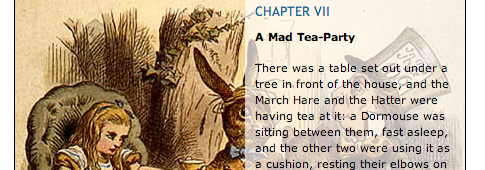
With proper PNG support in Internet Explorer 7, and some handy JavaScript and CSS tricks to account for older browsers, we can use PNG images to greatly enhance our design vocabulary.
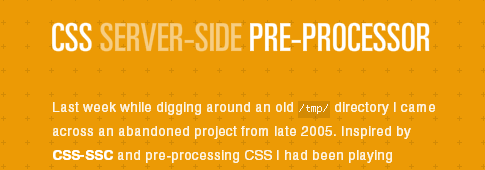
3. CSS Server-Side Pre-Processor
5. CSS SiteMap
6. Styling File Inputs with CSS and the DOM
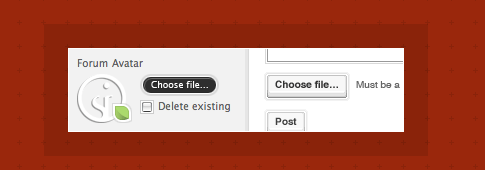
File inputs (<input type=”file” />) are the bane of beautiful form design. No rendering engine provides the granular control over their presentation designers desire. This simple, three-part progressive enhancement provides the markup, CSS, and JavaScript to address the long-standing irritation.
7. A Savvy Approach to Copyright Messaging
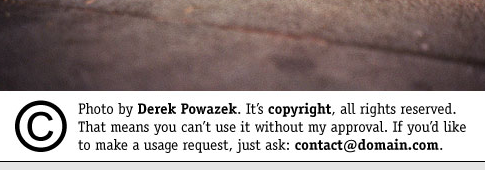
Derek Powazek suggests adding a copyright message to a photo and use CSS to crop its view. This is supposed to accomplish the goal of adding robust copyright information without defacing your own work.
9. Advanced CSS Menu Trick
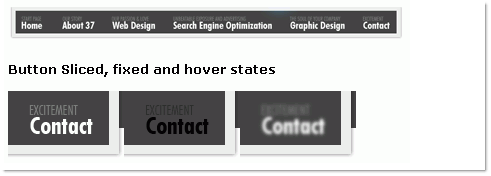
What we want to do here, is instead of simply altering the state of the navigation item the user is currently rolling over, we want to alter the non navigation items as well.
10. CSS hover effect
11. Creating a table with dynamically highlighted columns like Crazy Egg’s pricing table
12. A Stripe of List Style Inspiration
A different type of list and navbar styling. As stripes.
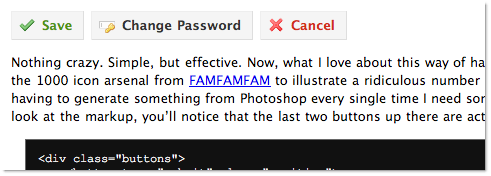
13. Rediscovering the Button Element
14. Dynamic CSS With Variables
Geoffrey Grosenbach describes how you can integrate CSS variables in CSS coding — with Ruby on Rails.
15. Hyperlink Cues with Favicons
I wanted to extend the concept of hyperlink cues a little. For links that point to external sites, what if, instead of showing a generic ‘external link’ icon, we showed that site’s favicon?
16. A CSS styled table version 2
17. CSS Step Menu
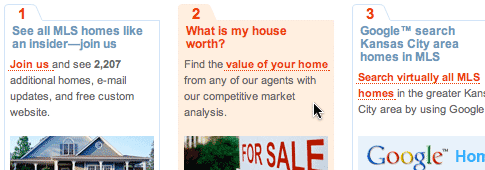
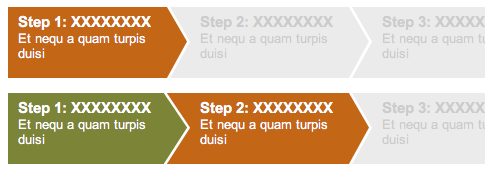
A method of designing the so-called step-menus, which have some steps users have to go through in order to achieve some aim. This menu offers a varying amount of steps, dependent upon the type of user accessing the application.
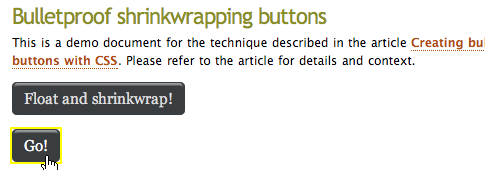
18. Creating bulletproof graphic link buttons with CSS | 456 Berea Street
19. Iconize Textlinks with CSS
Links are fun, but sometimes we don’t know where they take us. With this little CSS technique a user can identify a link by its icon. The updated release of the technique.
20. Better Ordered Lists (Using Simple PHP and CSS)
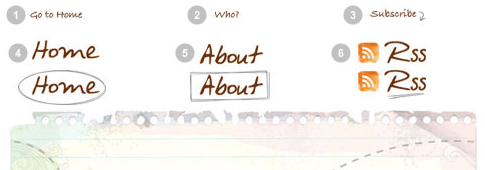
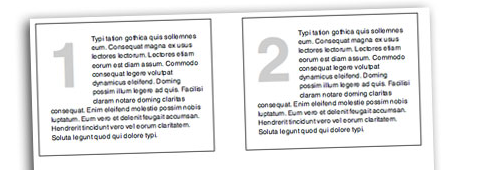
Ordered lists are boring! Sure you can apply background images and do quite a bit of sprucing up to a regular ordered list, but you just don’t get enough control over the number itself.
21. Circular Menu with CSS
This article shows how a beautiful circular navigation menu is created. In Spanish with Source code and an example.
22. CSS Dock Menu
23. Digg-like navigation bar using CSS
This tutorial explains how to design a digg-like navigation bar using a liquid design with rounded corners for links.
24. 13 Awesome Javascript CSS Menus
13 “fresh” JavaScript+CSS-based navigation menus in a brief overview. Among other things Slashdot Menu and Sexy Sliding Menu displayed below.
25. CSS Pricing Matrix
A CSS-based matrix in which clicking on a highlights the associated cell in the top row and left column giving an indication of relationships among the provided information. Similar solution: Tablecloth.
26. CSS List Expander
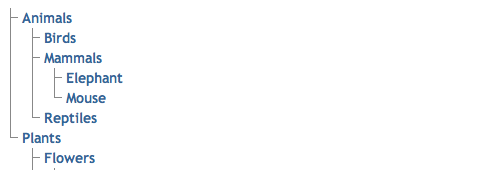
So, we have an unordered list that can go on in depth as much as we want. The script analyzes the list tree and applies toggle functions for expanding/collapsing child objects.
27. How to create VISTA style toolbar with CSS
Reproducing Vista toolbar, with buttons and hover effect in cross-browser compatible CSS and (X)HTML.
28. Fade Out Bottom
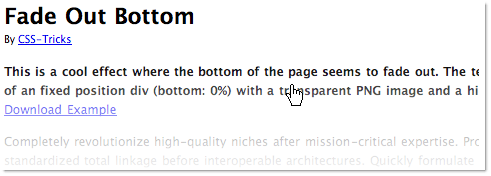
This is a demonstration of the effect where the bottom of the page seems to fade out. The technique makes use of an fixed position div (bottom: 0%) with a transparent PNG image and a high z-index value.
29. Scrollovers – A New Way of Linking
Everyone is familiar with hover-effects. This CSS+JavaScript-based techniques creates the Scrolleffect – not really necessary, but it’s nice to know, how it can be done.
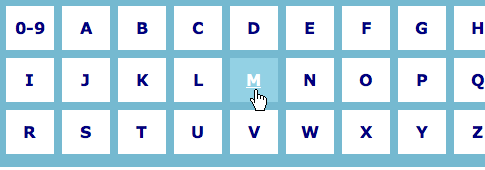
30. How to Style an A to Z Index with CSS
31. CSS List Boxes
Using a simple unordered list this experiment aligns the boxes across the page with the end result being to showcase items like services, products, or specials. One of cool thing about this — if you turn off styles — is the extractable semantics with the headings and paragraphs used.

32. How-to create a “Table of Contents” Navigation
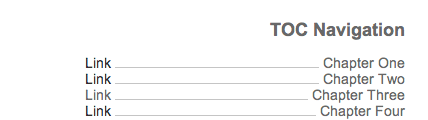
In as little as 8 lines of HTML, and 5 lines of CSS, the Table Of Contents Navigation block can be integrated in your site ready for even more styling.
34. Partial Opacity
35. Simple Round CSS Links (Wii Buttons)
36. How to make sexy buttons with CSS
37. CSS Pull Quotes
38. Drop Shadow CSS
39. CSS Speech Bubbles
Easy to customize speech bubbles coded in CSS and valid XHTML 1.0 strict.Tested in all major browsers.
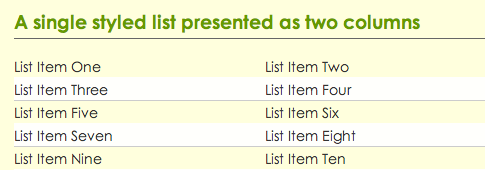
40. CSS Double Lists
42. Better Email Links: Featuring CSS Attribute Selectors
Learn how to generate code for displaying the e-mail automatically once mailto is used. CSS Attribute Selectors in action which is not supported by Internet Explorer 6 and 7.

43. CSS: Menu Descriptions
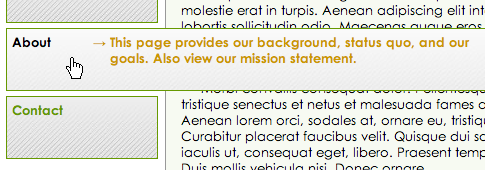
This is a CSS technique that could be useful if you want to give users accessible added content such as tool-tips, notifications, or alerts, without adding unnecessary clutter to your page. And since it doesn’t rely of JavaScript, it should be useful to everyone, even disabled users.
Further Techniques
44. CSS Transparency Settings for All Browsers
45. Time Sensitive CSS Switcher
CSS Switching script that changes style sheet based on time of day.
46. Custom Reading Containers
This amazing little script allows the user to resize any container.
48. PNG Overlay
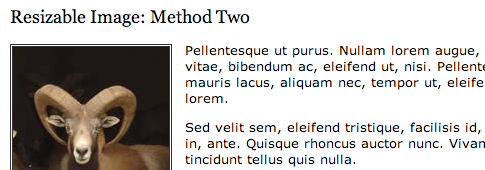
Create a transparent PNG overlay which can be used as a mask / frame around regular JPEG or GIF so users can upload photos without having to worry about using any graphics program to apply filters, plus it saves time.





eren emre
February 21st, 2008 10:35 amI got lost in this source!
: )
Noupe
February 21st, 2008 10:36 amThanks for linking our article. You have some great collection of css techniques over here :)
We have created 2 round-ups of CSS techniques that have some other great CSS Techniques that we can find handy.
http://www.noupe.com/design/101-css-techniques-of-all-time-part-1.html
http://www.noupe.com/css/101-css-techniques-of-all-time-part2.html
Mike
February 21st, 2008 10:39 amawesome collection, as always.
tnx!
lica
February 21st, 2008 10:44 amGreat list. Another reason for me to procrastinate at work!!
Lisa
February 21st, 2008 10:59 amI was just wondering why you keep reposting the same items in multiple articles.
Sure, this one has many awesome new things, but many of them I’ve already seen before on your site.
What’s going on?
Dejan
February 21st, 2008 11:28 amnice list
Thomassl
February 21st, 2008 11:31 amYou guys are too awesome. I mean it! If it weren’t for you, I would still be a total newbie.
Thanks! Keep it up, please.
Thomas, 14 years
Evangelist
February 21st, 2008 11:31 amThanks for the list – very useful – will keep me busy for a while!!!
Creativepayne
February 21st, 2008 11:34 amAwesome! I know what I’m doing tonight.
Thanks
Dave
February 21st, 2008 11:48 amI find all of your articles useful, but this particular article is the best I’ve seen yet. Thank you.
Mini0n
February 21st, 2008 11:55 amNice!
An excelent colection! Keep up the good work! =)
Braintrove
February 21st, 2008 12:21 pmGreat set of resources. Keep ‘em coming!
MIke
February 21st, 2008 12:43 pmHoly smokin’ list o’ links! Guh! I’m rethinking various UI stuff now. Awesome collection!
Junni
February 21st, 2008 1:18 pmAm I glad that I just inserted Smashingmagazine rss into my rss application! Very handy overview.
robotoverlord
February 21st, 2008 1:31 pmNice list, I’m resolved to do my next big project with pngs! Smashmag kicks ass.
Vitaly Friedman & Sven Lennartz
February 21st, 2008 2:21 pm@Lisa: “I was just wondering why you keep reposting the same items in multiple articles.”
We appreciate your concern, Lisa. However, it’s important to us that these useful resources are available to web-developers right away, so you don’t have to search through dozens of posts which cover not only CSS, but also other things. We try to do our best to make it as easy as possible to find these resources. This is what the whole thing is all about. This article is an example for exactly that.
Tyson
February 21st, 2008 3:07 pmKeep up the good work!!
Wezy
February 21st, 2008 3:15 pmVery useful post for techniques and inspiration.
Assault T-Shirts
February 21st, 2008 3:20 pmI’ve been trying to figure out for awhile how Apple did their rounded form field on their homepage and got it to show up nicely in Safari 1.x
I got my form fields hidden by hiding the border and making it white, but Safari 1.x still shows the ugly form field… anyone seen anything on this?
Gene
February 21st, 2008 3:47 pmReading this shows just how much there is to learn. Great list. New things to try.
Stefan
February 21st, 2008 3:55 pmI love you :)
Ian
February 21st, 2008 4:09 pmAmazing List. Thanks.
Mike
February 21st, 2008 5:06 pmYou’ve duplicated a paragraph in the introduction.
You’ve duplicated a paragraph in the introduction.
Handy resource, I will try to refer to this article regularly.
mel
February 21st, 2008 5:52 pmwow, I have about 40 new side-projects :)
Richie K
February 21st, 2008 8:15 pm“Time Sensitive CSS Switcher”
this is the stuff i’m looking for..now if they can change the whole content
prior to within times..that’ll be even greater :D
thanks for compiling the list for us css geek….
hieu
February 21st, 2008 9:01 pmOh my god, so may useful techniques. Thanks for collecting!!!
manish
February 21st, 2008 10:31 pmIf u keep posting articles like this i can never call myself a CSS expert ;-)
Thanks for great list ;-)
dagobert
February 21st, 2008 11:08 pmBest article ever.
Liina
February 21st, 2008 11:49 pmMy only thought after this post was that i love you :) Thanks for that!
skr15
February 21st, 2008 11:54 pmAwesome list!
This article goes far beyond any other I’ve seen
Keep it up!
bali web designer
February 21st, 2008 11:58 pmExcellent list as usual :) vote for dock icon from ndesign-studio, i use it on my website
SITS Hannover
February 22nd, 2008 12:18 amAn awesome collection of useful resources. Thank you!
Mithun
February 22nd, 2008 1:28 amAwesome!!
latejedora
February 22nd, 2008 2:19 amgreat! just added to my fav’s!!
Simon
February 22nd, 2008 2:29 amYet another incredibly inspiring list. Why would we expect anything less? Thanx
kidsinhalf
February 22nd, 2008 3:08 amGreat list.
The title is in my opinion non appropriate. Most effects are combination of CSS AND Javascript.
superxtian
February 22nd, 2008 3:22 amCSS is the best!
sofasurfer
February 22nd, 2008 3:55 amwhat to say? SM is the best! great post. Where I’m I going to find time to explore most of the examples shown here? :)
rohaan03
February 22nd, 2008 4:14 amwow
rubber
February 22nd, 2008 4:54 amVery useful tricks. Thanks
kik
February 22nd, 2008 4:55 amthe best post ever :)
Vincent McAulay
February 22nd, 2008 5:01 amSuperb!
harsha
February 22nd, 2008 5:14 amDamn Good
Damjan Mozetič
February 22nd, 2008 5:25 amThis is quite a selection of techniques! And I must say, some are even new to me :)
Reynder (CSS)
February 22nd, 2008 6:01 amWow. So much to learn still. Great inspiration!!
vivek
February 22nd, 2008 6:02 amThanks for pointing out “Table of Contents” CSS example.
Cheers
Ganesh
February 22nd, 2008 6:17 amHey thats neat..especially the Vista style CSS
james
February 22nd, 2008 6:21 amBrilliant. Great list.
Craig
February 22nd, 2008 6:24 amAwesome, very nicely done ‘smashing’
Venkadesan Tharshan
February 22nd, 2008 6:30 amthanks.
Sherry
February 22nd, 2008 6:33 am13. Rediscovering the Button Element
Love this tip; not many people are aware of the power that css has over buttons. Great article, thanks.
Alen
February 22nd, 2008 6:50 amNice collection, and thank you for including my article :)
lingo
February 22nd, 2008 7:29 amThis site is always a pleasure to look at… so much great stuff it is ridiculous. If my boss only knew how much time was spent on your site…
donnie
February 22nd, 2008 7:43 am#1. Should’nt one image be enough? What is the reason for using three images?
Christopher
February 22nd, 2008 8:10 amGreat list! One thing I wish to goodness I could find again is a CSS experiment site that used two different background images on the header so the right side was different from the left.
The page was flexible and the right/left images were 100% of the horizontal viewport.
Anyone know the technique I’m talking about or seen a similar site? The one I saw, just a few months ago, was for a mock beachwear/surf type company. I kick myself everyday for not bookmarking it!
Fred Clown
February 22nd, 2008 10:04 am@ donnie
I too wondered that at first … why not just use one image? The reason is (I think) because you can tile each image separately and get a more random look. For instance the front image on a 1280×1024 screen tiles twice. The mid one tiles 1 and a little times. The back image tiles about three times. It just allows for more randomness without having to make a really large and long top image. All in all a pretty good idea.
donnie
February 22nd, 2008 12:10 pm@Fred Clown
Yes I see it now. Different browser width generates different backgrounds. Did’nt see it earlier. =)
Stever
February 22nd, 2008 1:20 pmOh Thank You, oh thank you. I needed this.
CSS frustrates me to no end sometimes. I often wish I could trap and skin that damn fire fox. An inhumane leg hold trap at that. Other times I wish a hired gun would take out the entire IE development team, starting with the guy at the top. If i had my choice it would be the hit on MSN staffers before trapping that pesky fox. Definitely. Its far easier to tame the fox than it is to control that ignorant 800 pound gorilla.
recluxus
February 22nd, 2008 1:58 pmuseful content, thanks.
Tyler @ Building Camelot
February 22nd, 2008 2:02 pmYou guys always amaze me! This is an awesome article…thank you for taking the time to put this together.
Wikigiz.com
February 22nd, 2008 10:30 pmI learned some neat tricks. Thanks!
alf
February 23rd, 2008 12:53 amnice article, useful links.. thanks ..
Paul Annett
February 23rd, 2008 2:57 amThanks for including Clearleft‘s Silverback app faux-3D holding page – glad you like it! Though I’m slightly confused why you’d expect documentation to be included. How many websites include instructions on how they were made? Having said that, many people have asked for it and we will be publishing a short tutorial soon.
Jarek
February 23rd, 2008 6:39 pmGreat list for web developer .Thanks
Average Joe Helpers
February 24th, 2008 1:12 amThis is actually something we have been looking for to further our website. We’ll have to implement some of this stuff, thanks :)
prreya
February 24th, 2008 3:35 amsuperb resource,love u gyies for this
tacoen
February 24th, 2008 9:32 amFinally on 25th Feb 2008. I got a reason to say a Happy New Years!!! LOL Thank you Smashing Magazine!
David Jacques-Louis
February 24th, 2008 9:49 amLive it. Wow.
Robin Titus
February 25th, 2008 7:08 amYou guys rock!
Martin Staněk
February 25th, 2008 10:54 amTo be honest, I expected CSS techniques in this article. Examples presented above show mostly various design techniques using CSS and Javascript. Therefore the article should have different heading… CSS techniques are for example CSS reset, hierarchical styling, using pseudoselectors, hacks and so on…
pickupjojo
February 25th, 2008 7:20 pmGreat tips! Now I have to make my forms looking better… :)
Amr Elsehemy
February 25th, 2008 11:53 pmWow what a nice list, thanks
Paul Annett
February 27th, 2008 8:24 amHere’s a tutorial on the faux-3D effect used on the Silverback holding page.
http://www.thinkvitamin.com/features/design/how-to-recreate-silverbacks-parallax
Alfonso Marcos Vidal de la O
February 28th, 2008 2:41 amGreat article! About PNG transparency AlphaImageLoader on “” elements we´ll find the solution on 49abcnews.com code: Using conditional comments + CSS like this:
XHTML
“”
CSS
“#element {
background-image: none;
filter: progid:DXImageTransform.Microsoft.AlphaImageLoader(src=”http://media.49abcnews.com/img/trans-white-20.png”, sizingMethod=”scale”);
}”
Alfonso Marcos Vidal de la O
February 28th, 2008 2:59 amGreat article! About PNG transparency AlphaImageLoader on div, span, tables… elements, without a .js file, we´ll find the solution on 49abcnews.com code: Using conditional comments and CSS like this:
CSS
#element {
background-image: none;
filter: progid:DXImageTransform.Microsoft.AlphaImageLoader(src=”http://media.49abcnews.com/img/trans-white-20.png”, sizingMethod=”scale”);
}
An example applying a shadow-effect over gradient background image:
Alfonso Marcos Vidal de la O
February 28th, 2008 3:01 amGreat article! About PNG transparency AlphaImageLoader on div, span, tables… elements, without a .js file, we´ll find the solution on 49abcnews.com code: Using conditional comments and CSS like this:
CSS
#element {
background-image: none;
filter: progid:DXImageTransform.Microsoft.AlphaImageLoader(src=”http://media.49abcnews.com/img/trans-white-20.png”, sizingMethod=”scale”);
}
dharma
February 29th, 2008 2:49 amI came to smashing magazine originally for CSS and lately there have been a dearth of good CSS related posts, but this one filled that void. Awesome smashing post, keep em coming!
Ralph
February 29th, 2008 10:30 amThank you for your great job. There are much great ideas to discover….
From Germany
Ralph
Adrian
February 29th, 2008 10:16 pmhaha I LOVE the favicon hyperlink cues. I’ve got to implement that. Excellent list as usual!
Rob
March 4th, 2008 7:10 amNifty tool for css coders: markup generator. Saving you the time needed to write xhtml.
anon
March 6th, 2008 4:00 amRE: #50. resizing images with text – one word – Opera
bring on the browsers that support vector graphics.
Lawrence
March 7th, 2008 7:16 amwow. that’s all i can say. thanks!
Dennison Uy - Graphic Designer
March 8th, 2008 8:23 amAwesome list. Dugg!
Jens Meiert
March 12th, 2008 3:22 amAgain, I hope I may point to a method that helps judging these techniques [1]. Some are in fact quite good, others might be “worth reconsideration”.
[1] Great CSS Techniques
Christian
March 15th, 2008 11:20 amI love Tip 19. Iconize Textlinks with CSS – It’s so simple and yet effective
Since this is my first comment on this page I want to congratulate you guys for this fantastic resource of inspiration.
Many thanks
Christian
Venki
March 18th, 2008 4:31 amI Like all the Css . These are all possible in GWT. I want to Apply These All css in GWT. I dont Know GHow to Apply .Please replay me any ones Nows.
venki
March 18th, 2008 4:35 amI want to apply these CSS in GWT is it Possible?.. Any one Know Pls Reply.
Kyle
March 18th, 2008 10:59 amWe love that CSS sitemap. We use it all the time now to give our clients an easy-to-read prototype of their sitemap before actually building the site.
We just built http://sitemappers.com/ to help us make these sitemaps (because we’re too lazy to keep typing out HTML).
Go ahead and play with it
Edwin
March 24th, 2008 6:44 amGreat collection!
rakesh.s
April 3rd, 2008 10:03 amSimply superb !!! Such an inspiring collection of wonderful scripts and ides.. Kudos to all who worked behind this :-)
tarusexpert
April 28th, 2008 10:24 amNice collection, indeed! Thank you.
ali korkor
June 8th, 2008 12:23 amgreat tips really
thx so much
Mandeep
June 9th, 2008 9:23 pmhi:
I want to know that how can i reduce using !important in margins for ie6.
and
How can i control the horizontal scrollbar of textarea of a form.
thnkx
Jackie Lee
June 17th, 2008 7:46 pmSo great! thanks!
nate skulic
July 13th, 2008 1:53 pmcheck out csspp
khurram
July 25th, 2008 1:15 amvery informative site for me Thanks……!
blogsarticle
September 8th, 2008 4:34 pmgreat tips really
thx so much
.
BeantownDesign.com
October 22nd, 2008 5:17 amWow.. that’s a ton of good stuff. I like the one with the fade out in the bottom of the page. subtle but nice!
Ali
December 5th, 2008 11:02 amGreat collection!
francis.augustin
December 14th, 2008 9:58 pmnice
rudy Yulianto
January 1st, 2009 8:57 pmwow..amazing..it;s great…thx
scvinodkumar
January 12th, 2009 9:13 pmthis is an very useful tips. thanks
kayipoyun
January 14th, 2009 10:26 amI got lost in this source!
Scott Thrower
January 20th, 2009 1:02 pmExcellent Tutorials my friends. Thank you for sharing. These are great time-saver effects! Keep up the good work!
vikas rastogi
January 22nd, 2009 12:51 amNice & greatfull resource… million of thanks
Jimmy Chu
February 5th, 2009 5:31 pmThis is very useful to me. Thanks a lot!
Steve Constable
February 14th, 2009 6:52 pmI like css sites but more an more am getting bored with them.
Tarun Kumar
February 19th, 2009 12:41 amVery helpful content fro any programmer , Web Designer and SEO.
aruku_33
March 8th, 2009 5:20 pmgreat collections!
thanks
Altyazı
March 30th, 2009 2:30 amgreat job . i hate from internet explorer 6 , i cant use PNG Transparency in my website.
Thong
April 2nd, 2009 7:27 pmvery good, thnks so much.
duplicate files
May 2nd, 2009 6:38 amvery good, thnks so much.
Cre8ive Commando
July 1st, 2009 5:12 pm@Altyazı – It can be annoying to get transparent PNG images to work properly in ie6 but it is actually very easy to fix. Here is a very simple tutorial that will show you how to Fix transparent PNG images in ie6. It should only take a few minutes to set up on your website:
NK
November 14th, 2009 4:36 pmThis is an awesome resource, but I feel that a bit too much of the stuff here is dependant on JavaScript to function, which is not really truth in advertisement for an article titled “Powerful CSS Techniques”.
Rikin
March 17th, 2010 6:12 pmits greats thks a lot..
david
July 16th, 2010 6:47 amanother cool list from smashingmagazine
(now i just need a clone of myself that can spend all day absorbing this endless supply of useful information)
Pankaj
July 27th, 2010 4:52 amit 2good
Shrikrishna Meena
November 5th, 2010 12:13 amFew of them are really awesome… Thanks for introducing them with us.
Dwight Zahringer
March 25th, 2011 8:12 amWow, great list. Spent about 1/2 hour here. Thanks for compiling.